TL;DR

Turn quiet afternoons into listening time
- Thousands of audiobooks, podcasts and originals
- Listen on your phone, tablet or Echo — also offline
- Cancel anytime
Wearable alert devices offer unmatched mobility and instant help anywhere, while wall-button systems provide reliable coverage at fixed locations. Both have advanced with GPS, fall detection, and smart home integration, making safety smarter and more responsive.
Imagine a world where you can press a button or simply fall, and help arrives instantly. That’s the promise of alert devices — vital tools that keep vulnerable loved ones safe at home or on the move. Yet, choosing the right one isn’t straightforward. Do you go for the freedom of a wearable, or the fixed reassurance of a wall-mounted system?
In this guide, you’ll learn the key differences, recent innovations, and practical tips to decide which alert device matches your loved one’s lifestyle. Because safety isn’t one-size-fits-all — it’s personal, flexible, and increasingly connected.
Wearable alert devices offer mobility and real-time help anywhere, ideal for active seniors or those prone to wandering.
Wall-button systems provide a fixed, straightforward safety option, best suited for static environments and users with limited dexterity.
Recent tech improvements—GPS, fall detection, smart integrations—make both options more responsive and reliable.
Cost varies: wearables are more expensive upfront but more versatile; wall systems are cheaper but less flexible.
Many successful safety setups combine both device types, balancing mobility with fixed coverage.
Wearable vs Wall-Button Alert Devices
Wearables deliver mobile, location-aware protection wherever life happens. Wall buttons provide simple, dependable help at fixed points. The strongest choice follows the user’s movement, abilities, home, and daily habits.
Typical upfront device range
Before optional installation
When cellular or Wi-Fi service is available
One or more installed locations
Same promise. Different reach.
Both device types summon caregivers, monitoring centers, or emergency responders. The key distinction is whether protection travels with the person or remains anchored to a known location.
Wearable alert device
A pendant, wristband, or clip-on that stays with the user and can send an alert inside or beyond the home.
Wall-button system
A large, permanently placed call button installed near high-risk areas such as bathrooms, beds, and stairs.
| Decision factor | Wearable | Wall button | Practical implication |
|---|---|---|---|
| Outdoor mobility | ✓Strong | ✗Not covered | Wearables protect walks, errands, yards, and visits. |
| Automatic fall detection | ✓Common | ~System dependent | Automation matters when the user cannot press a button. |
| GPS location | ✓Often available | ✗Usually unnecessary | GPS is valuable for wandering or memory concerns. |
| Charging required | ~Usually | ✓Usually no | A missed charging routine can create a coverage gap. |
| Simple fixed target | ~User dependent | ✓Excellent | Large illuminated buttons can aid memory and dexterity. |
| Whole-home coverage | ✓Moves with user | ~Needs multiple units | Larger homes may require several fixed buttons. |
How an alert becomes help
Modern systems combine sensors, connectivity, monitoring, and location data. Their effectiveness still depends on network availability, correct placement, charging, and a clear response plan.
Trigger
The user presses a button, or sensors detect a possible fall.
Connect
Cellular, Wi-Fi, landline, or a base unit carries the signal.
Locate
GPS identifies a mobile user; fixed systems report a known zone.
Respond
Family, caregivers, monitoring staff, or emergency services act.
Longer battery life, faster alerts, smart-home integration, and better sensors can reduce blind spots and false alarms. Regular tests, reliable connectivity, and consistent charging remain essential.
Choose for the person, not the product.
Daily movement is the starting point. Then consider cognition, dexterity, charging habits, home size, outdoor activity, network quality, and who will receive the alert.
Wearables shine for mobility
Relative suitability for an active senior who walks, gardens, shops, or visits friends.
Wall buttons shine for certainty
Relative suitability for a mostly home-based user who benefits from a large, permanent call point.
Advanced portability may also bring monthly cellular or monitoring fees. A GPS pendant example could cost about $150 plus $30 per month.
Lower device cost, with possible professional installation. Extra rooms may require extra buttons, wiring, or compatible base units.
Active or prone to wandering
Prioritize cellular coverage, GPS, fall detection, water resistance, battery reminders, and comfortable all-day wear.
Mostly home-based
Place large buttons near the shower, toilet, bed, stairs, and other predictable high-risk points.
Layered safety matters
Use a wearable for continuous coverage and wall buttons as visible backups in critical rooms.
A safer setup connects every link.
The best device is the one that remains reachable.
Wearables maximize freedom. Wall buttons maximize fixed-point simplicity. For many households, a hybrid setup offers the most resilient balance—mobile protection for everyday movement plus permanent backup coverage in bathrooms and bedrooms.
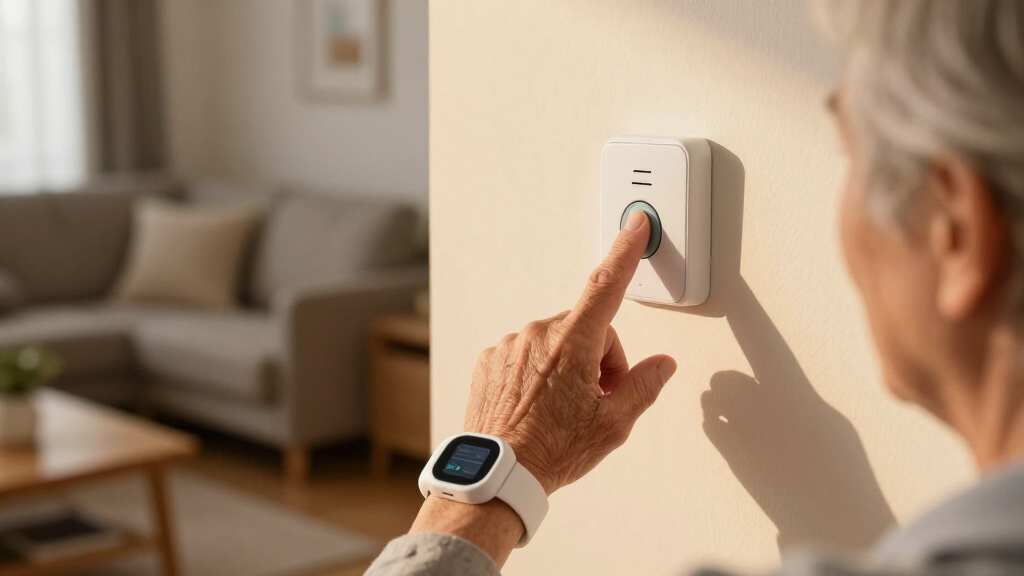
Wearable alert devices are like a trusted wristwatch or pendant — always with you, ready to call for help. They use cellular or Wi-Fi networks, often include GPS, and can automatically detect falls. Imagine your parent wearing a sleek band that alerts you if they wander off or fall in the yard.
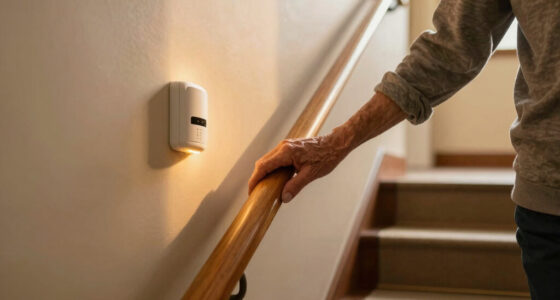
Wall-button systems are fixed units installed in key spots—like the bathroom or bedroom wall. Pressing the button sends an alert to caregivers or emergency responders. Think of it as a call box, always ready but only in specific locations.
While wearables move with you, wall buttons stay put. Both are designed to summon help fast, but their reach and ease of use differ greatly.
Products Worth Considering

Philips Hue Essential Starter Kit – Bridge and 4 E26 Smart Bulbs

Shark Clean & Empty Cordless Stick Vacuum with Auto-Empty System, BU3521

Philips Hue Starter Kit with Bridge Pro and 4 A19 E26 Smart Bulbs
As an affiliate, we earn on qualifying purchases.
How do they work? The tech behind the alerts
Wearable devices connect via cellular networks or Wi-Fi, often with GPS for precise location tracking. When activated — by pressing a button or automatically detecting a fall — they send alerts directly to caregivers’ phones, monitoring centers, or emergency services. For example, a GPS-enabled pendant can help find a wandering senior in a busy park within minutes.
Wall-mounted systems typically connect through landlines or Wi-Fi. When pressed, they send signals to a base unit which then contacts a monitoring service or family member. They’re reliable in fixed locations but limited when your loved one is outside the house.
Both technologies have improved with longer battery life, faster response times, and integration with smart home systems, making safety more seamless than ever. These technological advancements mean that users can now benefit from more accurate location data, quicker response times, and smarter integration with other home safety devices. This evolution reduces false alarms, enhances reliability, and creates a more holistic safety ecosystem, but it also requires understanding the tradeoffs—such as dependency on internet connectivity or the need for regular charging.
Which is better for active seniors? Wearables shine here
For seniors who stay active—walking, gardening, or visiting friends—wearables deliver freedom and peace of mind. They work anywhere, whether in the yard, grocery store, or park. Imagine your dad taking his GPS pendant on daily walks, knowing help is just a button press or automatic fall alert away.
Wearables with fall detection and GPS give an extra layer of safety, especially for those prone to wandering or with memory issues. The mobility to move freely without feeling tethered is a huge advantage, enabling independence that can significantly boost quality of life. However, this flexibility comes with the need for regular charging and ensuring the device is always functional, which might be a tradeoff for some users.
In contrast, wall systems are less flexible for active lifestyles. They’re best when the person mostly stays in a fixed home environment. Relying solely on a fixed system could leave gaps in coverage during outdoor activities or when away from the home, potentially limiting safety for highly mobile individuals.
What about ease of use? Which device is simpler?
Wearables are designed for one-touch activation—press a button, and help is on its way. Many models feature large buttons, clear visuals, and simple interfaces. For instance, an elderly woman with arthritis can easily press her pendant to call for help without struggling with complicated devices. However, this simplicity depends on the device’s design and user familiarity—some may require initial setup or practice to ensure reliable use.
Wall-button devices are straightforward too—press a big, illuminated button on the wall. They don’t require charging and are often more foolproof for those with cognitive or dexterity challenges. Their fixed placement reduces the chances of user error, which can be critical for individuals with memory impairments.
Ultimately, both are user-friendly but in different ways. Wearables offer mobility and independence, while wall units provide a consistent, fixed point of contact that can be easier for some users to remember and operate regularly. The decision hinges on the user’s abilities and environment, weighing convenience against reliability.
Coverage and range: Can they reach help everywhere?
Wearable alert devices offer personal help wherever you are, thanks to cellular or Wi-Fi connections. If your mother is gardening and falls, her pendant can summon help even if she’s outside or in the garage. This flexibility means that coverage is less dependent on physical location, reducing blind spots and increasing safety during outdoor activities or in larger homes.
Wall systems are limited to their installed locations. If your dad is in the living room, pressing the wall button works. But if he’s outside or in the backyard, it won’t help. This can create gaps in safety coverage, especially if the user spends significant time outside or in different parts of the house.
For larger homes or active lifestyles, wearable devices reduce blind spots and ensure help is always within reach. The ability to maintain safety across diverse environments is crucial, and choosing the right device depends on understanding these coverage implications—what areas are most critical, and how often the user is outside the fixed zones.
Cost and installation: What should you expect?
Wearable devices generally cost more upfront—around $100 to $300—due to their technology and portability. They often require a monthly service fee for cellular or internet connectivity. For example, a GPS pendant might be $150 plus $30 a month for monitoring. These ongoing costs reflect the advanced features and connectivity, but they can add up over time.
Wall-button systems are usually cheaper initially—$50 to $150—and often just need a one-time installation fee if professionally installed. They’re ideal for homes that want a fixed, reliable safety feature without ongoing costs. However, this lower initial investment may limit flexibility and coverage, especially if the user spends time outside the fixed zones.
Keep in mind, wearables may need charging every few days, which could be inconvenient for some users, potentially leading to lapses in safety if forgotten. Conversely, wall units run on power and only require periodic battery replacements, which might be easier for users with cognitive challenges. The tradeoff involves balancing initial costs, ongoing expenses, and maintenance requirements—factors that can influence long-term safety and budget planning.
What’s new? The latest tech making both devices smarter
Recent innovations make both device types more powerful. Wearables now include GPS, fall detection, and even voice commands—turning safety into a smart, connected experience. Imagine a pendant that detects a fall and automatically alerts a caregiver without any button press. These features reduce response times and can prevent serious injuries by ensuring help arrives promptly.
Wall systems are integrating with smart home tech—voice activation, remote monitoring, and automatic alerts. Picture pressing a button or simply speaking to a smart speaker to summon help. These advancements create a seamless safety ecosystem that adapts to the user’s environment, offering both convenience and increased reliability.
These advances blend safety with convenience, offering peace of mind in a connected world. However, they also introduce considerations—such as the need for stable internet, potential privacy concerns, and the complexity of setup—that users should evaluate before investing.
Which device should you pick? Making the right choice
Choosing depends on your loved one’s lifestyle and needs. Active, mobile seniors benefit most from wearables with GPS and fall detection. For those mostly homebound or with cognitive challenges, wall systems are simple and reliable. The decision involves assessing daily routines, environment, and the individual’s comfort with technology—understanding that a mismatch can lead to frustration or safety gaps.
Think about environment, budget, and personal preferences. Would they prefer a device that moves with them or a fixed safety point? Consider also the ease of use and tech comfort level—some may prefer the simplicity of a wall button, while others might value the independence a wearable provides. In some cases, combining both—wearable for mobility and wall systems for key locations—offers the best safety net, covering multiple scenarios and reducing blind spots.
Final thoughts: Safety that fits your loved one’s life
Both wearable and wall-button alert devices have come a long way, offering smarter, more reliable safety solutions. The key is matching technology to lifestyle—mobility, environment, and comfort. Recognizing the tradeoffs—such as coverage limitations or charging needs—helps in making an informed choice that best supports independence and safety.
Picture your loved one enjoying independence, knowing help is just a button or a call away. That’s the power of choosing the right alert device—peace of mind for everyone. Thoughtful selection ensures that safety adapts to changing needs, maintaining dignity and confidence as they age.
Frequently Asked Questions
Which device is better for active seniors?
Wearables are generally better for active seniors because they move with the person and provide help anywhere—inside or outside the home. GPS-enabled models are especially useful for those prone to wandering.
Are wearable devices safe for people with cognitive impairments?
Most wearables are easy to operate, but some may be challenging for those with severe memory or dexterity issues. In such cases, wall systems or simplified devices with large buttons might be safer options.
Yes, many modern wall units connect with smart home hubs, voice assistants, and emergency services, providing seamless safety and automation features.
What’s the typical cost difference?
Wearables usually cost between $100-$300 plus monthly service fees, while wall systems are generally $50-$150 upfront, with optional professional installation and minimal ongoing costs.
Do these devices work during power outages?
Wearables with cellular backup are reliable during outages. Wired wall systems may need battery backups to stay operational if power fails.
Conclusion
When it comes to safety, one size rarely fits all. The best alert device matches your loved one’s daily routine, mobility, and comfort level. Think about where they spend most of their time and what triggers help best serve them.
Ultimately, embracing the right combination of technology and environment creates a safer, more confident world for your loved ones—and peace of mind for you. Safety isn’t just about devices; it’s about empowering independence with dignity.