
TL;DR

Turn quiet afternoons into listening time
- Thousands of audiobooks, podcasts and originals
- Listen on your phone, tablet or Echo — also offline
- Cancel anytime
TV listening devices can deliver quality sound without loud volumes, thanks to wireless tech, low latency, and ergonomic design. This article explains your options, latest features, and how to pick the best for your comfort and hearing health.
Imagine watching your favorite show, the dialogue crisp and clear, yet the volume stays perfectly comfortable — no more shouting or straining to hear. That’s the promise of modern TV listening devices. They’re designed not just for better sound, but for your peace of mind and hearing health.
Whether you’re managing hearing loss or just tired of blasting the TV, these devices offer a smarter way to enjoy your screen time. This guide walks you through the latest options, what features matter most, and how to pick a device that keeps the volume just right.
Choose between RF and Bluetooth based on your range, stability, and setup preferences.
Prioritize comfort features like adjustable headbands and cushioned ear cups for long sessions.
Look for low-latency codecs and volume-limiting features to protect hearing health.
Consider devices with ambient noise detection for automatic volume adjustments.
Test compatibility and comfort before settling on a device to ensure it fits your needs.
TV Listening Devices That Keep the Volume Comfortable
Modern TV listening devices deliver crisp dialogue and fuller sound without forcing the room volume higher. Wireless tech, low-latency connections, ergonomic fit, and volume protection make screen time easier on ears, households, and hearing health.
Clear dialogue at a safer level
Health authorities warn that prolonged exposure above 85 decibels can contribute to hearing damage, so personal volume control is not just convenient. It is protective.
Pick the device around the listening problem
Different devices solve different frustrations: room volume, speech clarity, movement, hearing support, or shared watching. The best choice is the one that keeps sound intelligible at the lowest comfortable level.
Freedom with personal volume
Bluetooth or RF headphones let one viewer hear clearly without raising the TV for everyone else. Prioritize low latency, stable range, and soft ear cups.
Simple, stable, no pairing
Wired headphones avoid battery anxiety and wireless delay, but they limit movement and may require a TV headphone jack or adapter.
Designed for hearing needs
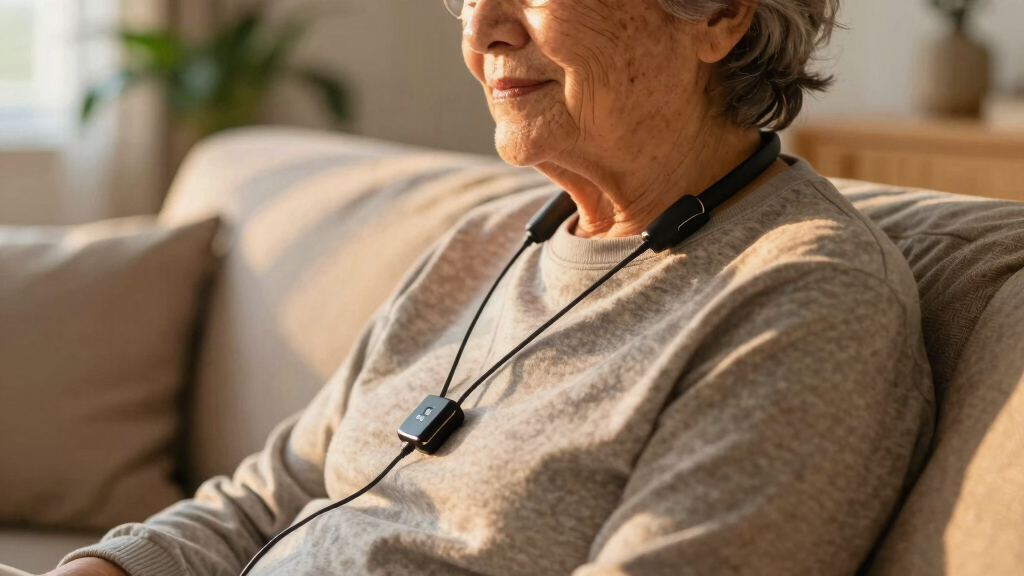
Assistive systems often add speech enhancement, sound profiles, volume limits, and compatibility with hearing aids or personal receivers.
The comfort chain: clear sound, lower volume, less strain
Assess
Identify whether you need speech clarity, noise isolation, hearing-aid support, or private listening.
Connect
Choose RF for range and stability, or Bluetooth for easier pairing with modern TVs.
Sync
Look for RF transmitters or low-latency codecs when lip movement and dialogue must align.
Limit
Use volume caps and sudden-sound protection to reduce risky spikes during long sessions.
Fit
Test weight, clamp pressure, cushions, and controls before committing to daily use.
RF vs. Bluetooth: the practical tradeoff
Both can keep the TV volume comfortable. RF usually wins for range and lip-sync reliability, while Bluetooth wins for convenience and device compatibility.
| Feature | RF Headphones | Bluetooth Headphones | Comfort Impact |
|---|---|---|---|
| Connection stability | ✓ Very stable with dedicated transmitter | ~ Can be affected by nearby devices | Fewer dropouts means less urge to raise volume. |
| Latency | ✓ Typically low delay | ~ Depends on codec support | Better sync makes dialogue feel natural. |
| Range | ✓ Often up to 100 feet | ~ Often around 30 feet | Longer range helps if you move around the room. |
| Setup | ~ Transmitter adds steps | ✓ Simple pairing on supported TVs | Easier setup matters for everyday use. |
| Portability | ✗ Mostly TV-room focused | ✓ Works with phones and tablets too | One headset can serve multiple audio habits. |
Feature priorities for long sessions
Comfort is physical and acoustic. The right device reduces pressure on the head, background noise in the ear, and sudden jumps in volume.
Volume safety zone
A listening device should help keep speech clear before volume climbs into risky territory. Noise isolation, speech enhancement, and personal profiles all reduce the need to turn everything up.
Smarter audio without louder audio
Newer devices increasingly combine Bluetooth 5.0, aptX Low Latency, improved RF transmitters, app-based profiles, ambient noise detection, and hearing-health controls.
- Low-latency codecs help dialogue match on-screen lip movement.
- Volume limiting reduces sudden loud bursts from ads, action scenes, or channel changes.
- Multi-user pairing lets two viewers listen at different levels without changing the room volume.
- Breathable materials and lighter frames reduce fatigue during long movies or sports.
- Speech-focused profiles can improve clarity for viewers managing hearing loss.
Trace the decision from need to fit
Use this quick chain to avoid buying around specs alone. Start with your listening need, then match the connection, comfort features, and safety controls.
What types of TV listening devices give you clear sound at lower volumes?
TV listening devices fall into a few main categories. Wireless headphones are popular — they connect via Bluetooth or RF, offering freedom to move. Wired headphones are simple and reliable, plugged directly into your TV. Some soundbars now include personal listening modes, turning them into multi-tasking marvels.
For example, a senior using wireless headphones might enjoy a crisp sound at half the volume of their TV’s built-in speakers, reducing strain and protecting hearing. Assistive listening devices are tailored for those with hearing loss, often featuring volume limits and sound customization.
Understanding why these differences matter helps you choose the right device. Wireless headphones offer mobility but can sometimes introduce latency or interference; wired options are straightforward but limit movement. Soundbars with personal modes can be convenient but may not provide the same clarity or customization as dedicated headphones. Recognizing these tradeoffs ensures you pick a device that aligns with your priorities—whether it’s sound quality, convenience, or safety.
Products Worth Considering

Bose TV Speaker Compact Soundbar with Bluetooth and HDMI-ARC, Black

Bose TV Speaker (2nd Gen) Compact Soundbar with Bluetooth and HDMI

Arlo Pro Wireless Security Camera, 2K HDR, 6th Generation, 4-Camera Kit
As an affiliate, we earn on qualifying purchases.
How do modern wireless TV headphones stay in sync with your TV?
Wireless headphones use Bluetooth or RF signals to connect to your TV. Bluetooth offers convenience and compatibility, but sometimes introduces a slight delay — a few milliseconds that can cause lip-sync issues. RF headphones, on the other hand, often come with a dedicated transmitter, providing a more stable connection with lower latency.
Why this matters is because even a small delay can disrupt the natural flow of dialogue, making viewing less immersive and sometimes frustrating. RF systems typically deliver a more synchronized experience, especially important for fast-paced action or dialogue-heavy content. Many newer models support low-latency codecs like aptX LL, which significantly reduce delay, ensuring your audio stays in perfect harmony with the on-screen lip movements. Choosing between Bluetooth and RF depends on your need for stability versus convenience, but understanding these technological differences helps you make an informed decision that enhances your viewing experience.
Compare RF vs. Bluetooth headphones — which suits your needs?
| Feature | RF Headphones | Bluetooth Headphones |
|---|---|---|
| Connection Stability | Very stable, less interference | Moderate, can be affected by other devices |
| Latency | Low latency, better lip-sync | Variable, depends on codecs used |
| Range | Up to 100 feet | Typically 30 feet |
| Ease of Setup | Requires transmitter, more steps | Simple pairing, plug-and-play |
Choosing between RF and Bluetooth headphones involves understanding your specific needs. RF offers superior stability and longer range, making it ideal for watching from across the room without interruption. However, setup can be more involved due to the transmitter. Bluetooth is more convenient for quick pairing and portability but may experience interference or delays, especially in crowded wireless environments. The decision hinges on whether you prioritize seamless, long-distance connection and minimal latency, or ease of use and device compatibility. Recognizing these tradeoffs helps you select a device that will deliver a satisfying, frustration-free experience tailored to your living space and viewing habits.
What features make a TV listening device comfortable for long use?
Comfort starts with fit. Look for adjustable headbands, cushioned ear cups, and lightweight materials. Noise isolation can help block background sounds, so you don’t need to turn the volume up, which can strain your ears over time. Battery life is also key — aim for at least 10 hours of playtime for a full day’s viewing, reducing the need for frequent charging interruptions.
Understanding why these features matter is crucial. An adjustable headband ensures the device fits snugly without pinching or slipping, preventing discomfort during extended use. Cushioned ear cups distribute pressure evenly, avoiding soreness. Lightweight design reduces fatigue, especially if you wear the device for hours. Noise isolation not only enhances sound clarity but also allows you to listen at lower volumes, protecting your hearing. Long battery life minimizes interruptions, making the experience more seamless. Weighing these factors helps you choose a device that maintains comfort and safety, encouraging longer, more enjoyable viewing sessions without discomfort or fatigue.
Which latest tech features improve listening comfort and safety?
Low-latency codecs like aptX LL now cut audio lag, making lip movements match sound perfectly. This technology reduces the distraction of lip-sync issues, especially important for watching content where dialogue is key. Some devices include volume limiting to prevent sudden loud noises, which can cause discomfort or hearing damage. These limits help users enjoy longer sessions without risking their hearing health. Others support multi-user pairing so everyone can enjoy their own sound profile without interference, which is ideal for households with multiple viewers. Recognizing the implications of these features is essential—low latency enhances immersion, volume limiting promotes safety, and multi-user options increase convenience. The integration of these innovations reflects a focus on both comfort and health, making your viewing experience safer and more tailored to your needs.
How to pick the best TV listening device for your needs?
- Assess your hearing and comfort needs — do you need noise isolation or a hearing aid-compatible device? Understanding your specific hearing profile helps in selecting features that address your unique challenges and preferences.
- Decide on wired or wireless based on mobility and convenience. Wireless offers freedom of movement but may introduce latency or interference, while wired ensures a stable connection but limits flexibility.
- Check compatibility with your TV — Bluetooth or RF? Confirm your TV supports the connection type or if an external transmitter is needed. Compatibility issues can lead to frustration or additional costs.
- Prioritize low latency if lip sync matters. This is particularly important for fast-paced content or when using speech-enhancement features, ensuring the audio remains synchronized with on-screen actions.
- Test for comfort — try different styles or adjustable features. Comfort is subjective; a device that fits well and feels natural will encourage longer use and reduce fatigue.
For example, a retiree with mild hearing loss chose RF headphones with volume limiting and a comfortable, adjustable headband. This combination gave her long, enjoyable TV sessions without discomfort or safety worries. Recognizing her specific needs and preferences was key to making an informed choice that enhanced her viewing experience.
Can devices automatically adjust volume based on your environment?
Some advanced TV listening devices come with ambient noise sensors that adjust volume automatically. They listen to background sounds and lower or raise the volume to keep speech clear. This feature is especially useful if you often watch in noisy rooms or with family talking around you.
Why this matters is because it prevents the need for constant manual adjustments, reducing distraction and ensuring consistent clarity. For example, in a busy household, the device detects increased background noise—like children playing—and lowers the volume accordingly, then raises it again when the environment quiets. This automatic adaptation helps maintain optimal listening levels, minimizing the risk of sudden loud noises that could harm hearing or cause discomfort. Recognizing the importance of such technology means you can enjoy a seamless, safe, and more comfortable viewing experience, especially in unpredictable environments.
What are the key differences between RF and Bluetooth TV headphones?
RF headphones typically offer a more stable connection, longer range, and lower latency, making them ideal for watching TV from across the room. They are less susceptible to interference from other wireless devices, which is critical in busy households. Bluetooth headphones are more common, easier to set up, and compatible with many devices, but may experience interference or slight delays, especially in environments with multiple wireless signals. Recognizing these differences helps you weigh whether you prioritize a reliable, long-distance connection or quick, hassle-free setup. RF provides a more consistent experience for dedicated TV watching, while Bluetooth offers flexibility and convenience for multi-purpose use, such as pairing with smartphones or tablets. Understanding these tradeoffs ensures you select a device that complements your lifestyle and viewing habits, ultimately enhancing your comfort and satisfaction.
Can these devices help with speech clarity and background noise?
Yes, many modern devices include features like noise reduction and speech enhancement. They filter out background sounds, focusing on speech, making dialogue easier to understand at lower volumes. This is especially helpful for those with hearing loss or in noisy environments.
Understanding why these features matter helps you appreciate their impact. Noise reduction minimizes distractions from ambient sounds like fans or household chatter, while speech enhancement amplifies dialogue, making voices clearer. For example, during a quiet scene with lots of background noise, a device with these features can emphasize the actor’s words, reducing the need to increase volume and protecting your hearing. Recognizing the benefits of these technologies means you can enjoy clearer soundscapes and more comfortable listening, especially over extended periods or in less-than-ideal acoustic conditions.
Are there health risks from prolonged use of TV listening devices?
Using volume-limiting features and keeping volumes below 85 decibels reduces the risk of hearing damage, according to health experts. Prolonged exposure to loud sounds can cause irreversible hearing loss, so moderation is key.
Why this matters is because understanding the implications of volume levels and duration helps protect your hearing health. For instance, a caregiver might remind their parent to take regular breaks and keep the volume at safe levels during long viewing sessions. This proactive approach minimizes potential damage while allowing for enjoyable entertainment. Recognizing the importance of moderation and safety features in your devices ensures you can enjoy your favorite content without risking long-term harm, fostering both health and pleasure.
Frequently Asked Questions
What is the best TV listening device for someone with hearing loss?
The best device depends on individual needs, but look for RF or Bluetooth headphones with sound customization, noise reduction, and volume limiting. Consulting an audiologist can help tailor the choice, but many find RF systems with speech enhancement most effective.
How do wireless TV headphones connect to my TV? Do I need a special transmitter?
Most wireless headphones connect via Bluetooth or RF. RF models often come with a dedicated transmitter you plug into your TV’s audio output. Bluetooth headphones may pair directly if your TV supports Bluetooth or via an external Bluetooth transmitter.
Are there affordable options that still provide good sound quality?
Yes, many budget-friendly Bluetooth and RF headphones deliver clear audio and comfort without breaking the bank. Look for models with good reviews on low-latency and comfort features, and consider wired options if affordability is a priority.
Can I use Bluetooth headphones with my TV? Are there latency issues?
Yes, if your TV supports Bluetooth, you can pair Bluetooth headphones directly. Latency can be an issue, but choosing models with aptX LL or similar low-latency codecs minimizes lip-sync problems.
What features should I look for to ensure comfort during long viewing sessions?
Focus on adjustable headbands, cushioned ear cups, lightweight design, and long battery life. These features help prevent discomfort and fatigue during extended use.
Conclusion
Enjoying TV at comfortable volumes isn’t just about convenience — it’s about protecting your hearing and reclaiming your peace of mind. The right device can turn your living room into a sanctuary of sound, free from sudden loud spikes or strained listening.
Pick a thoughtful, well-designed device, and you’ll sit back, relax, and let the story unfold — comfortably and safely.
This article is for informational purposes only and is not medical advice. Always consult a qualified healthcare professional about your specific situation.