
TL;DR

Turn quiet afternoons into listening time
- Thousands of audiobooks, podcasts and originals
- Listen on your phone, tablet or Echo — also offline
- Cancel anytime
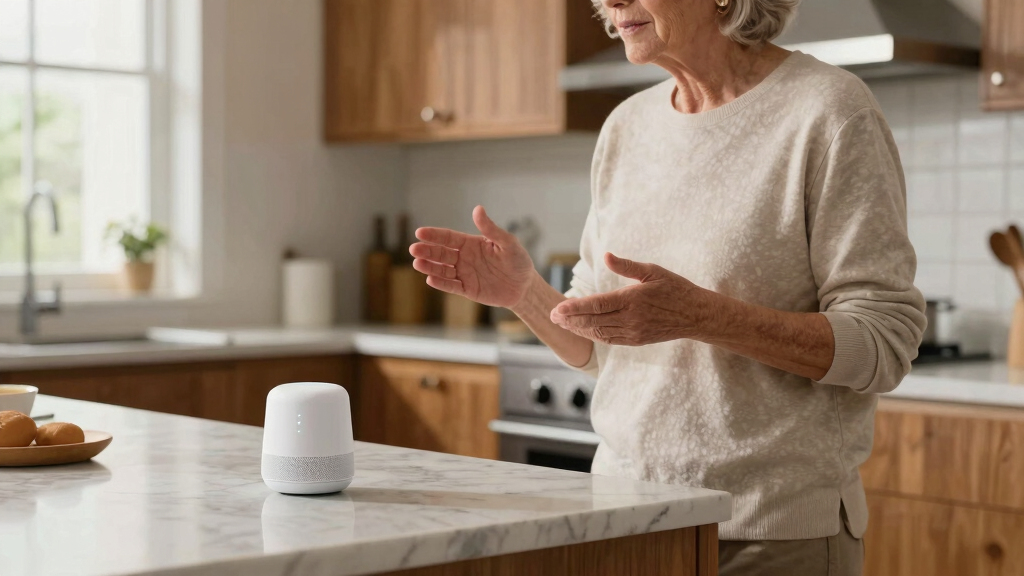
Voice assistants like Alexa, Google Assistant, and Siri are transforming homes by controlling smart devices, setting reminders, and providing instant info. Advances in NLP and device compatibility make them vital for accessibility and convenience, especially for older adults and caregivers.
Imagine walking into your kitchen and saying, “Turn on the lights,” or asking your voice assistant to set a reminder for your medication. These aren’t futuristic scenes anymore—they’re everyday realities for millions. Voice assistants have quietly become the brain behind many smart homes, helping with chores, safety, and accessibility.
In this guide, you’ll learn how these tools make household tasks easier, improve safety for older adults, and what to consider when choosing one. If you’re curious about making your home more responsive and inclusive, read on. We’ll explore real-world examples, recent tech advances, and simple tips to get started.
Voice assistants streamline household chores, saving time and effort.
They serve as central hubs for smart home devices, enhancing safety and convenience.
Recent AI improvements make interactions more natural and intuitive.
Voice technology significantly boosts accessibility, especially for seniors and those with mobility challenges.
Getting started is simple—pick a device, connect it, and start experimenting with commands.
How Voice Assistants Simplify Your Daily Tasks
Voice assistants like Amazon Alexa or Google Assistant can perform a surprising range of chores. They control smart lights, thermostats, and even kitchen appliances with a simple command. But beyond convenience, this integration matters because it fundamentally changes how we interact with our environment. For instance, preheating the oven remotely allows you to multitask, saving time and reducing the need to move physically around the kitchen—especially beneficial for those with mobility issues. Setting reminders or creating shopping lists ensures you don’t forget important tasks, which is crucial for managing busy schedules or health needs. These small commands might seem trivial, but they collectively contribute to a more efficient, stress-free household. According to recent studies, households using voice assistants report saving an average of 30 minutes daily on routine tasks—time that can be redirected toward family, hobbies, or rest. The implications are significant: as these devices become more integrated and intelligent, they can help reduce cognitive load and improve daily quality of life, especially for those with disabilities or aging populations. However, there’s also a tradeoff—over-reliance on automation might lead to decreased manual skills or attention to detail, emphasizing the importance of balanced use.
Products Worth Considering

Philips Hue Essential Starter Kit – Bridge and 4 E26 Smart Bulbs

Philips Hue Starter Kit with Bridge Pro and 4 A19 E26 Smart Bulbs

Philips Hue Smart LED Candle Light Bulb (B39, E12) – 2 Pack
As an affiliate, we earn on qualifying purchases.
The Best Smart Home Controls You Can Get
Voice assistants serve as the central command for smart homes, making it simple to control multiple devices. This centralized control not only enhances convenience but also creates opportunities for more complex automation routines. For example, you can set the lights to turn on gradually at sunset, the thermostat to adjust based on occupancy, and security cameras to alert you of unusual activity—all through voice commands. Here’s a quick comparison:
| Device | Supported Voice Assistants | Example Command |
|---|---|---|
| Smart Lights | Alexa, Google | “Dim the living room lights to 50%” |
| Thermostats | Alexa, Google, Apple | “Set the thermostat to 72 degrees” |
| Security Cameras | Alexa, Google, Apple | “Show me the front door camera” |
| Door Locks | Alexa, Google | “Lock the front door” |
While these controls provide immediate convenience, their true power lies in automation—creating routines that trigger multiple devices simultaneously based on time, location, or sensor data. This can lead to significant energy savings and heightened security, but it also raises considerations about system complexity and potential points of failure. For instance, if a routine depends on multiple devices, a single malfunction could disrupt the entire sequence, highlighting the need for thoughtful setup and regular maintenance. Thus, while smart controls enhance safety and efficiency, they require careful planning to balance automation benefits with reliability and security concerns.
Making Voice Assistants Easy and Safe to Use
Voice assistants are designed to be friendly, even for those who aren’t tech-savvy. They respond to natural speech, so you don’t need perfect commands. This simplicity is vital because it reduces barriers for users who might feel intimidated by technology, fostering independence. For example, instead of saying “Activate the living room lights at 50%,” you can simply say, “Dim the living room lights,” and they’ll understand. This natural language processing makes interactions feel more intuitive and less like programming. For safety, many devices allow you to set privacy controls, like deleting recordings or disabling microphones. These features are essential because voice data can contain sensitive information, and users need to feel in control of their privacy. Reviewing settings regularly or muting microphones when not needed helps mitigate risks. For older adults or those with mobility issues, voice commands eliminate the need to reach switches or press buttons, reducing fall risks and physical strain. This hands-free control not only promotes independence but also enhances safety by minimizing physical exertion and the potential for accidents, especially in emergency situations. Customizing privacy and accessibility settings ensures that these devices serve as safe, supportive tools tailored to individual needs.
Recent Tech Advances Making Voice Assistants Smarter
Up to October 2023, voice assistants have evolved from simple command responders to more conversational and context-aware systems. This shift is driven by advancements in natural language processing (NLP), which allow assistants to understand nuance, intent, and even emotional cues. For example, saying, “Hey Google, I’m feeling cold,” isn’t just a command—it’s a request that the system interprets as a need for temperature adjustment, demonstrating a move towards more human-like interactions. Multimodal interactions, combining voice with visual cues on smart displays, deepen engagement by providing immediate visual feedback, such as showing a recipe step-by-step or displaying calendar events. This integration makes the experience more intuitive and reduces misunderstandings. Additionally, multilingual support now includes regional dialects and multiple languages, which broadens accessibility for diverse users and fosters inclusivity. Privacy features have also advanced, with easier options to review, delete, or restrict voice data, addressing privacy concerns that have historically hindered adoption. These technological improvements not only make interactions more natural but also expand the potential for smart homes to become more personalized, secure, and user-friendly, though they also pose challenges around data security and user trust that must be managed carefully.
How Voice Assistants Can Boost Accessibility and Safety
Voice assistants are game-changers for older adults and people with disabilities. They help manage medication reminders, call emergency contacts, and control home safety devices—all without lifting a finger. This capability is vital because it addresses physical and cognitive barriers that can limit independence. For example, a senior saying, “Alexa, call my caregiver,” provides immediate access to help, which can be lifesaving in emergencies. They also make it easier to operate household systems—like adjusting the thermostat or turning on lights—without physical effort, reducing fall risks and physical strain. This hands-free approach is especially important for those with mobility impairments or chronic conditions. The increased independence that comes with voice-assisted control can significantly improve mental well-being, reduce feelings of isolation, and enable longer stays at home. According to an anonymous researcher, voice technology can increase independence for seniors by up to 40%, but it also requires careful implementation to ensure safety—such as verifying emergency call functions and privacy protections. These devices, when properly configured, become vital tools for creating safer, more inclusive living environments that support autonomy and peace of mind for vulnerable populations.
Simple Steps to Get Started with Your Voice Assistant
Setting up a voice assistant is straightforward. Here’s a step-by-step process:
- Choose your device: smart speaker, display, or integrated app.
- Connect it to your Wi-Fi network.
- Download the associated app (Alexa app, Google Home, etc.).
- Follow the setup prompts, including voice recognition and privacy preferences.
- Add compatible smart devices to your ecosystem.
- Practice basic commands to get comfortable.
While the initial setup is simple, the key to long-term success is understanding your device’s capabilities and limitations. Investing time in customizing privacy settings and creating routines tailored to your lifestyle can enhance safety and convenience. For example, setting up routines for morning wake-up or bedtime can streamline daily schedules. As you expand your system, ensure your network is secure and regularly update device firmware to protect against vulnerabilities. Starting small allows you to learn the nuances of voice control, troubleshoot issues early, and gradually build a more comprehensive smart home environment that truly fits your needs.
Frequently Asked Questions
Are voice assistants secure and private?
Most voice assistants offer privacy controls, like muting microphones and deleting recordings. Manufacturers are also improving transparency about data use. Still, it’s wise to review settings regularly and only enable features you’re comfortable with.
Can voice assistants understand multiple languages or accents?
Yes, many assistants now support multiple languages and regional accents, making them accessible worldwide. You can often set preferred languages in the app or device settings, ensuring smooth communication.
What if my home has poor Wi-Fi? Will the assistant still work?
Voice assistants rely on a stable internet connection for most functions. If your Wi-Fi is spotty, some features may lag or not work at all. Improving your home Wi-Fi or using a wired connection can help ensure consistent performance.
Are these devices suitable for seniors or people with disabilities?
Absolutely. Voice commands eliminate the need for physical reach or sight, making them ideal for seniors or those with mobility and vision challenges. They promote independence and safety at home.
How much does it cost to set up a voice-controlled smart home?
Prices vary—from around $50 for a basic smart speaker to several hundred dollars for a fully integrated system. Start small—control a few lights or a thermostat—and expand as needed to fit your budget and needs.
Conclusion
Integrating a voice assistant into your home isn’t just about tech—it’s about creating a safer, more accessible space that adapts to your needs. Whether you want to control your environment or stay connected, these tools make everyday life smoother and more dignified.
Imagine a home that responds effortlessly to your voice, giving you back time and independence. That’s the real promise of today’s voice assistants—an invisible helper, always ready to lend a hand.