
TL;DR

Turn quiet afternoons into listening time
- Thousands of audiobooks, podcasts and originals
- Listen on your phone, tablet or Echo — also offline
- Cancel anytime
Handheld magnifiers are portable and ideal for quick, on-the-go tasks, while desktop magnifiers offer larger views and stability for extended reading and detailed work. Your choice depends on how, where, and for how long you’ll use them.
Imagine trying to read a tiny label on a spice jar or sign your name on a check. The right magnifier can make a world of difference. But choosing between a handheld and a desktop model isn’t just about size or cost—it’s about matching the device to your daily routines and needs.
In this guide, you’ll learn what each type offers, their pros and cons, and how to pick the best fit for your lifestyle. Whether you’re reading menus at a restaurant or working on craft projects, understanding these differences helps you see clearly and comfortably.
Choose a handheld magnifier for quick, portable use; opt for a desktop model for longer, detailed work.
Balance magnification with field of view, contrast, and lighting—more isn’t always better.
Test devices with your everyday materials to see what feels most comfortable and effective.
Recent tech advances—like OCR and connectivity—boost both device versatility and ease of use.
Remember: magnifiers assist, but they don’t fix underlying eye conditions. Consult a professional for medical advice.
Handheld vs Desktop Magnifiers
Handheld models bring speed and portability to quick tasks. Desktop systems provide the stability, working space, and larger view needed for extended reading and detailed work. The right choice begins with your routine—not the biggest magnification number.
More magnification often means less visible area.
The useful sweet spot balances enlargement, field of view, contrast, lighting, and control.
Two tools, two distinct rhythms
Imagine reading a spice-jar label, then filling out a long form. Both tasks require enlargement, but they demand very different levels of speed, stability, viewing area, and physical comfort.
Handheld magnifier
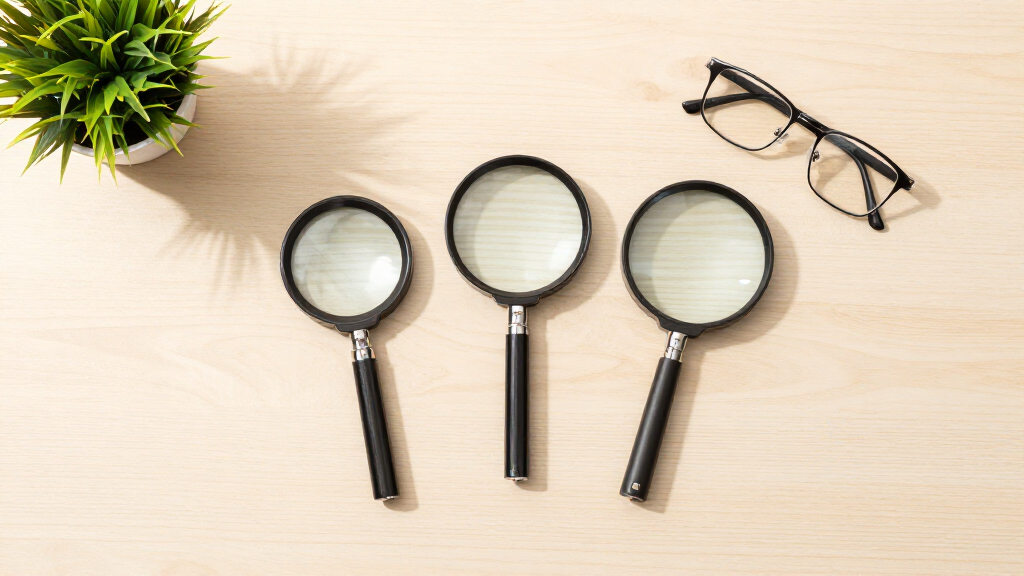
A compact optical lens or electronic screen held over the item you want to see. It slips into a pocket or bag and is ready for short, spontaneous tasks.
- Ideal for price tags, menus, medication labels, mail, and appliance controls.
- Optical versions need no charging; electronic versions may add contrast and image capture.
- Usually lighter, simpler, and less expensive than desktop systems.
- Best when portability and immediate access outrank session length.
Desktop magnifier
A camera displays enlarged material on a large monitor or dedicated screen. Many models leave room beneath the camera for writing and detailed handwork.
- Ideal for books, forms, checks, study, crafts, photographs, and detailed inspection.
- Provides a stable, hands-free image with a broader usable field of view.
- Often includes adjustable color, contrast, brightness, focus, and working distance.
- Best when comfort, navigation, and precision matter over a long session.
Where each format wins
Neither format is universally better. The useful question is which device removes the most friction from the task in front of you.
| Feature | Handheld magnifier | Desktop magnifier | Decision signal |
|---|---|---|---|
| Portability | +Easy to carry and use anywhere | Primarily designed for a fixed workspace | Choose handheld for frequent use away from home |
| Typical format | Optical lens or portable electronic screen | Camera mounted over a monitor or screen | Choose based on whether you need pocket access or a workstation |
| Best use | +Short reading and spot checks | +Extended reading, writing, and detailed work | Match the device to typical session length |
| Viewing area | Small to medium; frequent repositioning | +Large and easier to navigate | Long documents favor a larger screen |
| High magnification | Possible, but less practical as the field narrows | +Wide, stable magnification range | Test clarity and navigation—not just the maximum number |
| Writing space | Limited on many models | +Often designed for hands-on work below the camera | Forms, checks, and crafts favor desktop |
| Stability | May be affected by tremor or fatigue | +Hands-free, stable image | Reduced dexterity favors a stand or desktop model |
| Price and setup | +Usually lower cost and immediately usable | Usually higher cost; needs power and desk space | Include training, warranty, and return policy in the value |
Zoom changes more than size
As enlargement increases, fewer words and less surrounding context remain visible. That can make it harder to find the next line, scan a page, or keep your place.
Qualitative usability profile
Relative strengths drawn from typical use characteristics—not fixed performance scores.
Let daily life decide
Consider where the task happens, how long it lasts, whether your hands must remain free, and how much space you have around the material.
Shopping & labels
Read prices, package directions, ingredient lists, or shelf labels without setting up a workspace.
Best fit: handheldMenus & travel
Carry a lightweight device for restaurants, tickets, hotel controls, schedules, and signs.
Best fit: handheldBooks & study
Navigate full pages with a stable image, adjustable viewing modes, and less arm fatigue.
Best fit: desktopWriting & forms
Sign checks, complete paperwork, or write notes beneath a camera with useful working distance.
Best fit: desktopCrafts & hobbies
Keep both hands available while viewing fine materials, tools, photographs, or intricate work.
Best fit: desktopHome plus errands
Use a portable device outside and a comfortable workstation for extended tasks at home.
Best fit: bothTest the experience, not the brochure
Bring the materials you actually use: a medication bottle, newspaper, utility bill, form, favorite book, photograph, or craft object. Real tasks expose usability issues quickly.
Magnification
Can you see necessary detail without shrinking the usable field of view too far?
Light & contrast
Try brightness levels, color combinations, glare control, and contrast modes.
Ease of use
Look for large buttons, tactile feedback, simple menus, and predictable focus.
Working distance
Confirm that hands, pens, tools, and materials fit comfortably beneath the view.
Portability
Check weight, grip, battery life, folding parts, carrying case, and charging method.
Support
Compare training, warranty, return policy, repairs, updates, and local assistance.
Modern features expand what the device can do
A practical decision chain
Follow the task from context to comfort. Each answer narrows the choice and makes product testing more meaningful.
Label, menu, book, form, study, writing, or craft?
On the move, around the home, or at a fixed desk?
A quick check, several minutes, or an extended session?
Can you hold steady, navigate easily, and maintain posture?
Use your own materials before making the final choice.
Choose for the routine you really have.
Handheld: portable, fast, and practical for brief tasks.
Desktop: stable, spacious, and comfortable for sustained work.
If your day includes both patterns, a two-device approach may provide the most independence.
What is a handheld magnifier and when should you use it?
A handheld magnifier is a small, portable device with a lens or electronic screen you hold in your hand. It’s perfect for quick, spot checks—like reading a price tag or mail. For example, if you’re shopping and want to read tiny print on a cereal box, a handheld magnifier slips easily into your pocket.
They’re lightweight, require no power (if optical), and are ready to go whenever you need them. But remember—holding it steady can be tricky, especially if your hands tremble or you’re tired. These models shine during short tasks or on-the-fly errands.
Understanding when to use a handheld magnifier is crucial because it emphasizes portability and immediacy. However, the tradeoff is that maintaining a steady view can be challenging, especially over extended periods or if you have tremors. This means they’re best suited for quick, occasional use rather than prolonged reading sessions. Knowing this helps you decide if a handheld device fits your lifestyle or if you need something more stable for longer tasks.
Products Worth Considering

Bose SoundLink Flex (2nd Gen) Portable Bluetooth Speaker
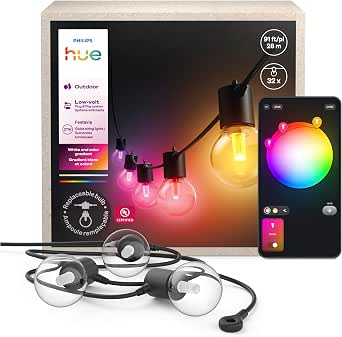
Philips Hue Festavia Globe Outdoor String Lights, 32 Bulbs, 91 ft

Philips Hue Bridge Pro Smart Lighting Hub
As an affiliate, we earn on qualifying purchases.
What is a desktop magnifier and why might it be better for extended use?
A desktop magnifier uses a camera connected to a large monitor or a dedicated screen. Think of it as a mini TV showing an enlarged view of your book, craft project, or paperwork. For instance, if you’re reading a lengthy novel or filling out forms, a desktop model provides a stable, clear image that reduces eye strain.
They’re ideal for tasks that demand sustained focus—like writing checks or detailed crafts. Plus, with adjustable contrast and focus, you can customize the view to suit your vision and lighting conditions.
Understanding why a desktop magnifier is better for extended use involves recognizing the importance of stability and comfort. Extended tasks require a steady, ergonomic setup to prevent fatigue and reduce eye strain. The tradeoff is that these devices are usually larger and less portable, which means they’re best kept in a dedicated workspace. This highlights the importance of matching device choice to your typical activity duration and environment, ensuring you can work comfortably without unnecessary strain.
Compare handheld and desktop magnifiers side-by-side
| Feature | Handheld Magnifiers | Desktop Magnifiers |
|---|---|---|
| Portability | Easy to carry everywhere | Designed for a fixed spot, less portable |
| Size & Viewing Area | Small to medium; limited field of view | Large; wider field of view |
| Best for | Quick tasks, shopping, labels | Extended reading, writing, crafts |
| Magnification Range | Lower to moderate; high magnification reduces view | Wide, stable range; higher magnification possible |
| Stability & Ease of Use | Hand-held, may wobble or tire arm | Hands-free, stable image |
| Price | Generally less expensive | Usually more costly |
| Setup & Portability | Immediate, no setup | Requires desk space, setup time |
Which device fits your tasks and lifestyle?
Choosing the right magnifier depends on what you need it for. If you’re often out and about, shopping or reading menus, a handheld model is your best friend. It’s light, quick, and ready when you are.
But if you spend hours reading, writing, or doing crafts, a desktop magnifier offers the comfort, stability, and larger view you need. Many users find that having both—portable for errands and a desktop for home—works best.
Thinking about your daily routines, physical comfort, and space helps you decide which device suits your needs. Do you prefer holding or positioning the device easily? Will you be using it for a few minutes or several hours? These considerations influence not just your choice but also your overall comfort and efficiency.
Key features to consider before buying
When shopping for a magnifier, focus on features that impact your comfort and effectiveness. Look for:
- Magnification range: Enough to see details clearly without losing your field of view.
- Lighting options: Adjustable brightness and contrast modes to suit your eye condition.
- Ease of controls: Big buttons, tactile feedback, simple menus.
- Working distance: How far the device sits from your work surface.
- Portability: Weight, size, and whether it folds or detaches for travel.
- Price and support: Warranties, training, and return policies.
Testing devices with real materials—like medication bottles or newspapers—is essential because it provides direct experience of how the device performs in real-life situations. Trying out different options with your actual materials helps you assess comfort, clarity, and ease of use, which are critical for making an informed purchase that truly meets your needs.
Recent advances making magnifiers smarter and easier
Modern magnifiers keep getting better. Recent innovations include high-res cameras, faster autofocus, and larger portable screens. Some desktop models now fold or have lightweight designs, perfect for moving between rooms or traveling.
Features like OCR (optical character recognition) and text-to-speech turn printed words into spoken sentences—great for those with severe vision loss. Connectivity options let you link to computers or tablets, expanding what you can do.
These technological advancements are significant because they directly address common challenges—such as difficulty reading small print or fatigue from prolonged use. They enable users to customize their experience more precisely, reduce strain, and increase independence. As a result, everyday tasks become more manageable and less tiring, greatly enhancing quality of life.
What you should really know about magnifiers
Magnification alone isn’t a magic fix. It doesn’t restore perfect vision or treat eye conditions. Instead, it helps you see what’s already there more clearly.
More magnification isn’t always better. It narrows your view and can make navigation a challenge. Think of it like zooming in on a photo—sometimes, seeing less detail more clearly is the goal. The key is finding the right balance: too much magnification can be as problematic as too little, because it can cause eye strain or make it harder to locate what you’re looking for.
Contrast, lighting, and stability often matter more than just size. A larger screen with blurry images or poor lighting can be frustrating, regardless of the magnification level. Being aware of these factors helps you choose a device that enhances your vision without introducing new difficulties. It’s about understanding that effective magnification considers multiple features working together, rather than relying on size alone.
What questions do you still have?
- Which magnifier is best for reading books? A desktop magnifier often provides a larger, clearer image for extended reading, but a handheld can work for quick checks.
- Can I switch between devices easily? Many people keep both a handheld for errands and a desktop for home. Some electronic magnifiers are portable, too.
- Will my vision improve with magnification? Magnifiers assist with seeing more clearly but don’t cure eye conditions. Consult your eye care professional for medical options.
- Are digital magnifiers worth the investment? If you need adjustable magnification, contrast, and features like OCR, digital models can be very helpful, especially if you often switch tasks.
- What’s the best way to try before I buy? Testing devices with your own materials in person gives you the best sense of comfort and usability, plus many providers offer trial periods.
Conclusion
Picking the right magnifier isn’t just about size or price—it’s about how it fits into your daily life. Whether you reach for a tiny handheld to check a price or settle in with a large desktop for hours of reading, the goal remains the same: clearer, more comfortable vision.
Imagine a world where small print no longer intimidates and detailed hobbies become easier. That’s the power of choosing the right magnifier—making everyday tasks simpler and more enjoyable, one clear view at a time.