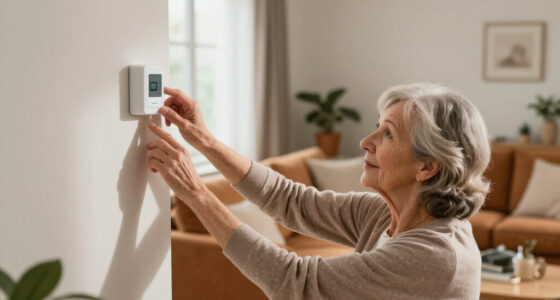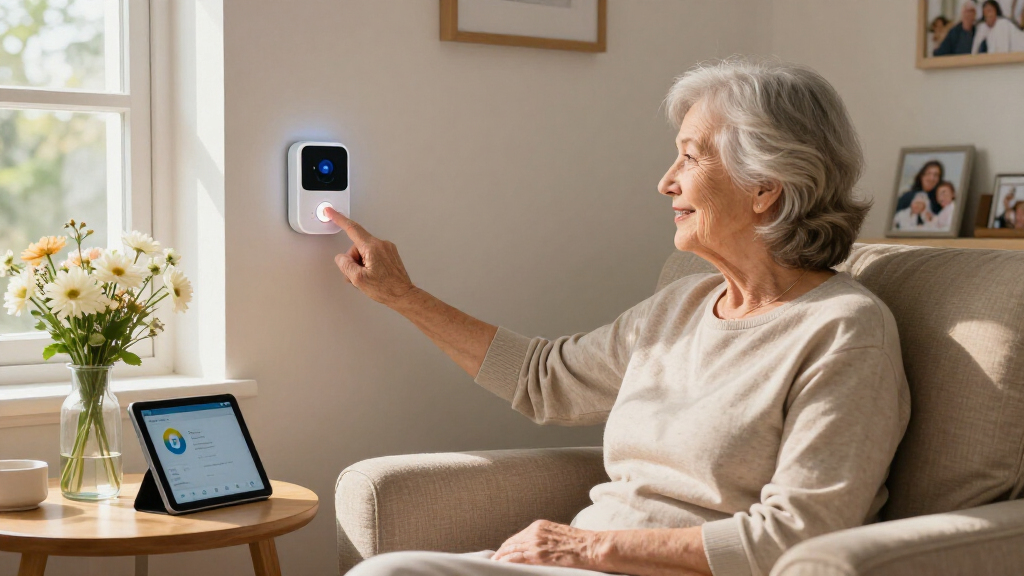

The best easy-to-use emergency alert system for most homes is the CallToU Wireless Caregiver Pager Call Button, because it pairs a one-press call button with a simple plug-in receiver and no app, subscription, or setup wizard to wrestle with. If you need coverage outside the house, the Safety+ 4G Medical Alert System with Fall Detection and GPS is the strongest upgrade path, while the TECKNET Wireless Caregiver Pager wins on value for apartments and single-floor homes. The main tradeoff in this category is simplicity versus reach: the easiest systems are local pagers that only work when a caregiver is nearby, whereas systems that contact family or emergency services from anywhere usually cost more and involve monthly fees or smartphone apps. Battery life, waterproofing, and whether the senior can wear versus mount the button all shape the right choice too. Keep reading for the full breakdown of all 14 systems and who each one fits best.
Prime for Young Adults — start your free trial
Fast free delivery, streaming and member deals for eligible 18–24 year olds.
Try it freeAs an affiliate, we earn on qualifying purchases.
Complete the kit


Key Takeaways
- Local caregiver pagers (CallToU, TECKNET, FullHouse) are the easiest to set up — usually under five minutes with no fees — but only work when someone is within range to hear the receiver.
- App-connected no-monthly-fee systems (DAYTECH, Life Alert App-Controlled, CallToU Wi-Fi) bridge the gap for working caregivers, but they depend entirely on your home Wi-Fi staying online and your phone notifications being enabled.
- Only two picks — Safety+ 4G and SecuLife — offer cellular connectivity with GPS and automatic fall detection, making them the sole true options for seniors who leave the house alone.
- Volume, range, and light alerts varied more than any other spec: the 1000+ ft waterproof model and TECKNET’s RGB-light receiver stood out for large homes and hearing-impaired users.
- Multi-button kits (PILSAMAS 1 Hub + 3 Buttons, the 2-button generic pager) make more sense for multi-room coverage than buying single-button systems repeatedly.


| easy-to-use emergency alert system | Range | Connectivity |
|---|---|---|
| FullHouse Caregiver Pager Wire | 1000 ft open air, ~500 ft with walls | Wireless RF, no WiFi or app required |
| TECKNET Wireless Caregiver Pag | — | — |
| Wireless Caregiver Pager with | 1500 ft | — |
| Safety+ 4G Medical Alert Syste | — | 4G LTE |
| Panic Button Alarm Remote Sire | — | — |
| Wireless Caregiver Pager SOS C | 1000 feet | Wireless RF (no Wi-Fi required) |
| Life Alert System No Monthly F | — | 2.4GHz Wi-Fi |
| PILSAMAS WiFi Caregiver Pager | 328 feet with through-wall capability | — |
| DAYTECH WiFi Caregiver Call Bu | — | Wi-Fi |
| Life Alert System for Seniors | Up to 300 feet | WiFi plus wireless signal (dual-channel) |
| PILSAMAS 3-Pack WiFi Wireless | 230 feet | Wi-Fi (2.4G only), 433MHz |
| CallToU Wi-Fi Caregiver Call B | 328ft / 100m | — |
| SecuLife Medical Alert Pendant | — | — |
| CallToU Wireless Caregiver Pag | 500+ ft | — |
More Details on Our Top Picks
FullHouse Caregiver Pager Wireless Emergency Call Button for Elderly
This option stands out for balancing range, simplicity, and price better than anything else in this batch. The 1000-foot open-air range comfortably covers a typical two-story home, and the splash-proof button works in the bathroom — the room where most senior falls happen. Compared with the TECKNET pager, which tops out at 500 feet, FullHouse gives caregivers more freedom to garden, do laundry, or step outside without losing the signal. Setup requires no app, no WiFi, and no subscription, which is exactly why it earns the top spot for an easy-to-use roundup: press the button, the receiver chimes.
The tradeoff is modest but real. Unlike the Safety+ 4G system, there is no monitoring service, GPS, or automatic fall detection — a caregiver must actually be in range and able to respond. The button also can’t be submerged, so shower users should hang it just outside the stall.
Pros:- 1000-foot open-air range beats most plug-and-play pagers in this price class
- Splash-proof button is safe for bathroom and kitchen use
- 52 melodies and 5 volume levels let you pick an alert everyone can distinguish
- No WiFi, app, or monthly fees — genuinely simple setup
Cons:- No fall detection or professional monitoring, so it depends entirely on a nearby caregiver
- Signal drops to roughly 500 feet through interior walls in larger homes
Best for: Family caregivers living with or near a senior who want a dependable, subscription-free way to be summoned from anywhere on the property
Not ideal for: Seniors living alone — there’s no outside monitoring, so an alert only helps if someone is home to hear it
- Range:1000 ft open air, ~500 ft with walls
- Waterproof Rating:Splash proof (not immersible)
- Melodies:52
- Volume Levels:5
- Connectivity:Wireless RF, no WiFi or app required
- Monthly Fees:None
Our verdict“If you want the simplest way for a loved one to summon you from across the house or yard without paying a monthly fee, this is the one to buy.”
TECKNET Wireless Caregiver Pager with SOS Call Button
TECKNET earns the value slot by pairing a 36-month warranty with the most accessible design in this group — the button can be worn on the neck, wrist, or clipped to clothing, which matters for seniors with dexterity issues or dementia-related fidgeting. The RGB indicator lights are the standout feature: for households with a hearing-impaired caregiver, a flashing color cue can be the difference between a noticed alert and a missed one, something the FullHouse pager doesn’t offer as prominently.
The compromises are budget-typical. The receiver must stay plugged into an outlet, so a power cut silences the whole system — unlike the battery-driven two-button pager, which keeps working. The 500-foot range also means it’s best in apartments or single-level homes rather than sprawling properties. Keep the button’s ‘Do Not Touch’ zone uncovered or that already-shorter range shrinks further.
Pros:- Three wearing styles (neck, wrist, clip) suit users who resist pendants
- RGB lights give visual alerts for hearing-impaired caregivers
- 36-month warranty is the longest in this batch
- No monthly fees and simple press-to-call operation
Cons:- Receiver requires constant wall power with no battery backup
- 500-foot range is half what FullHouse offers, and shrinks if the button’s antenna area is covered
Best for: Budget-minded buyers in apartments or single-level homes, especially where a hearing-impaired caregiver benefits from the visual RGB alerts
Not ideal for: Larger multi-story homes or anyone wanting backup during power outages, since the receiver has no battery option
- Transmission Range:500 ft
- Volume:5 levels, 0–100 dB
- Ringtone Options:61
- Wearing Options:Necklace, wristband, clip
- Warranty:36 months
- Power:Receiver requires outlet; no batteries included
- Monthly Fees:None
Our verdict“The smart pick for smaller homes that want flexibility in how the button is worn and a warranty that outlasts the competition.”
Wireless Caregiver Pager with 2 Call Buttons and Receiver
This model makes the most sense for a specific household layout: one senior, multiple rooms. With two call buttons and one receiver, you can station one in the bathroom and one at the bedside, so the button is never more than an arm’s reach away — a genuine fall-risk reducer that single-button kits like the FullHouse can’t match without buying a second unit. It also posts the longest range here at 1500 feet, plus an IP55 dust-and-water rating and CR2032 batteries rated for up to three years, meaning years of press-and-forget reliability.
Where it falls short of pricier smart options: there’s no smartphone integration at all, so unlike the DAYTECH WiFi button later in this roundup, you can’t get a phone notification while away. Volume tops out at a loud 120 dB, which is great for hearing it but harsh in small homes at night. Batteries ship separately, so have them ready before setup day.
Pros:- 1500-foot range is the longest in this batch
- Two buttons cover two rooms for one receiver at a lower cost than two separate kits
- IP55 waterproof and dustproof with a -4°F to 140°F operating range
- CR2032 batteries last up to 3 years, minimizing maintenance
Cons:- No smartphone or app integration limits alerts to in-range caregivers
- 120 dB maximum volume can be jarring in small homes overnight
- Button batteries not included
Best for: Caregivers covering a senior in multiple rooms or a larger property who want two buttons under one receiver with a 3-year battery life
Not ideal for: Anyone who needs alerts while off-site — with no app or phone notifications, it only works when you’re physically in range
- Range:1500 ft
- Buttons Included:2 transmitters, 1 receiver
- Ringtones:58 built-in
- Volume:5 levels, up to 120 dB
- Waterproof/Dustproof:IP55
- Battery Life:Up to 3 years (CR2032)
- Operating Temperature:-4°F to 140°F
- Warranty:18 months
Our verdict“The practical choice when one senior needs buttons in more than one room and you want the longest range and least battery hassle.”
Safety+ 4G Medical Alert System with Fall Detection and GPS
Every other product here shares one limitation: someone must be nearby to help. Safety+ breaks that ceiling with 24/7 nationwide monitoring, automatic fall detection, and GPS, meaning a senior living alone gets emergency dispatch even if they’re unconscious or away from home. Compared with the panic button siren, which just makes noise and hopes a neighbor hears it, this device connects to trained responders over 4G LTE. Setup is refreshingly simple — activation requires no smartphone, and the lanyard-plus-belt-clip design suits different wearers.
The tradeoff is cost: $40 per month after the first free month adds up to nearly $500 a year, where the pager systems cost nothing to run. Battery life of six days also demands a reliable charging routine, and mixed customer ratings suggest the fall detection can occasionally misfire. If a live-in caregiver handles daily safety, a $30 pager is the better buy; for solo living, this is the only category of device that truly protects.
Pros:- 24/7 monitored response works even when the user can’t press the button
- Automatic fall detection and GPS locating cover unconscious or disoriented users
- No smartphone needed for setup or daily use
- Water-resistant wearable with lanyard and belt clip options
Cons:- $40/month subscription is a recurring cost none of the pager options carry
- Mixed customer ratings point to occasional false fall alerts
- 6-day battery life requires disciplined recharging
Best for: Seniors or adults with medical conditions who live alone or spend time outside the home and need 24/7 monitored emergency response
Not ideal for: Households with a full-time caregiver on site — the monthly fee buys monitoring you don’t need when a pager would do
- Monitoring:24/7 nationwide emergency response
- Connectivity:4G LTE
- Fall Detection:Yes, automatic
- GPS Location:Yes
- Battery Life:Up to 6 days
- Water Resistance:Yes
- Includes:Device, charging dock, lanyard, belt clip, caregiver app, first month of service
- Service Cost:$40/month after first month
Our verdict“Worth the subscription only if the user spends time alone — it’s the one system here that summons help when no one else is around.”
Panic Button Alarm Remote Siren Emergency Alert System for Elderly
This is the odd one out in a medical-alert lineup, and that’s its strength. Rather than paging a caregiver, it triggers a 120 dB siren with a flashing red light at the button — drawing attention from neighbors, startling an intruder, or cutting through a noisy household. The two-button pager is quieter but more precise; this siren is louder but indiscriminate. For seniors worried about break-ins or wandering strangers rather than falls, an audible deterrent beats a chime in another room. Batteries are included, mounting takes minutes, and the lanyard makes it grabbable from a nightstand.
The limits matter for medical use: at a 500-foot range, the ‘alert’ is really just noise — someone still has to hear it and choose to respond, with no indication of what or where the emergency is. There’s no waterproofing, so bathroom use is off the table, and 4 AA batteries will need replacing. Choose this alongside a pager, not instead of one, if falls are the primary concern.
Pros:- 120 dB siren with adjustable volume and alarm duration doubles as a security deterrent
- Flashing red light adds a visual alert component
- 4 AA batteries included, plus lanyard and two wall-mount options
- Instant setup with no pairing, apps, or subscriptions
Cons:- Alert is just noise — no paging, no monitoring, and no location or context for responders
- No waterproof or weather-resistant rating, ruling out shower or outdoor use
- 500-foot effective range with ongoing AA battery replacement costs
Best for: Seniors or small-business owners who want a loud, attention-grabbing deterrent for intruders or emergencies where neighbors are the first line of help
Not ideal for: Anyone whose main risk is a fall in the bathroom — no waterproofing, no caregiver paging, and no way for a responder to know what happened
- Alarm Volume:120 dB, adjustable
- Alert Type:Siren plus flashing red light
- Maximum Range:500 ft
- Power:4 AA batteries (included)
- Mounting:Wall mount (two fixing methods) plus lanyard carry
- Waterproofing:None
- Monthly Fees:None
Our verdict“Buy this as a personal security siren for scaring off threats and summoning neighbors — not as a substitute for a caregiver pager or monitored system.”
Wireless Caregiver Pager SOS Call Button for Elderly Monitoring, 1000+ Feet Range, Waterproof Transmitter & Receiver
Range is the reason this system earns its place, and it’s not a small difference: 1000 feet of operating range is double or triple what most competitors offer, including the PILSAMAS WiFi system at 328 feet. For buyers in multi-story homes or properties with detached rooms, that headroom means the pager still works from the backyard or basement. Setup skips Wi-Fi entirely, which makes it more dependable than app-based rivals like the DAYTECH call button whenever the internet drops. The tradeoff is old-school simplicity: there’s no app, no phone notifications, and no way to alert a caregiver who isn’t physically holding the receiver. With 55 ringtones and 5 volume levels, customization is generous, but the vague power-source documentation will frustrate anyone who wants to plan battery replacements.
Pros:- Longest range in this lineup at 1000 feet, roughly triple the PILSAMAS system
- No Wi-Fi dependency — works during internet outages
- 55 ringtones and 5 volume levels for deep customization
- Expandable with additional transmitters and receivers for multiple rooms or users
Cons:- No app or phone notifications, so alerts only reach whoever holds the receiver
- Power source and battery life are poorly documented
- Water resistance level is unspecified beyond a general claim
Best for: Caregivers in large or multi-story homes who stay on-site and need coverage across a big property
Not ideal for: Remote family members or off-site caregivers — there’s no app or phone alerting, so it only works when someone is nearby with the receiver
- Range:1000 feet
- Waterproof:Yes
- Number of Ringtones:55
- Volume Levels:5
- Expandable:Yes — additional transmitters and receivers
- Connectivity:Wireless RF (no Wi-Fi required)
- Best Placement:Home, hospital, or care facility
Our verdict“If you’re the on-site caregiver for a parent in a big house and don’t need phone alerts, this is the most reliable long-range pick here.”
Life Alert System No Monthly Fee, Caregiver Pager Call Button for Seniors with App and Waterproof Pendant
This option stands out for combining two things budget systems usually force you to choose between: wearable waterproof buttons and app notifications with no monthly fee. Compared with the plain wireless 1000-foot caregiver pager, you gain the ability to alert family members who aren’t home — a meaningful safety upgrade for seniors living semi-independently. The package includes both a pendant and an SOS watch-style button, giving the user two ways to call for help, which the PILSAMAS 3-button kit doesn’t offer in wearable form. The compromise is dependence on 2.4GHz Wi-Fi; if the router fails, so does the alerting. Range for the receiver is also vague, so buyers with very large homes may want the longer-range RF alternative instead.
Pros:- No monthly fee or subscription required for app alerts
- Two wearable options — waterproof pendant plus wrist button
- Receiver plus app notifications cover both in-home and remote caregivers
- Simple setup suitable for non-technical buyers
Cons:- Requires a stable 2.4GHz Wi-Fi connection to function
- Receiver range is not documented
- Battery life details are unspecified
Best for: Budget-conscious families who want app alerts for off-site relatives without paying a subscription
Not ideal for: Homes with unreliable Wi-Fi or large properties — the unspecified receiver range and internet dependency make missed alerts a real risk
- Connectivity:2.4GHz Wi-Fi
- Included Components:Waterproof call button, SOS watch button, receiver
- Monthly Fee:None
- Wearables:Waterproof pendant and wrist button
- Alerts:Receiver alarm plus app notifications
- Suggested Locations:Bedroom, bathroom, bedside, kitchen, living room, hallway
- Battery:Not specified
Our verdict“A sensible entry point for families who want free app alerts and wearable buttons, provided the home Wi-Fi is dependable.”
PILSAMAS WiFi Caregiver Pager Wireless Call Button, 1 Hub + 3 Panic Buttons
Three buttons in one box is what separates this kit from single-pendant rivals like the Life Alert app-based system. Placing a panic button in the bathroom, bedroom, and kitchen means the user never has to remember where they left a wearable — a common failure point with pendant-only systems. The IP65 waterproof rating is also the most clearly specified in this batch, so wet zones like showers are covered with confidence rather than hope. Compared with the 1000-foot RF pager, the 328-foot range is shorter but adds through-wall capability plus iOS and Android app alerts. The main drawbacks: it’s locked to 2.4G Wi-Fi, and adding a fourth room means buying another kit, since expansion beyond the included three isn’t bundled.
Pros:- Three buttons included for true multi-room coverage out of the box
- IP65 waterproof rating — clearly specified, safe for shower and bathroom use
- 328-foot range with through-wall signal penetration
- Flexible mounting: neck-wear, wall, or tabletop placement
Cons:- Requires a 2.4GHz Wi-Fi network — incompatible with 5GHz-only setups
- Phone and SMS notifications sit behind an optional paid plan
- Capped at the three included buttons unless you buy additional hardware
Best for: Households covering multiple risk zones — bathroom, bedside, and kitchen — for a senior who doesn’t consistently wear a pendant
Not ideal for: Homes without 2.4G Wi-Fi or buyers wanting phone/SMS alerts without an optional subscription plan
- Wi-Fi Frequency:2.4GHz
- Range:328 feet with through-wall capability
- Button Technology:433MHz wireless
- Waterproof Rating:IP65
- Buttons Included:3 panic buttons plus 1 hub
- App Compatibility:iOS and Android
- Power Source:Battery operated
- Mounting Options:Neck-wear, wall-mount, tabletop
Our verdict“The smartest choice when you need help reachable in every room, not just wherever a pendant happens to be hanging.”
DAYTECH WiFi Caregiver Call Button with Phone Notification System
When several people share responsibility for a parent, alert routing matters more than hardware count, and that’s where this system differentiates itself: shared alerts let multiple users receive notifications, so a press reaches whoever is available rather than one designated phone. The PILSAMAS kit covers more rooms, but its alerts are more limited without a subscription. DAYTECH sweetens the deal with a claimed lifetime service with purchase, and an upgrade path to phone and text notifications for times when the senior’s Wi-Fi is down or the app is unreachable. The hardware itself is more modest — two buttons and a wrist button — and the plug-in receiver needs a free outlet in a central location. Undocumented range and battery life are the weak spots buyers should weigh against the strong software side.
Pros:- Shared alerts support multiple caregivers receiving notifications simultaneously
- Upgrade path to phone and text notifications for offline resilience
- Lifetime service included with purchase
- 20 sound options and 5 volume levels for quick recognition
Cons:- Receiver requires a wall outlet, limiting placement
- Offline phone/text alerts may require a paid upgrade
- Range and battery life are not documented
Best for: Families where multiple relatives share caregiving shifts and need alerts routed to whoever is on duty
Not ideal for: Buyers who want full phone and SMS alerting included free — the offline notification path requires a paid upgrade
- Buttons Included:2 call buttons plus 1 wrist button
- Receiver:Plug-in outlet required
- Connectivity:Wi-Fi
- Notification Types:App notifications; phone and text via upgrade
- Shared Alerts:Yes — multiple users supported
- Sound Options:20 tones, 5 volume levels
- Service:Lifetime service with purchase
Our verdict“The pick for coordinated family caregiving where alerts need to reach several people at once, not just one phone.”
Life Alert System for Seniors No Monthly Fee App-Controlled Waterproof Wristband with Call Button and LED Display
Most call buttons in this roundup are pendants or wall units; this one puts the button on a waterproof wristband with an LED number display, which matters for seniors with low vision or those who find neck pendants fiddly. A glance at the wrist is easier than locating a pendant, and shower-safe wear means the riskiest room in the house stays covered. Its dual-channel WiFi-plus-wireless connection gives it more redundancy than the Wi-Fi-only Life Alert app system, with up to 300 feet of coverage — still well short of the 1000-foot RF pager for sprawling properties. App support through Tuya Smart and Smart Life is a plus for households already running smart home gear. Just note the 2.4GHz limitation and that SMS alerts may carry a subscription cost.
Pros:- Wristband form factor with LED number display — easier for low-vision users than pendants
- Waterproof for shower and bathroom use
- Dual-channel WiFi plus wireless signal adds connection redundancy
- Integrates with Tuya Smart and Smart Life apps at no monthly cost
Cons:- Full functionality requires WiFi and a compatible smartphone
- SMS notification features may require a subscription
- Limited to 2.4GHz Wi-Fi networks
Best for: Seniors with low vision or dexterity issues who will actually keep a wristband on, plus smart-home households already using Tuya or Smart Life
Not ideal for: Buyers wanting a fully subscription-free package with SMS alerts, or homes on 5GHz-only Wi-Fi networks
- Waterproof Wristband:Yes
- Connectivity:WiFi plus wireless signal (dual-channel)
- Range:Up to 300 feet
- Display:LED number display
- Wi-Fi Band:2.4GHz
- App Compatibility:Tuya Smart, Smart Life
- Included:Call button, receiver, wristband
- Monthly Fee:None for caregiver pager functions
Our verdict“The most senior-friendly wearable here — best for a parent who will tolerate a wristband but not a pendant, especially in a smart home.”
PILSAMAS 3-Pack WiFi Wireless Caregiver Call Button for Elderly at Home
Most caregiver call systems give you one button and one receiver, which works fine in a small apartment but falls apart in a multi-story home. This PILSAMAS kit solves that with three pre-paired call buttons, so a parent can have one at the bedside, one in the bathroom, and one in the living room without any extra pairing work. Setup is genuinely beginner-friendly — the buttons arrive ready to talk to the hub, and the Wi-Fi link adds app notifications with alarm history and battery status that the simpler CallToU pager (ASIN B077VMC89R) simply can’t match, since that model has no app component at all. The tradeoff is the paywall: SMS, phone, and email alerts sit behind a subscription, while the app itself stays free. It’s also locked to 2.4G networks, which will frustrate households running 5G-only routers. For coverage-per-dollar, though, this pick makes the most sense for larger homes where one button isn’t enough.
Pros:- Three pre-paired call buttons cover multiple rooms out of the box
- App notifications include alarm history and battery status for remote oversight
- Customizable ringtones and adjustable volume let alerts stand out in a busy household
- IP65 water resistance makes bathroom placement practical
Cons:- SMS, phone, and email notifications require a paid subscription
- Only works with 2.4G Wi-Fi — incompatible with 5G-only networks
Best for: Caregivers managing a senior in a multi-room or multi-story home who want buttons in several locations plus remote app monitoring
Not ideal for: Buyers who need phone calls or text alerts without paying a monthly fee — those features require a subscription here
- Call Buttons Included:3
- Connectivity:Wi-Fi (2.4G only), 433MHz
- Range:230 feet
- Water Resistance:IP65
- Product Dimensions:3.1 x 0.8 x 3.1 inches
- Item Weight:8.8 ounces
- Batteries:1 C battery required (included)
Our verdict“Buy this if you need multiple call points around a home and want app-based oversight, but skip it if you refuse subscription fees for phone and text alerts.”
CallToU Wi-Fi Caregiver Call Button Emergency Alert System for Seniors
What separates this CallToU unit from the PILSAMAS 3-pack is its focus on alerting multiple family members at once — you can share access so siblings or neighbors all get notified when the button is pressed, which matters enormously when no single caregiver is always on call. The 328-foot range with solid wall penetration beats the PILSAMAS by nearly 100 feet, and the 20 ringtones plus five volume levels give you more fine-tuning than most budget pagers offer. Naming each button in the app is a small touch that pays off when you’re trying to figure out which room the alert came from. The catch is the same story as most Wi-Fi systems in this category: it’s 2.4G-only, and phone or text notifications beyond the free app alerts demand a monthly fee. Compared with the cellular-based SecuLife pendant, it lacks GPS and fall detection entirely — this is a home-only solution, not an away-from-home safety net.
Pros:- Alert sharing notifies multiple family members simultaneously
- 328ft range with reliable penetration through walls
- Custom button names in the app identify which room the alert came from
- 20 ringtones and 5 volume levels for granular customization
Cons:- Phone and text notifications require a monthly fee on top of free app alerts
- Limited to 2.4G Wi-Fi and 433MHz — no cellular backup
Best for: Families splitting caregiving duties across several people who all need to receive alerts through app sharing
Not ideal for: Seniors who leave the house regularly — there’s no GPS, cellular, or fall detection for outside-the-home protection
- Range:328ft / 100m
- Frequency:433MHz
- Wi-Fi Support:2.4G only
- Notifications:App alerts; optional phone/text
- Ringtones:20
- Volume Levels:5
Our verdict“This is the pick when several people share caregiving responsibility and need simultaneous alerts, provided everyone is comfortable using the app.”
SecuLife Medical Alert Pendant for Seniors with Fall Detection, GPS Tracking, 2-Way Calling, Waterproof Necklace
Every other system in this roundup shares one weakness: the senior has to press the button. The SecuLife pendant removes that assumption with automatic fall detection, which calls for help even when the wearer can’t — the single most valuable feature for anyone caring for someone prone to falls. Add GPS tracking with geo-fence zones and two-way cellular calling, and this is the only option here that protects a senior at the grocery store, not just at home. Compared with the CallToU Wi-Fi button, it’s a fundamentally different category: no hub, no receivers, no range limits. The costs are real, though. A $20 monthly subscription never ends, battery life tops out around six days with tracking active, and everything depends on cellular coverage — a weak-signal rural property undermines it. The IP67 waterproofing and large SOS button keep it genuinely easy to use, but budget-wary buyers should start with a no-fee pager instead.
Pros:- Automatic fall detection summons help even if the wearer is unconscious
- GPS tracking and geo-fence zones provide real-time location awareness away from home
- IP67 waterproofing means it works in the shower, where many falls happen
- Two-way cellular calling with no hub or range limitations
Cons:- Permanent $20 monthly subscription requirement
- Battery lasts only up to 6 days with tracking enabled
- Fully dependent on cellular network strength for calls and GPS
Best for: Active seniors who leave the house alone and families who want fall detection and location tracking as a safety net
Not ideal for: Budget-conscious buyers — the $20/month subscription adds up to $240+ per year forever, which home-only pagers avoid entirely
- Fall Detection:Yes
- GPS Tracking:Yes
- Geo-fence Zones:Yes
- Two-Way Calling:Yes (cellular)
- Battery Life:Up to 6 days
- Waterproof Rating:IP67
- Monthly Subscription:$20
- Display:Large screen showing time, battery, signal
Our verdict“Worth every subscription dollar if your parent falls or wanders; overkill and overpriced for a homebound senior whose caregiver is in the next room.”
CallToU Wireless Caregiver Pager Call Button Medical Alert System
Of everything in this batch, this CallToU kit is the simplest path from box to working alert: plug in the receivers, press the buttons, done — no Wi-Fi passwords, no app accounts, and critically, no subscription ever. That last point is the whole argument. Where the Wi-Fi CallToU model (B0G3WLV6QG) charges monthly for text and phone alerts, and the SecuLife pendant runs $240 a year, this system costs nothing beyond the purchase price. The 500+ foot range outpaces both Wi-Fi models, and with three receivers you can blanket a large house — kitchen, bedroom, and one carried in a pocket. The portable receiver is a genuine advantage for caregivers doing laundry or yard work. Tradeoffs are structural: alerts only reach whoever is physically holding or near a receiver, so distant family gets nothing, and the system caps out at three receivers and two buttons with no expansion. Vague battery documentation is another small irritation.
Pros:- No subscription, no app, no Wi-Fi setup — works immediately out of the box
- 500+ ft range exceeds the Wi-Fi-based competitors in this lineup
- Three receivers including a portable unit the caregiver can carry
- Waterproof and dustproof buttons suit bathroom and outdoor use
Cons:- Alerts only reach people physically near a receiver — no remote notification at all
- Hard cap of 3 receivers and 2 buttons limits system expansion
- Battery life and replacement details are poorly documented
Best for: Budget-minded families with an on-site caregiver who need reliable alerts with zero ongoing costs
Not ideal for: Long-distance caregivers — with no app, Wi-Fi, or cellular component, nobody off-premises will know an alert was pressed
- Receivers Included:3
- Call Buttons Included:2
- Range:500+ ft
- Volume:5 levels, up to 110dB
- Waterproof:Yes
- Dustproof:Yes
- Receiver Power:Requires wall outlet
Our verdict“The most economical and foolproof choice when a caregiver is on-site; the wrong choice if anyone monitoring the senior lives elsewhere.”

How We Picked
I ranked these systems by one question above all: how fast can a non-technical senior get help with a single action? That meant favoring one-press buttons, wearables that don’t require charging rituals, and receivers or apps that alert a caregiver immediately without menus or passcodes. I then weighed range and connectivity (local pager vs. Wi-Fi vs. cellular), monthly costs, waterproofing for shower use — where many falls happen — and setup difficulty, since a system that frustrates the family during installation tends to go unused.
The ranking logic follows use case rather than price alone. Simple plug-and-play pagers rank high for in-home caregivers because they nail the “easy” promise, while cellular GPS systems rank high despite their steeper cost because they’re the only ones that work beyond the front door. App-based systems sit in the middle: they eliminate fees but shift reliability onto your home network, which I treated as a real and recurring weakness. Every pick also needed a meaningful drawback noted, because no system in this category does everything well.
Factors to Consider When Choosing Easy-to-use Emergency Alert Systems
Before choosing, it helps to understand the three basic architectures in this category and the mistakes families most often make when buying.Local Pager, Wi-Fi, or Cellular — Match the System to Who Responds
The single biggest mistake buyers make is choosing a system before answering one question: who needs to be notified, and where are they? A local pager only works if a caregiver is inside the home or yard — it’s a tool for live-in family members or overnight aides, not for adult children checking on a parent remotely. Wi-Fi systems solve that by pushing notifications to phones, but they fail silently when the router reboots or the internet drops, which is exactly when you may not notice. Cellular systems with GPS are the only ones that work at the grocery store, in the car, or on a walk, and they’re the only ones that can contact monitoring centers or emergency dispatch. Paying for cellular when a live-in caregiver exists wastes money; buying a pager when nobody is home wastes the purchase entirely.
Monthly Fees Are the Real Cost, Not the Sticker Price
A $25 pager and a $30 cellular pendant look identical on a product page but diverge dramatically over three years — subscription systems can cost $300 to $900 in fees while no-fee systems stay at their purchase price. The honest tradeoff: what you’re buying with a subscription is 24/7 human monitoring and automatic emergency dispatch, not just the hardware. No-fee app systems put your family in the dispatch role, which works fine at 2 p.m. and poorly at 3 a.m. if your phone is on silent. Check whether the fall detection feature requires the premium tier, too, since several brands gate it behind a higher plan. Budget for the total cost of ownership, not the checkout price.
Wearability and Waterproofing Decide Whether It Gets Used
The best system in the world fails if it’s sitting on the nightstand when the fall happens in the shower. I prioritized waterproof pendants and wristbands because bathrooms are the highest-risk room in most homes, and many budget buttons are only splash-rated. Form factor matters more than families expect: some seniors refuse necklaces but accept wristbands, others find watch-style bands with screens confusing. Involve the senior in this choice — a system they won’t wear is a decorative purchase. Also check whether the wearable uses replaceable coin cells (years of life, easy swap) or rechargeable batteries (better features, but a charging routine someone must remember).
Range, Volume, and Alert Redundancy for Your Home
Manufacturer range claims like “500 feet” or “1000+ feet” describe open-air line of sight, and walls, floors, and appliances can cut real range by half or more. For a two-story home or a house with a basement suite, buy more range than you think you need or choose a system with multiple receivers on different floors. If the caregiver is hard of hearing, or tends to sleep deeply, look for receivers with flashing lights, bed shakers, or unusually loud sirens — the panic-siren style systems exist precisely for this. App-based systems sidestep range entirely but trade it for notification reliability. Map where the caregiver actually spends time before assuming one receiver covers everything.
Setup Complexity and Ongoing Maintenance
“Easy to use” has to apply to two people: the senior pressing the button and whoever installs and maintains the system. Plug-in pagers are nearly foolproof, but app-controlled systems vary wildly in pairing difficulty, and a poorly designed app turns a five-minute setup into an afternoon of frustration. Ask whether button presses can be tested weekly without triggering real alerts, because untested systems develop silent failures — dead batteries, disconnected hubs — that nobody discovers until an emergency. Multi-button kits are worth the small premium if you want coverage in the bathroom, bedroom, and living room simultaneously. Finally, check battery access: sealed designs look cleaner but effectively end the product’s life when the cell dies.
Fall Detection: Valuable, but Not Magic
Automatic fall detection is the most requested feature in this category and the most misunderstood. It cannot catch every fall — slow slides to the floor, for instance, often don’t trigger accelerometers — so it’s a backup to the button, never a replacement. It also generates false alarms, especially with active seniors who sit down quickly or bump the pendant, so choose a system with easy cancel-from-the-device functionality. Fall detection almost always requires the cellular-tier hardware and often the higher subscription plan, which pushes total cost up meaningfully. It makes the most sense for seniors with cognitive decline who may not remember to press a button, and the least sense for a sharp senior who simply wants a faster way to summon a spouse.
Frequently Asked Questions
Do any of these systems work without a monthly fee, and what’s the catch?
Yes — most of the caregiver pager and Wi-Fi options in this roundup (CallToU, TECKNET, FullHouse, DAYTECH, PILSAMAS, and the app-based Life Alert models) have no subscription at all. The catch is that they only notify people, not professional responders: a pager needs someone in range to hear it, and the Wi-Fi systems send app notifications that depend on your internet connection and family members actually seeing the alert. Only the Safety+ and SecuLife cellular systems can escalate to real emergency dispatch, and that capability is what the monthly fee pays for. If family responds quickly and someone is usually home or reachable, no-fee systems are genuinely sufficient.
Can a caregiver pager work if my parent lives alone?
Only if someone reliable is within the receiver’s range whenever the button might be pressed — a spouse, a live-in aide, or a neighbor next door. Pagers like the CallToU and the 1000+ ft waterproof model don’t connect to phones or monitoring centers, so a lone senior pressing the button in an empty house alerts nobody. For a parent who lives alone, choose a Wi-Fi system with phone notifications at minimum, or better, a cellular system like Safety+ or SecuLife that works even during a power or internet outage. The pager approach makes sense once you add an overnight or daytime caregiver to the home.
How accurate is fall detection, and is it worth the extra cost?
Fall detection typically catches sudden drops and impacts well but misses slow slides, syncope against a wall, or falls onto soft surfaces — expect good coverage, not perfect coverage. False alarms are common enough that ease of cancelling matters as much as sensitivity, especially with seniors who move quickly or are prone to bumping the pendant. In this roundup, fall detection only appears on the cellular-tier systems (Safety+ and SecuLife), which means paying for hardware plus a subscription in most cases. It earns its price for seniors with memory issues who may not think to press a button; for cognitively sharp seniors, a reliable manual button covers most scenarios at a fraction of the cost.
Can the call button be worn or used in the shower?
It varies by model, and the distinction matters because bathrooms are where a large share of home falls happen. The 1000+ ft caregiver pager, the SecuLife pendant, and the app-controlled wristband models in this lineup advertise waterproof wearables suitable for shower use, while several budget buttons are splash-resistant only and should stay wall-mounted nearby. A wall-mounted shower button is an acceptable workaround, but it means the senior must reach it — which isn’t guaranteed after a fall on the tile floor. Check the IP rating rather than the word “waterproof” on the listing when in doubt.
How many call buttons and receivers do I actually need?
A useful baseline is one button per room where the senior spends significant unsupervised time — typically the bedroom, bathroom, and main living area — plus one wearable if they’ll accept it. The PILSAMAS 1 Hub + 3 Buttons kit and the two-button pager bundles exist for exactly this reason and cost less than buying single units separately. On the receiver side, one per floor is the rule for multi-story homes, since a receiver buried in a basement laundry room defeats the purpose. Don’t over-buy for a small apartment, though; a single well-placed receiver and one or two buttons often cover 700 square feet comfortably.
Conclusion
For best overall, the CallToU Wireless Caregiver Pager wins because it nails the easy-to-use promise — one press, loud receiver, no fees, no app — and fits the most common scenario of a senior living with or near a caregiver. The TECKNET pager is my value pick, adding volume control and visual alerts at a budget price, while the 1000+ ft waterproof model is the choice for large or multi-story homes. For beginners and non-technical households, the FullHouse and generic two-button pagers are the simplest possible starting point. On the premium end, the Safety+ 4G system is the best upgrade for seniors who leave the house, with SecuLife as the stronger pick when 2-way calling and GPS tracking matter most. For remote family caregivers specifically, the DAYTECH and CallToU Wi-Fi systems deliver phone notifications without any subscription — just accept the dependency on your home network. Match the system to who will actually respond, and the right pick becomes obvious.
Fall yard work Picks
leaf blowers
As an affiliate, we earn on qualifying purchases.