TL;DR

Turn quiet afternoons into listening time
- Thousands of audiobooks, podcasts and originals
- Listen on your phone, tablet or Echo — also offline
- Cancel anytime
Reading aids for low vision include optical devices, electronic magnifiers, and digital tools. The best solution varies per person, but combining different aids can maximize comfort and independence.
Imagine trying to read a favorite book, a medicine label, or a menu and feeling frustrated because the print is just too faint or tiny. That’s the reality for millions with low vision. But a well-chosen reading aid can turn that frustration into independence. It’s not about a magic fix—it’s about matching tools to your unique vision and needs.
In this guide, you’ll learn what types of aids are available, how they work, and how you can find the right fit for your lifestyle. Whether you prefer a simple handheld magnifier or a smart digital device, understanding your options makes all the difference.
Matching your aids to your specific vision needs makes a big difference in comfort and independence.
Combining multiple tools—like magnifiers and speech apps—can significantly improve reading speed and ease.
Adjusting lighting, contrast, and environment is just as important as choosing new devices.
Trying aids with your own materials before purchasing ensures the best fit and ease of use.
Technology is evolving rapidly, with digital and AI tools offering more flexible support than ever before.
Reading Aids for People With Low Vision
The right aid can turn faint labels, books, menus, and letters from a daily frustration into a manageable task. There is no single best device: comfort and independence usually come from matching the tool, settings, lighting, and reading task to the individual.
From simple lenses to adjustable screens and speech-enabled devices.
An anonymous research claim suggests faster reading when multiple aids are combined; treat this as directional, not a guaranteed clinical result.
Choose for labels, books, screens, writing, or travel—not magnification alone.
Use the lowest magnification that provides clear, comfortable reading.
Environment can matter as much as the size of the text.
Try the aid with your own medicine labels, mail, books, and devices.
Three routes to clearer reading
Low vision is not the same as complete blindness. Many people retain useful vision and can read more comfortably when enlargement, contrast, lighting, speech, and positioning work together.
Optical aids
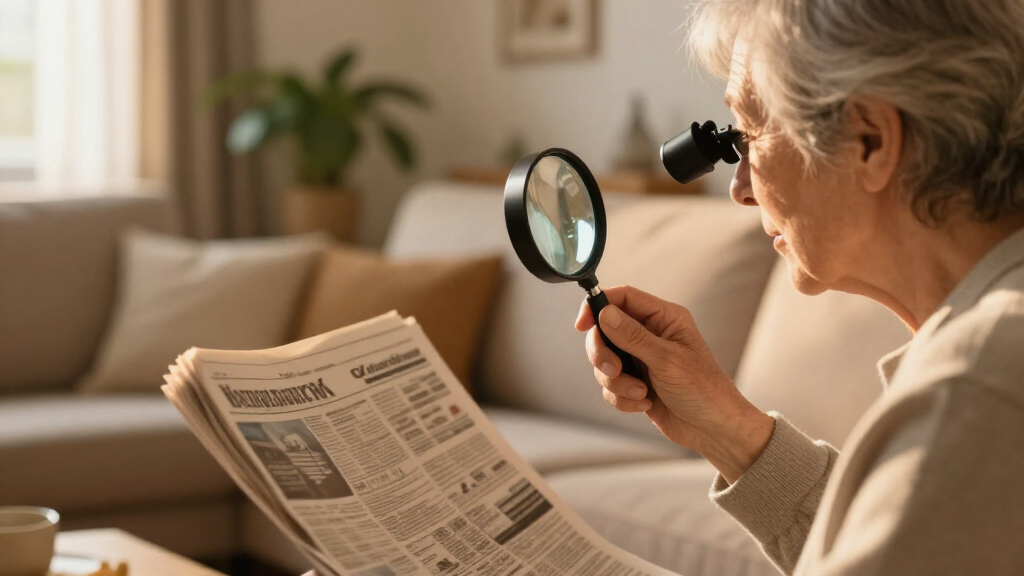
Lenses enlarge print without electricity. They are ideal for quick, predictable tasks where portability matters.
- Handheld or illuminated magnifiers
- Stand magnifiers and strong reading glasses
- Monoculars for signs and distant text
- Fixed magnification with a smaller field of view
Electronic magnifiers
A camera places enlarged text on a display, allowing settings to change as the task or environment changes.
- Adjustable size, contrast, and color modes
- Autofocus, image freeze, and line guides
- Portable models for errands and appointments
- Desktop models for prolonged reading or writing
Digital devices
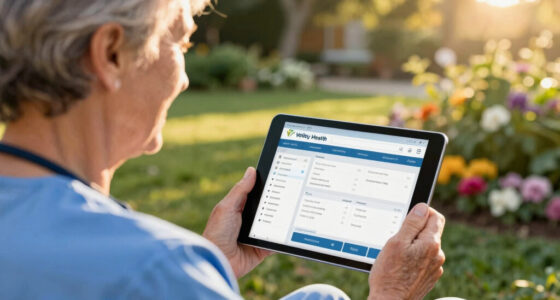
Phones, tablets, and computers can enlarge, recolor, capture, search, and speak text using built-in accessibility tools.
- Zoom, font sizing, spacing, and color filters
- Camera magnification and voice commands
- Text-to-speech and screen readers
- OCR for mail, packaging, menus, and documents
The best aid depends on more than eyesight
Central-detail loss, restricted peripheral vision, reduced contrast sensitivity, hand control, fatigue, and software confidence can all change which option feels effective.
Start with the reading task
Labels, prices, medicine instructions: try an illuminated handheld magnifier or phone camera magnifier.
Books and articles: prioritize stable positioning, a wide field, line tracking, comfortable posture, and speech backup.
Increase font size and spacing before using extreme zoom; add contrast modes or spoken output as needed.
Writing, crafts, and forms benefit from hands-free enlargement, stands, task lighting, and line guides.
Choose compact tools with fast access, familiar controls, enough battery life, and minimal setup.
Five fit factors
These bars show decision importance, not clinical measurements. Every factor should be assessed before purchase.
A low-vision specialist can assess usable vision, working distance, field of view, contrast sensitivity, posture, and task demands together.
Compare the main options
Optical aids win on simplicity. Electronic magnifiers offer the most visual control. Digital devices provide an unusually broad mix of enlargement, customization, recognition, and speech.
| Feature | Optical aids | Electronic magnifiers | Phones / tablets |
|---|---|---|---|
| Portability | ✓ High Lightweight and quick to carry |
~ Varies Pocket, portable, or desktop |
✓ Very high Often already carried |
| Adjustability | ✗ Limited Usually fixed enlargement |
✓ Extensive Size, colors, focus, guides |
✓ Extensive Fonts, spacing, contrast, speech |
| Learning effort | ✓ Low Simple physical operation |
~ Moderate Settings take practice |
~ Moderate Depends on software familiarity |
| Power required | ✓ No Except illuminated models |
✗ Yes Battery or outlet |
✗ Yes Charging and updates needed |
| Speech output | ✗ No | ~ Some models Often through OCR |
✓ Strong Text-to-speech and screen readers |
| Typical cost | $–$$ Low to moderate |
$$–$$$ Moderate to high |
$ Often included in an owned device |
| Best fit | Quick, simple visual tasks | Customized visual reading and close work | Flexible reading, recognition, and speech |
Cost symbols are relative and vary by model, location, funding, and whether a suitable mainstream device is already owned.
Magnification is a trade-off
Making words larger reduces how much text remains visible at once. Stronger is not automatically better.
Improve the environment
Before increasing magnification, tune the conditions around the page.
Illuminate the page without shining into the eyes.
Move reflections, use a matte surface, or add a glare shield.
Use bold print, dark pens, uncluttered type, and comfortable color modes.
Try a reading stand, page holder, or line guide.
Turn difficult print into usable information
OCR can transform static print into resizable, searchable, and spoken text—especially useful for mail, packaging, menus, and documents that are awkward to place under a magnifier.
Position
Flatten the page, reduce shadows, and place the camera directly above the text.
Capture
Photograph the printed material with steady focus and enough surrounding space.
Recognize
OCR converts visible characters into digital text that software can manipulate.
Adapt
Enlarge text, change colors and spacing, search for words, or copy the result.
Listen + verify
Use spoken output, then confirm critical legal, financial, or medical details.
Accuracy can fall with handwriting, curved packaging, glare, poor lighting, faint print, or complex columns. Use a second method for prescriptions, legal papers, and other high-consequence information.
Build a personal reading toolkit
The goal is not maximum technology. It is reliable access with the least strain, setup, and frustration for the task at hand.
Match the aid to your vision
Central detail, peripheral field, contrast, working distance, and fatigue all matter.
Combine complementary tools
A magnifier, speech app, and environmental adjustment can solve different parts of one task.
Tune light and contrast
Better conditions may improve comfort without requiring stronger magnification.
Test before purchasing
Use your own mail, books, labels, forms, and device screens during a trial.
Reassess as needs change
Digital and AI tools are evolving, while vision, tasks, and preferences can also change.
Which reading aid is best for me?
The best option depends on your vision and tasks. A low-vision specialist can help identify a useful combination and teach efficient use.
Can a smartphone replace a magnifier?
Often, yes. Camera magnification, contrast, OCR, and speech may replace or supplement a dedicated device for many daily tasks.
Is stronger magnification always better?
No. Higher enlargement reduces the visible field and may increase page movement and fatigue. Choose the lowest comfortable level.
Will magnifiers damage my eyes?
No. Magnifiers do not damage the eyes, though poor posture or prolonged use with an unsuitable aid can cause fatigue.
What else can support reading?
Large print, bold-lined paper, dark pens, high-contrast keyboards, tactile labels, reading stands, and braille can complement visual tools.
Are AI reading apps reliable?
They are useful but not foolproof. Verify medical, legal, and financial information through a second accessible source.
Comfort comes from the combination.
A simple magnifier may handle a price tag. An electronic display may support a book or form. A phone may read a menu aloud. Add thoughtful lighting, contrast, positioning, and professional guidance—and reading can become more comfortable, private, and independent.
More control
Greater independence
What are the best simple tools for quick reading tasks?
When you just need to read labels, prices, or small print, simple optical aids like handheld magnifiers and large-print materials can do the trick. They’re portable, easy to use, and don’t require batteries. These tools are especially useful for short-term, quick tasks because they provide immediate visual enhancement without complexity. However, they may lack the versatility needed for longer reading sessions or detailed work. Choosing the right simple aid involves balancing convenience with the level of magnification and clarity you require. For example, a handheld magnifier with built-in lighting can dramatically improve visibility in dim environments, but it might be less effective for sustained reading compared to electronic options. Understanding these tradeoffs helps you select aids that maximize benefit while minimizing inconvenience.
Products Worth Considering

Dyson Car+Boat Cordless Handheld Vacuum
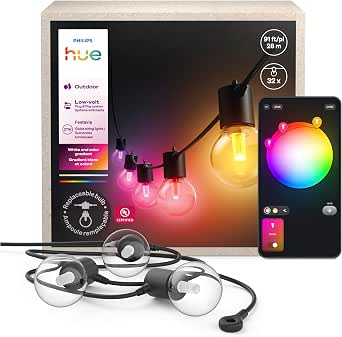
Philips Hue Festavia Globe Outdoor String Lights, 32 Bulbs, 91 ft

Dyson V8 Cyclone Cordless Vacuum
As an affiliate, we earn on qualifying purchases.
How electronic magnifiers give you more control and clarity
Electronic magnifiers, also called video magnifiers, use a camera and screen to display enlarged text. They’re like having a tiny, adjustable billboard in front of you. The key advantage is their high degree of control—users can customize magnification levels, contrast, and color modes to suit different lighting conditions and personal preferences. This flexibility is crucial because individuals with low vision often find that a single setting isn’t sufficient across all environments. For example, high contrast modes can reduce glare, while adjustable magnification allows for detailed reading of small text without sacrificing context. Many models also include features like autofocus and text capture, which streamline the reading process and reduce eye strain. This means users can switch between tasks easily, making electronic magnifiers versatile tools that adapt to a range of needs. The tradeoff is that they can be more expensive and require some learning to operate effectively, but their customizable nature often results in better overall comfort and efficiency.
Comparing optical, electronic, and digital tools side-by-side
| Feature | Optical Aids | Electronic Magnifiers | Digital Devices (Smartphones/Tablets) |
|---|---|---|---|
| Portability | High, lightweight | Varies, often portable | Very portable, always with you |
| Adjustability | Limited, fixed magnification | Highly adjustable, multiple features | Customizable font size, color, contrast |
| Ease of use | Simple, no power needed | Requires some learning | Intuitive, with accessibility features |
| Cost | Low to moderate | Moderate to high | Often included in devices or apps |
How digital tools make reading easier and more flexible
Smartphones, tablets, and computers have become powerful allies for low-vision users. They let you zoom in on text with a tap, change background colors, and listen to spoken words. The key benefit of digital tools is their adaptability—they can be personalized to fit a wide range of visual needs, making reading more accessible and less tiring. For instance, you can increase font size to reduce strain, invert colors to reduce glare, or enable text-to-speech to listen to content instead of reading visually. This flexibility means that users aren’t limited by one fixed setting but can tailor their experience to different environments and tasks. The tradeoff is that digital devices require some familiarity with software and may need updates or troubleshooting. Nonetheless, their ability to instantly modify visual parameters makes them invaluable for many low-vision readers seeking convenience and customization.
Using apps and OCR to turn printed pages into speech
Optical character recognition (OCR) apps photograph printed material and convert it into digital text. Then, they can read the text aloud, search for words, or enlarge it. Think of OCR as your personal reading assistant, helping with mail, menus, or labels that are hard to handle. The importance of OCR lies in its ability to transform static print into dynamic, accessible content—especially for those with very limited vision. It opens up a world of reading opportunities previously hindered by tiny or faint print. However, OCR technology has limitations; it often struggles with handwriting, poor lighting, or complex layouts, which can lead to misinterpretation. Despite these challenges, OCR significantly enhances independence by enabling users to access printed information without assistance. Its effectiveness depends on choosing high-quality apps and understanding when manual verification is necessary, especially for critical documents like legal papers or prescriptions. The key is recognizing that OCR is a powerful tool that, when used appropriately, bridges the gap between printed material and accessible digital content.
Frequently Asked Questions
Which reading aid is best for me?
The best aid depends on your specific vision, how close you hold reading material, and what tasks you need help with. A low-vision specialist can help identify the ideal combination for your needs.Can I use my smartphone instead of dedicated magnifiers?
Yes, many smartphones offer powerful magnification, contrast, and speech features that can replace or supplement dedicated devices. Experiment with built-in tools to see what works best for your daily tasks.Is stronger magnification always better?
Not necessarily. Higher magnification reduces your field of view and can cause fatigue. The goal is to find the lowest magnification that allows comfortable, clear reading.Will using magnifiers damage my eyes?
No. Magnifiers do not harm your eyes. They can sometimes cause fatigue if used for long periods, so take breaks and use the right size for your task.Are AI apps reliable for reading important documents?
AI apps are helpful but not foolproof. Always verify critical information like legal or medical details through a second method, especially if accuracy is vital.Conclusion
Reading with low vision isn’t about struggling with tiny, faint words. It’s about choosing the right tools and environment that turn reading from a challenge into a manageable part of your day. Your best aid might be a mix of simple magnifiers and smart digital features, tailored to your needs.
Picture yourself comfortably reading a favorite book, a menu, or a letter — confident, in control, and fully engaged with the world around you.