TL;DR

Turn quiet afternoons into listening time
- Thousands of audiobooks, podcasts and originals
- Listen on your phone, tablet or Echo — also offline
- Cancel anytime
Fall detection offers automatic alerts after a fall, ideal for high-risk individuals, while help buttons require manual activation. Your choice depends on your mobility, risk level, and lifestyle. New tech advances improve accuracy and convenience for both options.
If you’ve ever worried about what might happen if you fall and can’t reach a phone, you’re not alone. The question isn’t just about having help; it’s about how quickly help arrives and whether your device can act without you. Most people think of help buttons as the go-to, but fall detection systems are gaining ground—and for good reason.
In this guide, you’ll learn the real differences between these two safety tools. You’ll find out who benefits most from each, how the technology works, and what costs and features matter. Whether you’re caring for an aging parent or securing your own home, understanding your options will help you make smarter decisions about safety devices.
If you’re at high fall risk or have mobility issues, automatic fall detection can save precious seconds during an emergency.
Help buttons are simple, affordable, and effective for active individuals who can manually summon help.
Recent tech advances have improved fall detection accuracy and outdoor usability, making them more reliable and versatile.
Cost varies widely: basic help buttons are budget-friendly, while advanced fall detection systems can be a few hundred dollars plus monthly monitoring fees.
Many find that combining both devices offers the best safety coverage for varied situations.
Do You Need Fall Detection—or Just a Help Button?
Both can summon assistance, but only one can act when you cannot. The right choice depends on mobility, fall risk, environment, and whether manual activation is realistic during a crisis.
Manual control versus automatic backup
A help button waits for you to recognize the emergency and press it. Fall detection analyzes movement and impact, then raises an alert independently—an important distinction if a fall causes confusion, injury, or unconsciousness.
Help Button
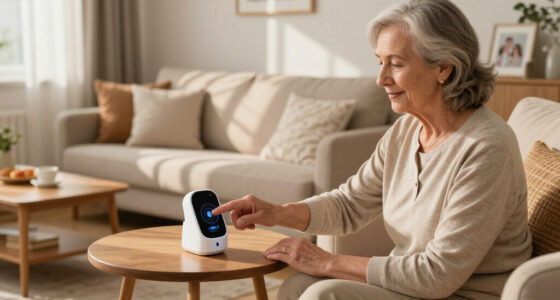
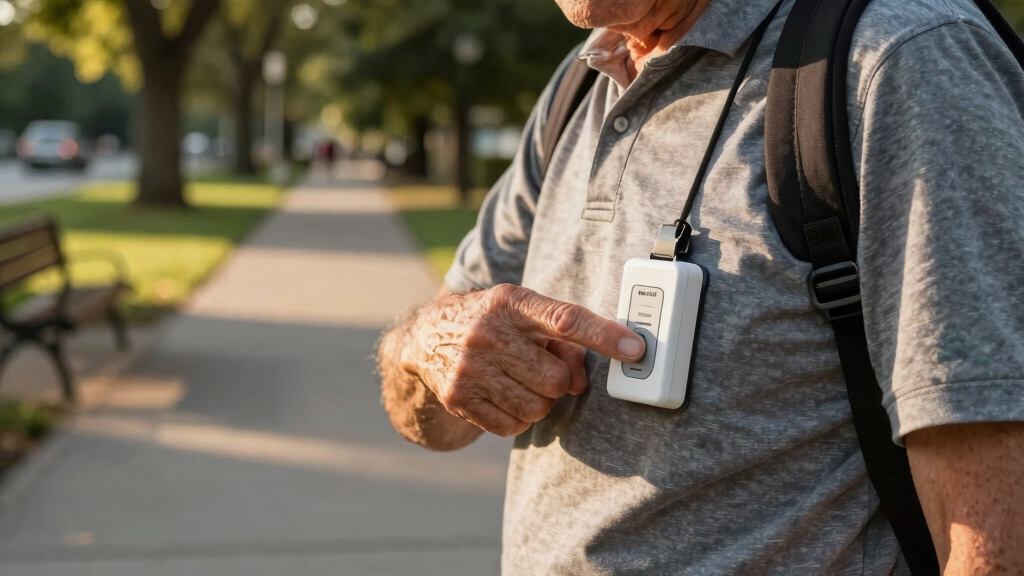
A simple pendant, wristband, or clip with one clear job: connect you with family, caregivers, or a monitoring center when pressed.
Fall Detection
Wearable sensors use accelerometers and gyroscopes to identify sudden motion, impact, and body-position changes without requiring a button press.
What changes in real life?
The specifications matter because they determine where protection works, who must initiate the alert, and how much maintenance or monitoring the system needs.
| Feature | Help Button | Fall Detection | Why It Matters |
|---|---|---|---|
| Activation | Manual press | ✓ Automatic | Automatic alerts can work when the wearer cannot respond |
| Core technology | Single button | Accelerometer + gyroscope | Multiple sensors interpret impact and motion patterns |
| Outdoor coverage | ~ Often limited | ✓ GPS available | Location data helps responders find a user away from home |
| False alarms | ✓ Rare | ~ Possible | AI improvements help distinguish falls from daily movement |
| Works if unconscious | ✗ No | ✓ Yes | This is the defining safety advantage of detection |
| Typical price | $20–$50 | $100 to several hundred | Monitoring may add $20–$50 per month |
How automatic detection responds
Modern devices combine physical sensors, software, connectivity, and human response. Each link affects how quickly an incident becomes an actionable alert.
Motion shifts
Accelerometers and gyroscopes register rapid descent, impact, and orientation.
Pattern analysis
Software compares the event with known fall and everyday movement patterns.
User check-in
The device may vibrate, sound, or allow time to cancel an accidental alert.
Help is notified
Family, caregivers, a monitoring center, or emergency services receive the alert.
What are you paying for?
Price rises with automation, location tracking, cellular connectivity, professional monitoring, and smart-home integration. Match those features to risk rather than buying complexity for its own sake.
Relative capability profile
Directional comparison based on common device features.
Typical spending bands
Check contracts, cancellation terms, cellular coverage, and whether monitoring is optional.
Smarter sensors
Machine learning distinguishes routine activity from a likely fall, helping reduce unnecessary alerts.
GPS mobility
Location tracking expands coverage beyond the home, though signal quality and battery use matter.
Connected safety
Smart-home links can notify caregivers and coordinate lighting, cameras, or multiple alert channels.
Choose around the worst-case moment
Consider health, balance, cognition, living situation, outdoor habits, technology comfort, and the consequences of being unable to initiate an alert.
Choose fall detection if…
There is a meaningful chance a fall could prevent manual action.
- You have balance or mobility problems
- You live alone or spend long periods alone
- You have Parkinson’s, cognitive impairment, or recent surgery
- You want automatic protection outdoors with GPS
Choose a help button if…
You are likely to recognize trouble and activate the device promptly.
- You are active and confident in your mobility
- You want simple, low-cost protection
- You dislike false alarms or complex technology
- You mainly need coverage for non-fall emergencies
Fall detection and help buttons serve different purposes, but both aim to keep you safe. A help button is a simple device—think of it like a panic button—that you press when you need help. It’s perfect if you’re mobile and able to activate it during an emergency.
Fall detection, on the other hand, is an automatic system. It uses sensors like accelerometers and gyroscopes—kind of like the ones in your smartphone—to detect a fall. When it senses a sudden, hard impact, it sends an alert without you lifting a finger. This can be a lifesaver if you’re knocked unconscious or immobilized.
Understanding this difference is crucial because each system has its own implications. Manual help buttons rely on the user’s ability to respond quickly, which might not be possible in a severe fall or if the person is incapacitated. Fall detection systems, however, can provide an extra layer of security by acting independently of user input. But they are not infallible; false alarms can occur, and they typically come at a higher cost. Choosing between them involves weighing the importance of immediate manual help versus the peace of mind that automatic detection provides, especially for those with higher fall risk or cognitive impairments.
Products Worth Considering

Shark Clean & Empty Cordless Stick Vacuum with Auto-Empty System, BU3521

Arlo Pro Wireless Security Camera, 2K HDR, 6th Generation, 4-Camera Kit

Bose SoundLink Flex (2nd Gen) Portable Bluetooth Speaker, Black
As an affiliate, we earn on qualifying purchases.
If you have mobility issues, balance problems, or cognitive impairments, fall detection is often a smart choice because the risk of falling and being unable to call for help is higher. For instance, someone with Parkinson’s disease or recent surgery might fall and be unable to press a help button, making automatic detection crucial for timely assistance.
Conversely, if you’re generally active, confident in your mobility, and capable of reaching and pressing a help button promptly, then a manual device might suffice. For example, a healthy senior who can easily press a button when needed might not require the added feature of fall detection. However, even active individuals benefit from understanding their fall risk and might choose a system that offers both manual and automatic features for comprehensive coverage.
The key implication here is that fall detection can bridge safety gaps for those who might not respond in an emergency, but it also involves higher costs and potential false alarms. Deciding who needs what depends on evaluating personal health, environment, and comfort with technology, balancing safety with practicality.
How do these devices work? A quick rundown of tech and features
| Feature | Help Button | Fall Detection |
|---|---|---|
| Activation method | Manual press | Automatic detection |
| Device type | Pendant, wristband, or belt clip | Wearable with sensors |
| Technology used | Single button | Accelerometers + gyroscopes |
| Outdoor use? | Limited, no GPS | Yes, with GPS options |
| False alarms | Rare, user-dependent | Possible, improving with AI |
While these technical differences might seem straightforward, their practical implications are significant. Manual help buttons require the user to recognize an emergency and respond promptly, which can be problematic if the person is confused or incapacitated. Fall detection devices, equipped with sensors that analyze motion patterns, can identify falls even when the user cannot respond, thus providing critical help during moments of vulnerability. However, false alarms—triggered by rapid movements or other non-fall activities—can lead to unnecessary emergency responses, which is why ongoing improvements in sensor accuracy and AI are vital for reliability. Outdoor GPS functionality extends safety beyond the home, but it depends on signal quality and can drain batteries faster. Knowing these nuances helps in selecting a device that aligns with your lifestyle and safety priorities.
The latest tech trends making fall detection smarter and more reliable
Recent innovations have dramatically improved fall detection’s accuracy. Machine learning algorithms analyze motion patterns to distinguish between a fall and everyday activity. Devices now connect seamlessly with smart home systems, like lighting or security cameras, for a comprehensive safety net.
Plus, wearable designs are more discreet and stylish, encouraging consistent use. GPS integration allows outdoor safety, and subscription services provide 24/7 monitoring, offering peace of mind around the clock.
These technological advancements mean fewer false alarms and quicker responses, which can significantly impact emergency outcomes. For example, AI-driven sensors learn from user behavior over time, reducing unnecessary alerts and ensuring help is dispatched only when truly needed. The integration with smart home systems creates a holistic safety environment, alerting caregivers or emergency services through multiple channels, thereby enhancing overall safety and responsiveness.
According to an anonymous researcher, these advancements cut false alarms by up to 50%, making responses quicker and more accurate than ever before.
What’s the real cost of these safety devices?
Help buttons are often affordable—around $20 to $50—plus optional monthly fees for monitoring. Most basic models work with a simple push of a button and don’t require a contract.
Fall detection systems tend to cost more upfront—roughly $100 to several hundred dollars—and often include a monthly monitoring fee of $20 to $50. Advanced models with GPS and smart home integration can push the price higher.
Investing in these devices involves considering the tradeoff between cost and safety. Cheaper options might lack features like automatic detection or outdoor use, but they can be suitable for those at lower risk or on a tight budget. More expensive systems, while requiring a larger initial investment and ongoing fees, provide enhanced features such as automatic alerts, outdoor tracking, and integration with other smart devices. The decision hinges on evaluating personal risk levels, financial capacity, and the peace of mind that comes with comprehensive safety coverage.
What questions do most people ask? Your top concerns answered
- Which is better: fall detection or help button? It depends on your health, mobility, and comfort with technology. Many use both for maximum safety.
- Are fall detection devices accurate? Modern devices are quite reliable, but no system is perfect. False alarms are decreasing thanks to AI improvements.
- Can I use these outdoors? Yes, if the device has GPS, but accuracy can depend on signal strength and coverage.
- How much do they cost? Help buttons are $20–$50; fall detection systems often range from $100–$300+ plus monthly fees.
- Do I need professional monitoring? Not always. Some devices alert family members directly, others connect to emergency services.
Understanding these questions helps you weigh the benefits and limitations of each device. For example, the accuracy of fall detection is improving, but no system can guarantee 100% reliability, especially outdoors or in complex environments. Knowing the costs and whether professional monitoring is necessary helps tailor your safety plan to your specific needs, balancing budget with safety assurance.
Frequently Asked Questions
Can I upgrade my help button to include fall detection later?
Yes, many newer systems combine both features or offer upgrade options. Check with providers about compatibility and future-proofing your device to add fall detection later if needed.
What if I fall in the bathroom or bedroom—will a fall detection device catch me?
Most fall detection devices are designed to recognize impacts from common fall locations, including bathrooms and bedrooms. However, their accuracy depends on placement and sensitivity settings. Testing your device regularly helps ensure it works when needed. Additionally, understanding the limitations of fall detection in certain environments—such as soft surfaces or falls without impact—is important. Combining fall detection with other safety measures, like grab bars or padded flooring, can further reduce injury risk and improve overall safety.
Are there privacy concerns with GPS-enabled fall detection devices?
GPS tracking collects location data, which some worry about. Choose reputable brands with strong privacy policies, and only enable tracking features when necessary. Remember, your safety is the priority, but privacy matters too. It’s advisable to use GPS features selectively, such as during outdoor activities, and disable them when not needed to minimize data exposure. Regularly reviewing privacy settings and understanding data-sharing policies can help ensure your personal information remains protected while maintaining safety.
Conclusion
Choosing between fall detection and a help button isn’t an either/or decision—it’s about matching technology to your lifestyle and risks. Think about your mobility, fall history, and comfort with tech. Sometimes, a simple help button paired with a fall detection system offers the most comprehensive safety net.
Remember: the best safety device is the one you’ll actually wear and use consistently. When in doubt, consult with a safety professional or healthcare provider to tailor the right solution. Safety isn’t just about gadgets—it’s about peace of mind, dignity, and staying independent longer.