
TL;DR

Turn quiet afternoons into listening time
- Thousands of audiobooks, podcasts and originals
- Listen on your phone, tablet or Echo — also offline
- Cancel anytime
Medical alert systems let you request help with a wearable button, mobile device, or, on some models, automatic fall detection. Choose between home and mobile coverage by considering where you go, then check who receives an alert, how the system connects, whether you will wear and charge it, and what the full cost and privacy terms are. Fall detection can add another way to raise an alert, but it can miss falls and should not replace the button.
A help button only works when it can reach you—and when you are willing to wear it. That makes choosing among medical alert systems for seniors less about picking the longest feature list and more about matching a device to the places, habits, and help preferences of the person who will use it.
A medical alert system, also called a personal emergency response system or PERS, can connect a wearable button or mobile device to a staffed monitoring center or chosen contacts. This guide explains how those options differ, what fall detection can and cannot do, and which questions to ask about coverage, response, comfort, cost, and privacy before you buy.
Think of a system as a backup route for calling for help, like keeping a spare key with someone you trust. It does not prevent falls or guarantee a particular response time. The useful choice is the one that fits your daily life and has a response process you understand.
Match home or mobile coverage to the places the wearer actually goes, and check cellular coverage and battery requirements.
Ask whether alerts go to a staffed monitoring center or chosen contacts, and what happens if the wearer cannot speak or no one answers.
Treat automatic fall detection as an added safeguard; it can miss falls and produce false alarms.
Compare the full cost, contract and cancellation terms, water resistance, charging routine, and privacy policy for the exact device.
Include the older adult in choosing a device they find comfortable and are willing to wear.
What Does a Medical Alert System Do When You Press the Button?
A medical alert system gives you a way to ask for help when reaching a phone may be difficult. Pressing the wearable button sends a signal through a home base station or mobile unit, which then connects to a staffed monitoring center or selected personal contacts. With a monitoring center, an operator may speak through the device’s speaker and decide what to do under the provider’s procedure. With direct-to-contact systems, the people you selected need to notice and respond to the call. That difference matters: the first offers a staffed point of contact, while the second may better fit someone who prefers family involvement but depends on their availability.
Imagine you feel unsteady in the kitchen and cannot reach the phone on the counter. You press a pendant button, and the system makes a call through its base station or mobile device. If you can speak, you can explain what happened and what help you need. If you cannot, the next step depends on the service: an operator may use the address and emergency details on file, or the system may move through a list of contacts. Ask for the precise no-response sequence, including whether the provider calls emergency services, a caregiver, or both. A clear process can prevent confusion when the wearer is unable to explain the situation.
Devices vary in how they connect and where they work. A home setup may include a base station and a wrist or neck button; a mobile unit may use cellular service and GPS. Some watches and phones also offer emergency calling, but their charging, signal, and response arrangements may differ from a dedicated service. The label “medical alert” alone does not tell you whether someone is monitoring calls, how the device reaches them, or what information they have. Compare those steps, not just the shape of the device.
A system is a backup for requesting help, not a fall prevention tool, diagnosis, or guarantee that help will arrive within a set time. It is most useful when the wearer can activate it, the equipment and connection work, and someone follows a known response plan. If you are comparing systems for an older adult with particular health needs, discuss medical decisions with a qualified professional and confirm response details with the provider.
Products Worth Considering

Bose SoundLink Flex (2nd Gen) Portable Bluetooth Speaker

Dyson Ball Animal 3 Corded Upright Vacuum
Philips Hue Festavia Globe Outdoor String Lights, 32 Bulbs, 91 ft
As an affiliate, we earn on qualifying purchases.
Choose Home or Mobile Coverage by Looking at a Typical Day
Choose a home system if the person mainly wants a help button inside or near home; choose a mobile system if they also want coverage on walks, errands, or visits, subject to cellular service and battery life. A home system may be simpler to keep ready because the base station stays in one place, but its wearable button has a limited range and may not cover every outdoor area. A mobile unit can travel farther, but only while it is charged and connected to a compatible cellular network. Neither label tells the whole story: check the specific device’s connection, usable range, and service area.
Picture a person who spends mornings in the garden, afternoons at a neighbor’s house, and evenings in a recliner. A home base station may fit time indoors, but the person should confirm whether its button reaches the garden and understand that a home-only unit may not help at the neighbor’s. A mobile unit may cover the visit, yet it adds a charging habit and may not connect in every location. The choice is a tradeoff between a familiar home setup and broader mobility that depends on power and signal.
Use these questions to match coverage to real routines:
- At home: Does the base station use a landline or cellular connection? How far does the button work from it, including the garden or garage?
- Outdoors: Does the mobile device connect where the person walks and shops? Can it share location, and how does GPS work in the area?
- While traveling: Is service available in other regions, and what happens outside the provider’s coverage area?
For example, GPS can help locate someone outdoors, but it may be less precise inside a large building. Location sharing can help responders find a wearer who cannot describe where they are, but it is only useful if the device has enough signal and its location can be accessed during the response. Think of coverage as a map with gaps to inspect, not a blanket promise. Ask the provider about signal, battery alerts, and what happens if the network or power is unavailable.
Treat Fall Detection as an Extra Way to Call for Help
Automatic fall detection can try to send an alert after a device senses a fall, but it can miss some falls or trigger an alert by mistake. Keep the manual help button as the main way to request assistance whenever the wearer can press it. The distinction matters because an automatic feature may help when someone cannot reach the button, but relying on it alone can leave a gap if a fall is not recognized.
Some devices use motion sensors and software to recognize patterns associated with certain falls. A sudden impact may be easier to detect than a slow slide from a chair or a fall where the device moves differently than expected. Everyday movement can also resemble a fall and cause an unintended alert. This means automatic detection trades added convenience for imperfect recognition; it cannot confirm what happened or guarantee that an alert will be sent.
Suppose your father wears a pendant while walking from the bedroom to the bathroom. He might want fall detection because he is sometimes alone, but he should also know how to press the button and how to cancel a false alarm if the system allows it. Ask which exact models include the feature, whether it adds a fee, and what the system does after an alert. A feature that costs more may be worthwhile if its possible benefit fits his needs, but the fee does not remove the limits of the sensor or replace a response plan.
Fall detection is a second route to an alert, not a replacement for pressing the button when you can. Ask the provider to explain the feature’s limits and response steps in plain language.
Wear comfort matters here, too. A feature cannot help if the device sits on the dresser. Before choosing, check its weight, button size, water resistance, and charging routine. If the person dislikes a pendant, ask whether a wrist option is available and whether it has the same features; changing the form can make daily use easier, though model options may differ.
Ask These Five Questions Before You Sign Up
Before buying a medical alert system, confirm who receives an alert, where the device works, how the user wears and charges it, what the total cost is, and what happens to personal data. These details shape whether the service will work in the moments it is needed. For example, broad coverage is less useful if the device is often uncharged, and a low monthly price may not reflect the cost of add-ons or cancellation.
- Who answers? Does the device reach a staffed monitoring center or call selected contacts? What happens if the user does not respond or no contact answers? This tells you whether the service has a staffed fallback or relies on people who may be busy or unavailable.
- Where does it work? Check the home, garden, usual routes, and travel areas. Ask about landline or cellular needs and outage procedures. A device that works in one place may not connect in another, so compare coverage against the wearer’s actual routine.
- Will the person use it? Compare pendant and wrist options, button size, water resistance, battery life, and the charging routine. Ask whether the device is meant to be worn in the shower. Comfort affects whether the device is close at hand when needed, while charging requirements can create periods without coverage.
- What is the full cost? Add equipment, activation, monthly monitoring, fall detection, and cancellation fees. Review trials, refunds, and contract length. A lower starting price can become more expensive over time or if the preferred features are add-ons.
- What data is shared? Find out whether location information is collected, who can access it, how long it is stored, and whether it is shared with third parties. Location may help responders find someone, but the wearer should understand who can see it and when.
For instance, a family may focus on a low monthly price, then find that the preferred fall detection is an add-on or that the agreement has a cancellation fee. Write down the total cost across the expected period of use and compare the actual response procedure, not just the device’s appearance. This makes it easier to weigh price against the service and features the wearer is likely to use.
In the United States, traditional Medicare generally does not cover a standalone medical alert subscription, but coverage rules vary by plan and circumstance. Check current plan details and any other benefits that may apply. Product terms and availability also vary by region, so verify current details directly with the provider.
Make the System Comfortable Enough to Wear Every Day
The most useful system is one the wearer finds comfortable and can operate without fuss. A large, easy-to-press button may matter more than a long feature list, while a mobile device only helps away from home if its battery is charged and the connection works. That makes comfort and routine part of coverage: a device left on a dresser cannot send an alert from the wearer.
Try to make the device part of an ordinary routine. For example, your aunt might put on her wrist button with her watch each morning, then place a mobile unit on its charger beside her toothbrush at night. A familiar place for charging can make the habit easier to remember. Check the provider’s instructions for battery alerts and what to do if the device stops working; a charging routine is only useful if the user can recognize and act on a low-battery warning.
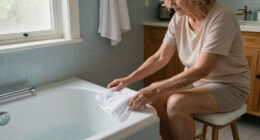
Water resistance deserves a close look. Some buttons are designed for shower use, but others are not; labels and care instructions differ by model. Ask about the exact device rather than assuming a pendant can go in the bath. Since bathrooms can be a place where a wearer may want access to help, a device that cannot be worn there may leave a practical gap. A glossy product photo cannot tell you whether the device suits the wearer’s daily routine.
Invite the older adult into the choice. They can tell you whether a pendant catches on clothing, whether a wrist button feels better, and whether they want a monitoring center involved. That conversation protects comfort and dignity while helping the family choose a setup the person is more likely to keep nearby and wear consistently. The best fit depends on the wearer’s preferences as much as on the family’s concerns.
Keep the System’s Limits Clear and the Plan Practical
A medical alert system can offer a way to ask for help, but it depends on working equipment, power or battery, a usable connection, and an effective response process. It does not prevent a fall, diagnose a medical problem, or guarantee when assistance will arrive. These dependencies explain why a system is best treated as one part of a practical plan: equipment or signal gaps can interrupt the route to help, and a clear response process tells the wearer and family what happens next.
For example, if a person sometimes leaves a mobile device charging in the bedroom, they may be without it on a short trip to the mailbox. A reminder by the door or a different charging spot may suit their habits better. If the wearer has questions about health risks or what support they need, a qualified professional can help with medical decisions; the provider can explain service and equipment details. Matching those roles helps avoid expecting the alert device to answer medical questions or provide support it was not designed to provide.
Once you pick a system, make sure the user knows how to press the button and what they can expect after an alert. Add a trusted contact and the home address where the provider’s process allows it. Ask how to test the equipment safely and how the company shares maintenance or battery warnings. Practicing these steps can reveal confusing instructions before an emergency and gives contacts a chance to understand their part in the response.
The key facts and practical questions belong together: where it works, who answers, what it costs, and whether the person will wear it. For a couple living in a rural area, cellular coverage may decide the choice; for someone who rarely leaves home, ease of use and a clear monitoring plan may matter more. Those priorities can change as routines or preferences change, so revisit the fit if the wearer moves, travels more often, or finds the device uncomfortable.
Frequently Asked Questions
Do medical alert systems need a landline?
Not always. Some home systems use a landline, while others use cellular service; mobile devices also typically rely on cellular coverage. Check the connection requirements for the exact model and the places it will be used.
Will a medical alert system work outside the home?
A mobile system may work away from home if it has battery power and compatible cellular coverage. A home-only system usually has a more limited range, so check its button range and where service is available.
Can fall detection catch every fall?
No. Automatic fall detection can miss some falls and may send an alert when no fall occurred. Use it as an added safeguard, and press the help button when you can.
Does pressing the button automatically call an ambulance?
Not necessarily. Some systems connect you to an operator who follows a response procedure; others contact people you choose. Ask the provider who receives the alert and what happens if the wearer cannot respond.
Will Medicare pay for a medical alert subscription?
In the United States, traditional Medicare generally does not cover a standalone medical alert subscription. Plan rules and other benefits can vary, so check current coverage details with the plan.
Can a medical alert button be worn in the shower?
Some devices are water-resistant or designed for shower use, while others are not. Check the rating and care instructions for the exact model before wearing it around water.
Conclusion
Choose a system around the wearer’s real day: where they go, what feels comfortable, and whom they want contacted. Before signing up, confirm coverage, the response process, charging needs, total cost, and privacy terms with the provider.
A help button should fit into life like a familiar watch on the wrist—easy to wear, close at hand, and understood by the person who uses it.