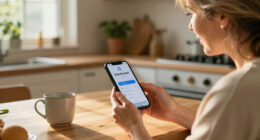

Choose and set up a medical alert system that lets a senior call for help after a fall, sudden illness, or other emergency. This guide is for seniors, family members, and caregivers comparing services for the first time. Most people can complete the research and setup in 1–2 hours, though delivery and professional installation may take longer.

Turn quiet afternoons into listening time
- Thousands of audiobooks, podcasts and originals
- Listen on your phone, tablet or Echo — also offline
- Cancel anytime

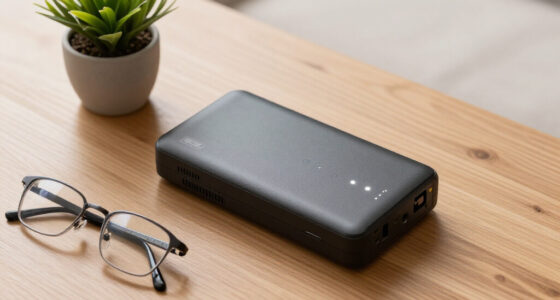
Wi-Fi Medical Alert System for Seniors with Call Buttons, Waterproof Wristband, Receiver, and LED Display
- ✔ Alarm: 110 dB receiver alarm
- ✔ Stated range: Up to 300 feet
- ✔ Wi-Fi: 2.4 GHz only

SecuLife Medical Alert Pendant for Seniors with Fall Detection, GPS Tracking, and Two-Way Calling
- ✔ Connectivity: 4G LTE cellular
- ✔ Calling: Two-way calling and SOS
- ✔ Location: GPS, geofencing, and location history

911 Help Now Medical Alert Pendant for Seniors with Direct 911 Calling
- ✔ Connectivity: 4G LTE in the United States where compatible coverage is available
- ✔ Emergency call: Direct call to 911
- ✔ Activation: Press and hold SOS button for three seconds
Difficulty: Beginner | Time: 1–2 hours, plus delivery and setup time
What You’ll Need
Tools & Materials:
- Phone or internet access to compare providers and contact customer service
- A list of medications, emergency contacts, and relevant medical or mobility needs
- The senior’s home address and details about where they spend time
Knowledge:
- Basic familiarity with the senior’s daily routine and living arrangements
- A second person who can join the setup and testing, if available
Ask the senior what they would feel comfortable wearing and who they want contacted in an emergency. Check the service’s current price, equipment, contract, return, and cancellation terms directly with the provider; offerings can change.
Wi-Fi Medical Alert System for Seniors with Call Buttons, Waterproof Wristband, Receiver, and LED Display
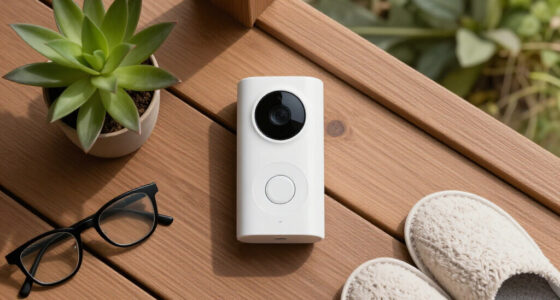
For a senior who spends most of the day at home, this system puts a 110 dB alarm in the receiver and pairs it with call buttons and a wristband remote. Its stated wireless range reaches up to 300 feet, which may help cover more than one room, though the practical fit depends on the home layout and signal conditions. The receiver alarm works without a monthly fee, making this a different kind of choice from SecuLife, whose cellular features require a subscription.The smartphone app can share alerts with others, giving family members a way to stay informed. However, the supplied information says SMS notifications require a subscription, so buyers should confirm which app alerts are included before relying on remote notifications. The system’s Wi-Fi connection supports 2.4 GHz only; a home network configured for another band alone may not work as expected. Also, the water-resistant claim applies to the wristband remote, not the receiver or every included button.Compared with 911 Help Now, this system is oriented around an in-home receiver and notifications rather than a wearable that directly calls emergency services. That makes it most sensible when a nearby household member can hear or respond to the alarm and the senior wants a simple button-based setup. It is a weaker match for someone who regularly leaves home alone or expects an alert to connect directly to a dispatcher. Its value is the home alarm and shared app option; buyers should understand the notification and waterproofing boundaries before choosing it.
Pros:
- Receiver alarm operates without a monthly fee
- App notifications can be shared with others
- Stated wireless signaling range is up to 300 feet
- Waterproof wristband remote supports shower use
Cons:
- SMS alerts require a subscription
- Wi-Fi supports 2.4 GHz only
- Only the wristband remote is specified as waterproof
Best for: Seniors who spend most of their time at home and want a loud local alarm with app-based sharing for family or caregivers.
Not ideal for: People who need GPS coverage away from home, direct dispatcher calling, or waterproof protection for the entire system.
Bottom line: Choose this home-centered system when a loud receiver and shared app alerts matter more than mobile GPS or direct emergency calling.
“Choose this home-centered system when a loud receiver and shared app alerts matter more than mobile GPS or direct emergency calling.”
SecuLife Medical Alert Pendant for Seniors with Fall Detection, GPS Tracking, and Two-Way Calling
SecuLife is the strongest fit in this group for a senior who goes out independently and wants an alert device that travels. Its 4G LTE connection, GPS tracking, and two-way calling provide a more mobile setup than the Wi-Fi receiver, while geofence alerts and location history can help selected contacts keep track of location. A large SOS button offers a direct way to request help, and the pendant is described as IP67 waterproof for everyday wear.Fall detection adds another layer for situations when a wearer may not be able to press the button, but buyers should confirm how alerts are handled and avoid treating detection as a guarantee. The device requires a monthly subscription, unlike the receiver alarm in the Wi-Fi system or 911 Help Now’s no-fee direct-calling setup. Its listed battery life is inconsistent: product information says up to six days, while also listing an average of five. We would plan around the shorter figure and establish a charging routine rather than assume a full six days.Compared with 911 Help Now, SecuLife offers location features and selected-contact alerts, while 911 Help Now goes straight to 911 and does not provide the same described GPS and geofencing tools. SecuLife makes more sense when family visibility and cellular calling are priorities; it is less compelling for someone who wants to avoid recurring service or keep charging simple. It is the most feature-rich mobile option here, but that breadth comes with an ongoing plan and battery management.
Pros:
- Fall alerts can notify selected emergency contacts
- GPS includes geofence alerts and location history
- Two-way calling supports hands-free communication
- IP67 waterproof design is suited to everyday wear
Cons:
- A monthly subscription is required
- Battery life is reported as both up to six days and an average of five
- Cellular and GPS usefulness depends on compatible coverage
Best for: Seniors who leave home regularly and want GPS location sharing, geofence alerts, fall alerts, and two-way cellular communication.
Not ideal for: People who want to avoid a subscription, do not want to charge a wearable regularly, or primarily need a home-only alarm.
Bottom line: Pick SecuLife when mobile location and two-way calling justify a subscription and a regular charging routine.
“Pick SecuLife when mobile location and two-way calling justify a subscription and a regular charging routine.”
911 Help Now Medical Alert Pendant for Seniors with Direct 911 Calling
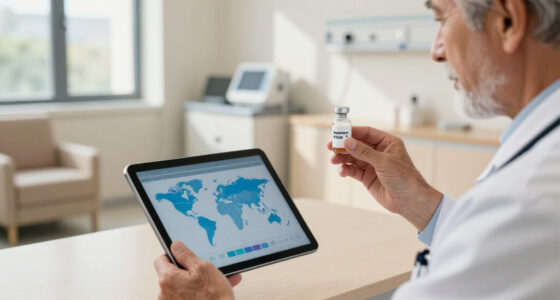
911 Help Now takes a deliberately direct approach: hold the SOS button for three seconds and the device calls 911 over compatible 4G cellular service in the United States. Its built-in microphone and speaker let the wearer speak with a dispatcher through the pendant. Unlike SecuLife, it does not rely on a described monitoring plan with GPS, geofence tools, or selected-contact alerts; and unlike the Wi-Fi system, it is not centered on a household receiver. The defining choice is a direct call to emergency services.There is no subscription or monthly monitoring fee, and the device includes three AAA batteries, a protective cover, a removable neck lanyard, and a clothing clip. Battery power can be convenient for buyers who prefer replaceable cells over a rechargeable pendant, although they will need to keep spare batteries available and confirm the replacement routine. At 2.4 ounces and 2.8 by 1.75 by 0.6 inches, it is a compact wearable, but its usefulness still depends on compatible cellular service where it is carried.The tradeoff is the lack of an operator between the wearer and 911. Some seniors may prefer reaching emergency services directly; others may want an intermediary who can assess the situation or notify caregivers. The supplied details do not describe GPS location sharing, fall detection, or a monitoring center, so buyers should not assume those functions are included. Compared with SecuLife, this is a simpler path to a dispatcher with fewer described support features. Choose it for direct emergency calling and no recurring plan, provided the senior can activate it and speak with the dispatcher.
Pros:
- Calls 911 directly with a three-second SOS-button hold
- Built-in microphone and speaker support dispatcher conversation
- No subscription or monthly monitoring fees
- Includes AAA batteries, cover, lanyard, and clothing clip
Cons:
- Requires compatible cellular service
- There is no monitoring center or operator intermediary
- Supplied details do not describe GPS, fall detection, or caregiver alerts
Best for: Seniors who want a wearable that directly calls 911 and prefer to avoid a monthly subscription or monitoring service.
Not ideal for: People who want a monitoring operator, GPS tracking, caregiver geofence alerts, or automatic fall detection.
Bottom line: Choose 911 Help Now when direct dispatcher access and avoiding recurring fees matter more than monitoring or location tools.
“Choose 911 Help Now when direct dispatcher access and avoiding recurring fees matter more than monitoring or location tools.”
As an Amazon Associate we earn from qualifying purchases.
Before You Start
Decide what help the system should cover before comparing products. A home unit may rely on a base station and wearable button, while a mobile unit may use cellular service and location features away from home. Some services offer fall detection, but it can miss falls or trigger an alert by mistake. It does not replace calling emergency services when the wearer can do so.
Discuss privacy, consent, and payment with the senior. Confirm who will receive alerts, whether responders can enter the home, and whether a lockbox or key arrangement is appropriate. Do not rely on a service until the equipment is installed and a test call confirms that the monitoring center has the right information.
Step-by-Step Instructions
Step 1: List the senior’s needs and routine
Write down where the senior spends time: at home, in the garden, on errands, or traveling. Note whether they live alone, have reliable cellular coverage, can reach a phone, and may need help after a fall or medical episode. Ask what they are willing to wear and whether they would prefer a pendant, wrist button, or mobile device.
Tip:Include bathing and sleeping routines. A wearable that is not water-resistant or is taken off at night may not provide coverage when it is needed.
Check: You have a short list of coverage needs, preferred device style, and situations when the senior might need help.
Step 2: Compare service types and coverage
Compare at least two providers. For each, check whether the service works only at home or also away from home, what network it uses, and whether coverage reaches the senior’s rooms and usual outdoor areas. Ask whether the system connects to a staffed monitoring center or contacts a list of personal contacts, and what happens if nobody answers.
Ask about response procedures, language options, backup power, battery life, water resistance, fall detection, and whether the device needs a landline, internet connection, or cellular signal. Confirm any cellular coverage using the provider’s address checker and ask what happens during an outage.
Tip:Fall detection is an optional aid, not a guarantee. Ask how the provider handles a detected fall and whether the wearer can cancel a false alarm.
Check: You can explain which service type fits the senior’s routine and what its coverage depends on.
Step 3: Check full costs and service terms
Ask for the total cost over the first year and the amount billed after any introductory offer. Check equipment fees, monthly monitoring charges, activation or shipping costs, replacement charges, taxes, and any fee for fall detection or mobile coverage. Read the contract or service terms before paying.
Confirm the minimum commitment, renewal rules, cancellation process, trial period, return deadline, and refund policy. Ask whether the equipment must be returned and who pays return shipping. Save the provider’s answers and a copy of the terms.
Tip:Do not assume a low advertised monthly price includes the device or all services. Ask the provider to itemize the bill.
Check: You have a written record of the expected charges, contract length, cancellation steps, and return conditions.
Step 4: Choose a provider and place the order
Select the system that meets the senior’s coverage needs and comfort preferences within the agreed budget. Give the provider the correct installation address and the best contact details. Ask when equipment is expected to arrive and whether setup is self-service or requires an appointment.
Before ending the order, confirm how to reach customer support and the monitoring center, how to request help during setup, and what to do if delivery is late or equipment arrives damaged.
Check: You have an order confirmation, delivery or appointment details, and support contact information.
Step 5: Install the base unit and prepare responder access
Follow the provider’s setup instructions. Place a home base unit in a central location where its speaker and microphone can be heard from the rooms the senior uses. Connect it to the specified power, phone, internet, or cellular service. Keep it away from objects that block the microphone or speaker.
Tell the provider which doors responders should use and whether a lockbox, key, or building entry procedure is in place. Share this information only with people the senior authorizes. If using a lockbox, confirm that the responders know its location and access process.
Tip:Do not hide a base unit in a cabinet or behind furniture; the wearer needs to hear the operator and speak back.
Check: The unit powers on, shows the status described in its instructions, and can be heard from the usual living areas.
Step 6: Set up the wearable and emergency profile
Charge the mobile device if required, then help the senior wear the button in the position recommended by the provider. Check that the fit is secure and comfortable. Add the senior’s name, address, phone number, emergency contacts, relevant medical details, and access instructions to the account. Confirm spelling, apartment or unit number, and contact numbers with the senior.
Tell each listed contact that they may receive an alert, explain what action the provider expects them to take, and ask them to keep their phone numbers current. Store the provider’s instructions where the senior and caregiver can find them.
Tip:Do not list someone as a responder without telling them. An unanswered call can delay the response if the service relies on personal contacts.
Check: The wearable is charged or ready, the senior can reach its button, and the provider’s profile has been checked against the correct address and contacts.
Step 7: Test the system and practice using it
Call the provider’s designated test number or follow its instructions before pressing the emergency button. Then arrange a test with the monitoring center if the provider allows it. Identify yourself as testing so the call is not treated as an emergency. Ask the operator to confirm the senior’s name, exact location, and contact or entry instructions.
Have the senior press the button and practice speaking clearly to the operator. Practice what to say: their name, what happened, whether they are injured, and whether they need emergency services. Ask how to cancel an accidental alert. Repeat the test in the rooms and outdoor areas where coverage matters, following the provider’s test procedure.
Tip:Do not make an unannounced test call to emergency services. Use the provider’s test process and follow its directions.
Check: The operator can hear the wearer, the wearer can hear the operator, and the provider confirms the correct address and response details.
Step 8: Add charging and maintenance reminders
Set a recurring reminder to charge mobile equipment as directed and check the wearable’s battery or status indicator. Keep the base unit connected to its required power source. Put the provider’s support number and written instructions near the unit, and show the senior how to report a lost, damaged, or nonworking device.
Review contact details, medications, and access instructions after a move, hospital stay, or change in caregivers. Ask the provider how often it recommends testing and follow that schedule.
Check: The senior or caregiver knows how to keep the device charged, check its status, contact support, and update the account.
Common Mistakes to Avoid
- Choosing a home-only system when the senior regularly goes outside or runs errands. —
Map the senior’s routine before buying and confirm whether the service covers each place they need protection.
- Leaving the device on a table because it feels uncomfortable or inconvenient. —
Ask the senior to try the available wearable styles and adjust the fit. If they will not wear it, discuss other suitable options with the provider.
- Entering an incomplete address or outdated emergency contacts. —
Read the account details back to the provider, including apartment number, entry instructions, and each contact’s current phone number.
- Assuming fall detection or a successful setup means every emergency will be detected. —
Learn the service’s limits, keep the wearable accessible, and test according to provider instructions. Call emergency services directly whenever the wearer can and needs immediate help.
Troubleshooting
Problem: The base unit cannot connect or shows an error.
Solution:
Check that power and any required phone, internet, or cellular connection match the setup instructions. Move the unit to an open central location, restart it only as the provider directs, then call support if the status remains incorrect.
Problem: The operator cannot hear the wearer or the wearer cannot hear the operator.
Solution:
Move closer to the base unit or mobile device, remove objects blocking its speaker or microphone, and repeat the provider’s test. Ask support whether the unit is placed within its tested range.
Problem: A mobile device loses connection away from home.
Solution:
Check its charge and the provider’s coverage map. Test it in the areas the senior visits and ask the provider whether another network or device option is available if coverage remains unreliable.
Problem: The senior triggers an alert accidentally or is unsure what to say.
Solution:
Follow the provider’s cancellation instructions and tell the operator it was accidental. Practice a short explanation of the senior’s name, location, and need; do not ignore an open alert.
What Success Looks Like
The senior has a comfortable, charged wearable and knows how to activate it. The home unit or mobile device connects as specified, and a test confirms two-way communication and the correct address and responder details. The senior and designated contacts know what to do when an alert arrives, how to reach the provider, and how to keep the equipment working.
Next Steps
Keep the provider’s instructions and support details beside the base unit or in another easy-to-find place. Review the account after any move or change in health, routine, or caregivers. Follow the provider’s testing and charging schedule. If the system repeatedly fails tests, stop relying on it until the provider repairs or replaces the equipment and a new test succeeds.
Frequently Asked Questions
Does a medical alert system replace calling emergency services?
No. A monitored system can connect the wearer to an operator or designated contacts, depending on the service. Call the local emergency number directly when the wearer can do so and needs immediate help.
Should a senior choose a pendant or wrist button?
Choose the style the senior will wear consistently and can activate comfortably. Try the fit and button placement before settling on one; ask the provider about water resistance and wearing guidance.
Is fall detection reliable enough to use by itself?
No fall detection feature can guarantee that every fall will be detected or avoid every false alert. Treat it as an added feature, keep the emergency button accessible, and learn the service’s response procedure.
How often should the system be tested?
Follow the provider’s recommended schedule and use its test procedure. Test again after moving equipment, changing the address or account details, or resolving a connection problem.
What should I do if the senior stops wearing the device?
Ask what makes it uncomfortable or inconvenient, then discuss fit, style, charging, and other device options with the senior and provider. A system left unworn may not help when an alert is needed.