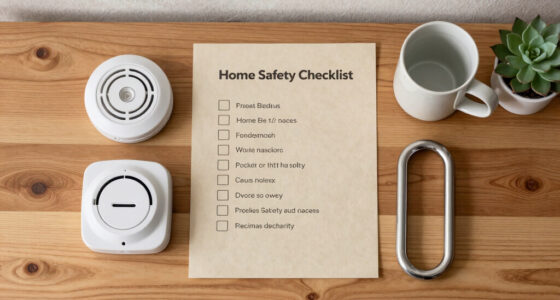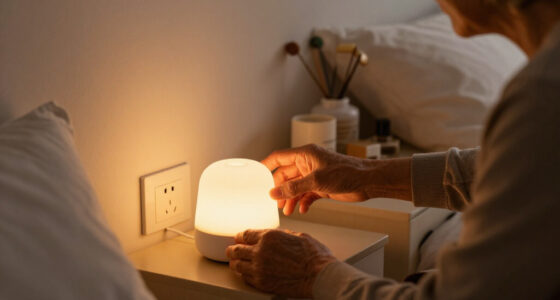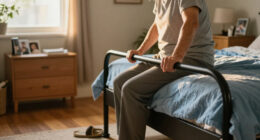

Choosing a medical alert system is less about picking the most feature-packed device than deciding where a senior needs help to be available. An in-home system connects a wearable button to a base unit in the residence; a mobile system uses cellular service and location technology to reach a monitoring center away from home as well. That difference shapes coverage, cost, setup, and daily upkeep.

Turn quiet afternoons into listening time
- Thousands of audiobooks, podcasts and originals
- Listen on your phone, tablet or Echo — also offline
- Cancel anytime

Wi-Fi Medical Alert System for Seniors with Call Buttons, Waterproof Wristband, Receiver, and LED Display
- ✔ Alert method: Receiver alarm and smartphone app notifications
- ✔ Audible alarm: 110 dB
- ✔ Maximum stated range: Up to 300 feet

CallToU Caregiver Pager with 2 Wireless Call Buttons and 2 Receivers
- ✔ Included components: Two wireless call buttons and two receivers
- ✔ Maximum stated range: Over 500 feet in open areas
- ✔ Ringtones: 55

SecuLife Medical Alert Pendant for Seniors with Fall Detection, GPS Tracking, and Two-Way Calling
- ✔ Connectivity: 4G LTE cellular
- ✔ Alert and communication features: Fall alerts, SOS calling, and two-way calling
- ✔ Location features: GPS tracking, geofencing, and location history
In-home systems suit someone who spends most of the day at home and wants a straightforward way to call for help there. Mobile systems fit someone who walks, shops, visits others, or lives independently outside the home. The tradeoff is clear: broader protection usually means a higher monthly bill and a device that must be kept charged. The best choice depends on the person’s routine, cellular coverage, and willingness to wear and maintain the equipment.
At a Glance
| Criteria | In-home medical alert systems | Mobile medical alert systems | Winner |
|---|---|---|---|
| Where it works | Inside the residence and, with some units, nearby yard or patio | At home and in places covered by the device’s cellular network | B |
| Connection and setup | Base unit uses a home phone line or cellular connection; pendant communicates with the base | Wearable or portable unit connects directly over cellular service | A |
| Fall detection | Often available as a paid add-on; performance varies | Often available, sometimes as an add-on; performance varies | Depends |
| Location support | Usually limited to the address on the account | May provide GPS or location assistance when the user calls | B |
| Daily upkeep | Base unit stays plugged in; wearable is generally low-maintenance | Portable unit needs regular charging and must be carried or worn | A |
| Typical ongoing cost | Usually lower; exact fees depend on provider and add-ons | Usually higher, with possible equipment, activation, or location-service fees | A |
| Best fit | Someone who spends most of the day at home | Someone who regularly leaves home alone | Depends |
Wi-Fi Medical Alert System for Seniors with Call Buttons, Waterproof Wristband, Receiver, and LED Display
This is our best overall home option because it combines an immediate local alarm with a second route for notifying people through a smartphone app. Pressing a call button sounds the receiver’s stated 110 dB alarm, so someone nearby can hear the alert without relying on a phone notification. The app can share notifications with others, which may help family members coordinate when they are not in the same room. The receiver’s alarm works without a monthly fee, making the system simpler to keep available than a service-based wearable such as SecuLife.Its stated wireless range is up to 300 feet, but that figure should not be treated as a promise throughout a house: walls, floors, and interference can affect a signal. The system also needs 2.4 GHz Wi-Fi, so households using only 5 GHz Wi-Fi or unfamiliar with router settings should check compatibility first. Compared with CallToU, this option adds app-based alerts but has a shorter stated range and only one included receiver is identified in the supplied details. Compared with SecuLife, it is a home-focused setup rather than a cellular pendant with GPS, two-way calling, and fall detection.The waterproof wristband remote is useful for keeping a call button close while showering, but the waterproof claim does not extend to every component: only the wristband is listed as waterproof. SMS notifications also require a subscription, so the no-monthly-fee benefit applies to the receiver alarm, not every alert feature. We would choose it for an older adult who spends most of the day at home and has someone nearby or reachable through the app; we would skip it when dependable out-of-home coverage or automatic fall alerts are essential.
Pros:
- Receiver alarm operates without a monthly fee.
- Smartphone app notifications can be shared with others.
- Stated wireless range is up to 300 feet.
- Waterproof wristband remote can be worn in the shower.
Cons:
- SMS notifications require a subscription.
- Wi-Fi supports 2.4 GHz only.
- Only the wristband remote is specified as waterproof.
Best for: Older adults who primarily need an at-home call button, a loud local receiver alarm, and optional smartphone notifications shared with family.
Not ideal for: People who need GPS or cellular coverage away from home, automatic fall detection, or a system with every component waterproof.
Bottom line: For home-centered safety, we favor its combination of a no-fee local alarm and optional shared app alerts, provided the 2.4 GHz setup and component-specific waterproofing suit the household.
“For home-centered safety, we favor its combination of a no-fee local alarm and optional shared app alerts, provided the 2.4 GHz setup and component-specific waterproofing suit the household.”
CallToU Caregiver Pager with 2 Wireless Call Buttons and 2 Receivers
CallToU is the clearest fit when the senior and caregiver are in the same home and the goal is to make a call for help easy to hear in more than one place. Two buttons and two receivers let a household place alert points and listening points where they are most useful. The buttons can be worn with a neck strap or mounted, while receivers plug into outlets. That makes it less dependent on smartphone setup than the Wi-Fi model, and the package has more receivers than are identified in that product’s supplied details.The system offers 55 ringtone choices and five volume levels, with a maximum stated volume of 110 dB. Those choices can help households select a sound and level that are noticeable without being needlessly disruptive all day. The stated range exceeds 500 feet in open areas, which is longer than the Wi-Fi system’s stated 300 feet. However, the open-area qualification matters: walls and floors can reduce real-world reach, so buyers should test the intended locations rather than assume the headline range applies indoors. Unlike SecuLife, this is not a GPS or cellular wearable and does not describe automatic fall alerts or two-way calling.Both buttons and receivers are described as waterproof and dustproof, a broader protection claim than the Wi-Fi system’s wristband-only rating. Still, the receivers must remain plugged into electrical outlets, limiting where they can be placed and making outlet availability part of planning. This is a caregiver pager, not a monitoring service that automatically connects to emergency responders. We rank it as the best multi-room home pick because of its two-receiver arrangement and simple alert path; seniors who spend time alone outside the home should look instead at SecuLife, while buyers needing app-based family notifications may prefer the Wi-Fi option.
Pros:
- Includes two wireless call buttons and two receivers.
- Stated range exceeds 500 feet in open areas.
- Offers 55 ringtones and five volume levels up to 110 dB.
- Buttons and receivers are described as waterproof and dustproof.
Cons:
- Receivers need electrical outlets.
- The stated range applies to open areas and may be reduced indoors.
- Does not list GPS, cellular calling, or automatic fall detection.
Best for: Households where a caregiver is usually nearby and wants two call buttons and two receivers distributed around the home.
Not ideal for: Seniors who need location tracking, cellular calling away from home, automatic fall alerts, or portable receivers that do not depend on outlets.
Bottom line: We recommend CallToU for straightforward, multi-room caregiver alerts at home, but not as a substitute for a mobile medical alert service.
“We recommend CallToU for straightforward, multi-room caregiver alerts at home, but not as a substitute for a mobile medical alert service.”
SecuLife Medical Alert Pendant for Seniors with Fall Detection, GPS Tracking, and Two-Way Calling
SecuLife is the most capable choice here for a senior who is not always at home. Its 4G LTE pendant combines SOS alerts, two-way calling, GPS tracking, and geofence alerts. That changes the use case: unlike the Wi-Fi receiver and CallToU pager, it can share location and support a conversation when the wearer is away from a familiar room. Fall detection may also provide an alert route when a wearer cannot press the SOS button, though buyers should confirm how detection works and what response follows before relying on it for a care plan.The IP67-rated design is suited to routine exposure to water better than the Wi-Fi option’s wristband-only waterproof claim, and the large SOS button is designed to be accessible when the wearer needs to call for help. GPS location and location history can help selected contacts understand where an alert originates; geofencing adds a notification when the wearer crosses a chosen boundary. These features make SecuLife more than a household chime, but they depend on cellular connectivity, charged battery, and an active subscription. It is the only product in this lineup that specifically lists a subscription as necessary for its core mobile alert use.Battery life is listed as up to six days, while product information also says an average of five days. We would plan around the more conservative figure and build a regular charging routine rather than assume a full six days between charges. Compared with the other two picks, SecuLife brings the most independence and location capability, but it also adds service dependence and charging responsibility. It is best for older adults who leave home and have contacts ready to answer alerts; it is excessive for someone who only needs a nearby caregiver to hear a button press, and it is not the right choice for a household unwilling to maintain a subscription or cellular device.
Pros:
- GPS tracking includes geofence alerts and location history.
- Two-way cellular calling supports communication through the pendant.
- Fall alerts and SOS notifications can be sent to selected contacts.
- IP67 water resistance supports everyday wear.
Cons:
- A monthly subscription is required.
- Battery-life information differs between up to six days and an average of five days.
- Cellular service and regular charging are necessary for the mobile features.
Best for: Seniors who regularly go out, need location sharing and two-way calling, and have designated contacts able to respond to SOS or fall alerts.
Not ideal for: People seeking a no-subscription home pager, those who do not want to charge a wearable regularly, or anyone whose care plan requires a confirmed response service not verified with the provider.
Bottom line: For seniors who need mobile coverage and location-aware alerts, SecuLife offers the broadest capabilities in this group, provided the subscription and charging routine are acceptable.
“For seniors who need mobile coverage and location-aware alerts, SecuLife offers the broadest capabilities in this group, provided the subscription and charging routine are acceptable.”
As an Amazon Associate we earn from qualifying purchases.
Key Differences
The central difference is where a call for help can be placed. An in-home button depends on being within range of a base unit, so it can be a practical, lower-cost choice for a person whose main risks and routines are at home. Mobile coverage can follow the user, but it depends on the device’s cellular connection and often requires the person to keep the unit charged and on them. A mobile label does not guarantee service everywhere; verify coverage in the places the user actually goes.
Both types may offer fall detection, but it is not a substitute for pressing the help button and can miss falls or trigger a false alarm. Ask about the feature’s price, whether it is built into the device, and what happens if it detects a fall without a spoken response. Value comes down to matching the coverage to the routine: paying more for mobile service makes sense when out-of-home protection will be used, while it adds little for someone who rarely leaves home alone.
Detailed Comparison
Where the system works (Mobile medical alert systems wins — major)
Mobile wins by a major margin for range. An in-home device connects through its base unit, so a wearable may stop working beyond the unit’s stated range. Mobile equipment can work away from the residence wherever its cellular connection is supported. For someone who spends time alone outside, that reach changes whether they can call for help during a walk or errand. For someone who stays home, the extra range may go unused.
Connection and setup (In-home medical alert systems wins — moderate)
In-home systems have a moderate simplicity advantage. The base unit is set up in one location and the wearable connects to it. A phone-line model may suit a home with reliable landline service; cellular models can avoid a landline, subject to signal and provider requirements. Mobile equipment removes the need to stay near a base but must connect to cellular service wherever it is used. The practical winner depends on whether simplicity at home or freedom of movement matters more.
Fall detection (moderate difference)
Neither type wins across providers. Fall detection may be offered with either style, sometimes for an added monthly fee. Its sensors can mistake ordinary movement for a fall or fail to recognize one, so the wearer should still press the help button when able. Compare the specific device, how the monitoring center responds, and the extra cost; do not assume the feature works identically across plans.
Location support (Mobile medical alert systems wins — moderate)
Mobile systems win by a moderate margin. Some mobile units can share GPS or other location information with responders when an alert is placed. In-home systems generally rely on the registered home address. Location support can help when a person cannot clearly explain where they are, though indoor GPS accuracy and cellular availability can vary. Check what data is available to the monitoring center and when it is shared.
Daily upkeep (In-home medical alert systems wins — moderate)
In-home systems have a moderate advantage. Their base unit typically remains plugged in, and the wearable is designed for ongoing use with relatively little attention. Mobile devices need regular charging, and protection is reduced if the unit is left behind or has a depleted battery. That may be a small habit for one user and a serious obstacle for someone with memory, dexterity, or vision challenges. Choose a charging routine the wearer can manage.
Ongoing cost and value (In-home medical alert systems wins — moderate)
In-home service usually wins on cost by a moderate margin. Mobile plans commonly cost more because they provide portable cellular service and may include location features. Fees vary, and equipment, activation, fall detection, or cancellation terms can change the total. Pay the premium when the user routinely goes out alone and needs a way to summon assistance there. If coverage at home is enough, the added expense buys little practical benefit.
Fit with the user’s routine (major difference)
This is a genuine tie until the routine is clear. An in-home unit fits someone who is usually indoors and wants a simple alert path in the place they spend most of their time. A mobile system fits someone who remains active outside or moves between locations without a companion. The winner is the system the person will wear, keep charged when needed, and use confidently. A device left on a table provides no protection during a fall.
In-home medical alert systems: Pros and Cons
Pros:
- Usually lower monthly cost
- Simple fixed setup and charging routine
- Can offer a wearable help button for use at home
Cons:
- Coverage is tied to the base unit’s range
- Limited help when the wearer is away from home
- May need a landline or a cellular-enabled base
Mobile medical alert systems: Pros and Cons
Pros:
- Can provide help beyond the home where cellular service is available
- May offer GPS or location assistance
- Better suited to independent errands and outdoor routines
Cons:
- Usually costs more each month
- Portable equipment needs regular charging
- Coverage, location accuracy, and service depend on the device and network
Who Should Choose What
Choose In-home medical alert systems if:
- The senior spends most of the day at home and wants a lower-cost alert option.
- A simple wearable-to-base setup is easier to maintain than a portable device.
- The main need is summoning help inside the home or nearby within the stated range.
Choose Mobile medical alert systems if:
- The senior walks, shops, travels locally, or spends time alone outside the home.
- Family members want location assistance available to the monitoring center during an alert.
- The wearer can keep a mobile device charged and carry it consistently.
Skip both if: The user will not wear or maintain a device, cellular service is unreliable where coverage is needed, or the required response depends on care these services do not provide. Discuss other support arrangements with the senior and their care team.
Value for Money
In-home service is usually the better value when the senior’s daily life is centered at home. A lower monthly fee is meaningful when the system covers the places where help is most likely to be needed, and a portable plan adds little if it will rarely leave its charging station. Mobile service is worth paying more for when the person regularly goes out alone: it extends the chance to call for help beyond the front door and may give the monitoring center location information. Before enrolling, compare the full recurring fee, equipment or activation charges, fall-detection add-ons, cancellation rules, battery life, and cellular coverage at home and along the user’s usual routes. The cheapest plan is poor value if it cannot connect where the wearer spends time; the premium plan is poor value if its extra reach is never used.
Final Verdict
For a senior who spends nearly all of their time at home, choose an in-home medical alert system with a wearable button and a base unit suited to the household’s phone and cellular setup. It offers a simpler routine and usually costs less. Choose a mobile system for someone who regularly leaves home alone and can keep the device charged and with them; the broader coverage is worth the higher fee when it matches that routine. The biggest deciding factor is not the number of advertised features but whether help can be reached from the places the senior actually goes. Check signal coverage and the device’s range before committing.
Frequently Asked Questions
Can an in-home medical alert system work without a landline?
Many providers offer an in-home base unit that connects over cellular service instead of a landline. Confirm that the model has reliable signal at the residence and ask whether cellular service changes the monthly fee.
Does fall detection guarantee that help will be called after a fall?
No. Automated detection can miss some falls or produce false alarms. The wearer should press the help button when able, and buyers should ask how the monitoring center responds when it receives an automatic alert and cannot reach the user.
Is a mobile medical alert system worth the higher price?
It can be worth the added cost for someone who regularly spends time alone outside the home and will carry and charge the unit. For a person who rarely leaves home, an in-home system is usually a better value.
Will a mobile system work everywhere?
No. Mobile units rely on their supported cellular networks, and location features can be less accurate indoors or in areas with weak signal. Check coverage in the senior’s home and common destinations before choosing a plan.
Fall Picks

eufy Security Essential Alarm System, 7-Piece, No Monthly Fee
As an affiliate, we earn on qualifying purchases.