
TL;DR

Turn quiet afternoons into listening time
- Thousands of audiobooks, podcasts and originals
- Listen on your phone, tablet or Echo — also offline
- Cancel anytime
Voice control turns your home into an intuitive space, letting you manage lights, thermostats, and reminders hands-free. It boosts convenience, accessibility, and safety—especially for older adults and caregivers—though understanding its limits and safety features is key.
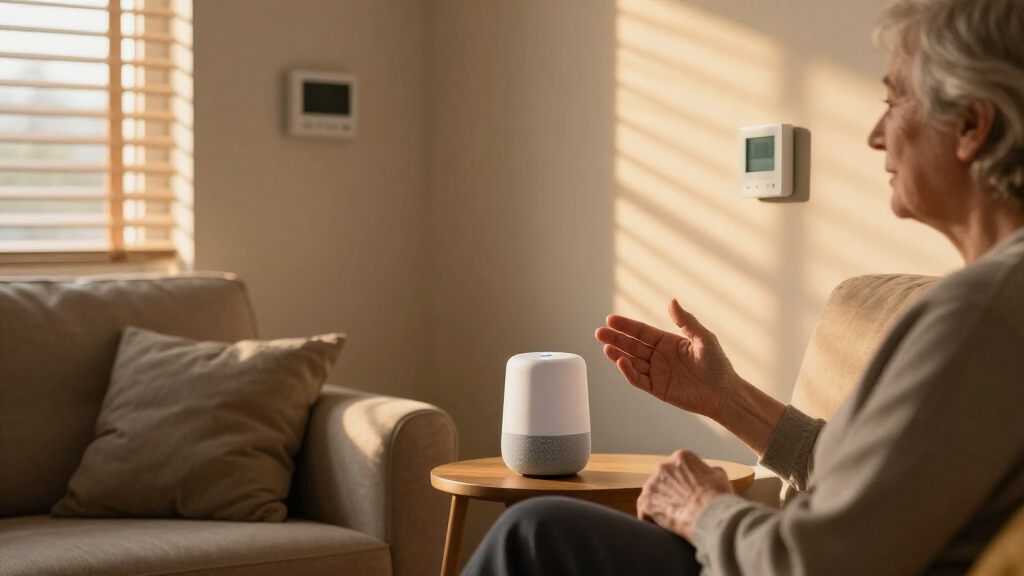
Imagine walking into your living room and saying, “Lights on,” instead of fumbling for a switch. Or adjusting your thermostat without leaving your chair. Voice control isn’t just a tech novelty anymore; it’s a practical way to make daily living safer, easier, and more comfortable—especially for older adults and those with mobility challenges.
This guide walks you through how voice control works for lights, thermostats, and reminders, and shares real-world tips to help you maximize its benefits while staying safe. Whether you’re considering a smart home upgrade or just curious about what’s possible, you’ll find clear, actionable insights here.
Clear, unique naming of devices prevents control errors and confusion.
Voice control enhances safety and convenience but should complement manual controls, not replace them.
Choosing a compatible ecosystem and supporting standards like Matter future-proofs your smart home.
Privacy and security require ongoing attention: update firmware, restrict access, and review settings.
Automation routines simplify daily tasks—use them to make your home more responsive and effortless.
Voice Control for Lights, Thermostats & Reminders
Walk into a room and say “Lights on” instead of fumbling for a switch. Voice control isn’t a novelty anymore — it’s a practical way to make daily living safer, easier, and more comfortable, especially for older adults and anyone with mobility challenges.
“Voice-controlled lighting and temperature adjustments can improve daily independence for seniors — reducing reliance on physical switches and improving safety.”
From Spoken Word to Action in Seconds
A smart speaker, phone, or hub listens for a wake phrase like “Hey Google” or “Alexa,” recognizes your command, identifies the target device, and executes it — often within seconds.
Wake Word Detection
The device listens continuously for its trigger phrase, e.g. “Alexa” or “Hey Google.”
Command Recognition
Speech is processed — locally for speed, or via cloud servers for advanced understanding.
Device Matching
The assistant identifies the target device or action — which is why clear, unique names matter.
Execution
A signal reaches your smart bulb, switch, or thermostat and the action completes instantly.
What You Can Actually Say
From brightness and color scenes to temperature zones and recurring reminders — here’s what voice control covers in a well-configured home.
Scenes, Color & Brightness
Turn lights on or off, dim to a precise level, shift color temperature — warm amber for relaxing, bright white for working. Bulbs like Philips Hue or LIFX install in seconds; smart switches keep wall controls working for shared households.
Effortless Temperature
Ask for a specific temperature, switch heating or eco modes, and override schedules instantly. Savings depend on habits and setpoints more than voice commands — and zone setups (upstairs / downstairs) boost both comfort and efficiency.
Alarms, Timers & Lists
One-off or recurring reminders, medication alerts, shopping lists, and calendar events appear on your phone, tablet, or smart display. Caregivers can set prompts for elderly parents so critical tasks aren’t missed.
Smart Bulbs vs. Smart Switches vs. Thermostats
Choosing the right hardware shapes how well voice control works in your household. Here’s how the main options compare.
| Criteria | Smart Bulbs | Smart Switches | Smart Thermostats |
|---|---|---|---|
| Installation | ✓ Screw in, connect Wi-Fi | ~ Wiring knowledge needed | ~ May need pro in older homes |
| Physical control preserved | ✗ Switch must stay powered | ✓ Wall controls still work | ✓ Unit remains adjustable |
| Color & scenes | ✓ Full color control | ✗ On/off and dimming only | ✗ Not applicable |
| Best for | Renters, customization | Shared households | Energy & comfort strategy |
| Key caveat | Requires stable Wi-Fi, higher cost | Less flexibility than bulbs | Compatibility varies by wiring & HVAC |
One Phrase, an Entire Evening
Routines are a game-changer: a single trigger can orchestrate multiple actions across your whole home — by schedule, sensor, location, or sunrise.
Safety First
Don’t rely solely on voice reminders for medication or emergencies. Layer them with other alarms and safety measures.
Complement, Don’t Replace
Voice control should complement manual controls — never replace them entirely, especially in shared or senior households.
Keep It Simple
Overly complex routines may fail if devices are offline. Balance ambition with reliability.
Five Rules for a Smarter, Safer Home
Clear, unique naming of devices prevents control errors and confusion.
Voice control should complement manual controls, not replace them.
Choose a compatible ecosystem and support standards like Matter to future-proof.
Privacy and security need ongoing attention: update firmware, restrict access, review settings.
Automation routines simplify daily tasks — make your home responsive and effortless.
How Does Voice Control Actually Work in Your Home?
Voice control is a smart way to manage your home by simply speaking. A device like a smart speaker, your phone, or a tablet listens for a wake phrase like “Hey Google” or “Alexa.” Once activated, it recognizes your command, identifies the device or action you want, and executes it—often within seconds.
For instance, saying “Turn off the kitchen lights” prompts the system to send a signal to your smart bulbs or switches. Commands can be simple, like turning on a light, or more complex, like adjusting a thermostat or setting reminders. Some functions are processed locally on the device, providing quick responses, but many still rely on cloud servers, which handle more advanced recognition and processing.
Understanding this flow helps you troubleshoot issues. If a command doesn’t work, it might be due to connectivity, device setup, or naming conflicts. Knowing how your system responds is the first step toward making it work smoothly every day.
Products Worth Considering

Philips Hue Bridge Pro Smart Lighting Hub

Philips Hue Secure Wired Video Doorbell, 2K Resolution, Wide Angle View, Integrated Hue Lights, Two-Way Audio, Infrared Night Visibility, Bl

LEVOIT Vital 200S-P Smart Air Purifier for Large Rooms
As an affiliate, we earn on qualifying purchases.
Make Lights Easy: Control Brightness, Color, and Scenes with Just Your Voice
Voice-controlled lighting can turn your space into a theater of colors or a cozy reading nook, all without reaching for switches. You can turn lights on or off, dim them to the right level, or even change their color—think warm amber for relaxing or bright white for working.
For example, you could say, “Dim the living room lights to 20%” during movie night or “Set bedroom lights to cool white” in the morning. Smart bulbs like Philips Hue or LIFX are popular because they’re easy to install—screw in, connect to Wi-Fi, and you’re ready to go.
For shared households or those wary of replacing switches, smart switches are a better choice. They keep your existing wall controls functional and can be integrated into scenes or automations, like turning all lights off when you say, “Good night.”
Here’s a quick tip: name your lights clearly and uniquely—”Living Room Main” or “Kitchen Overhead”—to avoid confusion and accidental control of the wrong lights.
Deeply understanding these features allows you to tailor your lighting environment to your routines and preferences. For example, setting specific scenes for different times of day or activities can make your space more welcoming and functional. However, weigh the tradeoff: smart bulbs often require a stable Wi-Fi connection and may have a higher initial cost, but they offer greater flexibility and customization compared to traditional switches.
Control Your Home Temperature Without Lifting a Finger
Voice-controlled thermostats like Nest or Ecobee make adjusting your home’s temperature effortless. You can ask for a specific temperature—”Set the thermostat to 70 degrees”—or switch modes—”Switch to heating” or “Set to eco mode.” These devices often support scheduling and can be overridden instantly.
But it’s not just about comfort. Smart thermostats can help save energy by adapting to your routines. Say you leave for the day; a voice command or automation can lower the heat to save on bills. Or, if you’re home but want just a bit warmer, a quick voice tweak does the trick.
Understanding this, however, reveals some tradeoffs. While these devices can optimize energy use, their effectiveness depends heavily on your routines and the accuracy of their sensors. Incorrect placement or calibration can lead to inefficiencies, and over-reliance on automation might cause discomfort if not properly managed. Therefore, a smart thermostat is best used as part of a comprehensive energy and comfort strategy—not solely as a voice-controlled device.
Installation can be straightforward if your home wiring supports it, but some older homes might need professional help. Remember, energy savings depend more on your habits—like setting consistent temperatures and using schedules—than on voice commands alone.
Pro tip: create zones—like upstairs and downstairs—for better comfort control. Not all thermostats support this, but the right setup can make a big difference in both comfort and energy efficiency.
Set Reminders and Alarms Without Picking Up Your Phone
Voice assistants excel at creating reminders, alarms, and to-do lists that keep your day on track. Imagine telling your device, “Remind me to take my medication at 8 p.m.,” or “Add eggs to my shopping list.” These commands instantly turn into notifications on your phone, tablet, or smart display.
Some reminders are one-off, perfect for appointments or tasks, while others can repeat daily or weekly. You can also set timers—”Set a 10-minute timer for the tea”—or alarms that wake you up.
However, the usefulness of these features depends on the reliability of your device setup and your household’s routines. If multiple family members share a device, personalized reminders can help prevent confusion. For safety-critical tasks like medication, don’t solely rely on a voice reminder—consider integrating with other safety measures or alarms to ensure compliance. This layered approach ensures critical tasks aren’t missed, especially for vulnerable individuals who might forget or mishear instructions.
For example, a caregiver can set a reminder for an elderly parent, ensuring they’re prompted at the right time, even if they forget. Recognizing these nuances allows you to use reminders effectively as part of a broader safety and organization system.
Combine Commands with Routines for Effortless Evenings
Routines are a game-changer. A single phrase like “Good night” can trigger multiple actions—turning off lights, lowering the thermostat, locking doors, and setting an alarm. It’s like pressing one button to prepare your entire home for sleep.
Many systems support automation based on schedules, sensors, or even your location. For instance, when you leave the house, your system can automatically turn off lights and adjust the temperature, saving energy and hassle.
Imagine waking up in the morning: a voice command or a scheduled routine can open blinds, turn on the coffee maker, and set the thermostat to a comfortable level—all without lifting a finger.
Understanding the power of routines also involves recognizing potential limitations. Overly complex routines may fail if not properly configured or if certain devices are offline. Balancing simplicity with functionality ensures routines are reliable and effective. This approach minimizes frustration and maximizes convenience, especially for users who may not be tech-savvy or who prefer straightforward automation.
Pro tip: customize routines with clear, memorable phrases and include only the actions that matter most to you. This makes daily routines seamless and reliable.
Choosing the Right Ecosystem and Ensuring Compatibility
When it comes to voice control, the ecosystem matters. The main players are Amazon Alexa, Google Home, Apple HomeKit, and Samsung SmartThings. Each has its strengths and device compatibility quirks. Before buying, check if your existing devices support your preferred platform—especially for critical functions like lighting or thermostats.
Look for support for industry standards like Matter, which aims to make devices work across ecosystems. For example, a Matter-compatible smart bulb can connect to Alexa, Google, or Apple, giving you flexibility.
Compatibility also depends on whether a device needs a hub or can connect directly via Wi-Fi or Bluetooth. Some devices require professional wiring or setup, especially thermostats or switches. Additionally, consider whether the manufacturer offers local control—important if you want your devices to work during internet outages. This impacts reliability and your ability to operate your home seamlessly during connectivity issues.
Choosing devices with clear support for your ecosystem and understanding their communication protocols ensures smooth operation and reduces frustration. It also helps future-proof your setup, as standards like Matter are designed to promote interoperability, making it easier to add new devices later without compatibility headaches.
Latest Trends: Smarter, Faster, and Safer Voice Control
Recent developments are making voice control more reliable and private. Industry standards like Matter enable devices to connect seamlessly across platforms, reducing setup headaches. Meanwhile, Thread mesh networking extends device range and stability, especially in larger homes.
Manufacturers are also moving some processing locally—meaning your device can recognize commands without needing to send everything to the cloud. This speeds things up and enhances privacy, which is especially important for sensitive commands or data.
Generative AI is transforming voice assistants by enabling them to understand follow-up questions and multi-step commands more naturally. This reduces the need for rigid command structures and allows for more conversational interactions. As a result, users can manage complex tasks with fewer commands, making the system feel more intuitive and human-like.
Additionally, integration of sensors—motion, humidity, door sensors—creates smarter automations that adapt to real-time conditions. This makes your home more responsive and safer, particularly for aging-in-place, by proactively adjusting environments based on activity or environmental data.
Safety and Privacy: What You Need to Know
Using voice control involves sharing data—what you say, when, and sometimes details about your routines. This data can be sensitive, and mishandling poses privacy risks. Regularly reviewing and adjusting privacy settings, enabling multi-factor authentication, and muting microphones when privacy is paramount are essential steps to protect yourself.
Understanding the implications of cloud-based storage and processing helps you make informed decisions. For example, some devices store recordings or voice samples, which could be accessed or misused if not properly secured. Using local processing options, when available, minimizes this risk and increases reliability during internet outages.
Furthermore, it’s crucial to set clear boundaries—avoid naming devices or rooms with sensitive information, and restrict access for children or visitors. This prevents unintended control or data sharing. For safety-critical functions, such as unlocking doors or disarming security systems, physical controls or dedicated security devices should always be prioritized over voice commands to prevent accidental or malicious access.
Balancing convenience and privacy requires ongoing vigilance. Regularly reviewing your device permissions, firmware updates, and privacy policies ensures your system remains secure and your data protected. The goal is to enjoy the benefits of voice control without exposing yourself to unnecessary risks.
Troubleshooting Common Voice Control Snags
If commands aren’t working as expected, it’s important to understand the underlying reasons. First, verify that your devices are powered on, connected to the network, and correctly named. Confusing or duplicate device names can cause unintended responses, leading to frustration and inefficiency. For example, if “Living Room Light” turns on instead of “Kitchen Light,” you might need to rename or reorganize your device groups to ensure clarity.
Next, check your voice profile settings—if your system supports multiple users—to ensure it recognizes your voice accurately. Misrecognition can cause commands to fail or trigger the wrong device, which is especially problematic in shared households.
Internet connectivity issues are another common cause. Cloud-dependent features rely on a stable internet connection; outages can disable voice commands or cause delays. Having manual controls, such as physical switches or buttons, ensures you can operate essential devices during these times.
Finally, keep your device firmware and app software up to date. Manufacturers regularly release updates that fix bugs, improve compatibility, and enhance security. Regular maintenance ensures your voice control system remains reliable and responsive, reducing the likelihood of recurring issues and keeping your smart home functioning smoothly.
Frequently Asked Questions
Do I need a smart speaker to use voice control?
Not necessarily. Many systems accept voice commands through smartphones, tablets, or smart displays. However, a smart speaker offers more convenient, hands-free access within a room, making control quicker and more natural.
Will voice control work during an internet outage?
It depends on your setup. Cloud-based commands usually need internet, but some devices support local processing. For critical functions, choose devices that offer local control options or keep manual switches handy.
Can I control devices from different brands with one voice assistant?
Yes, if the devices support common standards like Matter or are compatible with your chosen ecosystem, you can control multiple brands seamlessly. Check device compatibility before purchasing to avoid surprises.
Is voice recognition secure for sensitive commands?
Voice recognition alone isn’t fully secure. It’s best to restrict sensitive commands—like unlocking doors or making purchases—to physical controls or secure profiles with additional authentication.
How can I improve voice command reliability?
Use clear, distinct device and room names. Keep your software updated, and minimize background noise during commands. Regularly review device settings to ensure everything responds accurately.
Conclusion
Voice control isn’t just about gadgets; it’s about making your home safer, more accessible, and easier to manage. Think of it as giving your space a gentle, intelligent whisper—guiding your day with simple commands.
As you consider upgrades, remember: the best system is one that works reliably, respects your privacy, and fits your lifestyle. A smart home isn’t just a luxury; it’s a practical tool for aging-in-place with dignity and ease.