Senior accessible smartphones range from simplified models with dedicated support to standard Android phones that offer more flexibility. My best overall pick is the Lively Jitterbug Smart5 for shoppers who want a senior-focused interface and support options; the Jitterbug Smart3 is another straightforward choice, while the Bigme HiBreakS stands apart for readers who prefer an e-paper screen. The main tradeoffs are ease of use versus customization, large screens versus comfortable handling, and specialized support versus carrier flexibility. A familiar Android phone may suit someone comfortable with apps, but it can take more setup to make it accessible. Read on for the full breakdown and guidance on matching a phone to the person who will use it.

Turn quiet afternoons into listening time
- Thousands of audiobooks, podcasts and originals
- Listen on your phone, tablet or Echo — also offline
- Cancel anytime
Complete the kit


Key Takeaways
- The Lively Jitterbug Smart5 and Smart3 are the clearest senior-focused options in this group; their appeal is a simplified smartphone experience, rather than a hardware specification advantage.
- The Bigme HiBreakS is the distinctive screen choice for readers drawn to e-paper, but its unusual display makes it less suitable as a default recommendation for people who want a conventional phone experience.
- Several Android alternatives trade guided simplicity for flexibility. The Blackview Wave 2C, Moto E (2020), TCL ION V, Gigglizio, and POZZI NEO 1 may fit buyers who are comfortable with standard smartphone menus and setup.
- The G-Mee Connect Pro serves a narrower need: its no-camera design and parental controls may suit managed or restricted use, but those limits make it a poor fit for buyers who want a typical all-purpose phone.
- Screen size alone does not determine accessibility. The 1.77-inch senior-friendly phone may be easy to carry, yet its compact display is a substantial compromise for reading, video calls, and touch navigation.
| Blackview Wave 2C Unlocked Android Phone |  | Best Compact Pick | Operating system: Android 16 Go | Display: 5 inches | Processor: Octa-core | VIEW LATEST PRICE | See Our Full Breakdown |
| Bigme HiBreakS E-Paper Smartphone |  | Best for Reading | Operating system: Android 14 | Display: 5.84-inch E-Paper, 1024 × 768 | Processor: 8-core | VIEW LATEST PRICE | See Our Full Breakdown |
| Lively Jitterbug Smart3 Smartphone for Seniors |  | Best for Simple Menus and Safety Services | Operating system: Android 11.0 | Display: 6.2 inches | Processor: Snapdragon | VIEW LATEST PRICE | See Our Full Breakdown |
| G-Mee Connect Pro 64GB Android Phone with Parental Controls and No Camera |  | Best for Camera-Free Use | Operating system: Android 13 | Display: 5.72-inch HD+, 1440 × 720 | Processor: MediaTek MT8183 octa-core, 2GHz | VIEW LATEST PRICE | See Our Full Breakdown |
| Lively Jitterbug Smart5 Smartphone for Seniors |  | Best Large-Screen Senior Smartphone | Operating system: Android 16/17 | Display: 6.75 inches, 1600 × 720, 90Hz | Processor: MediaTek Dimensity 6100 Plus | VIEW LATEST PRICE | See Our Full Breakdown |
| Motorola Moto E (2020) Unlocked Smartphone, 2/32GB, 13MP Camera, Blue |  | Best for Carrier Flexibility | Display: 6.2-inch Max Vision | Operating system: Android 10 | Processor: Qualcomm Snapdragon 632 | VIEW LATEST PRICE | See Our Full Breakdown |
| Gigglizio 4G Smartphone for Seniors, 6.56-Inch HD+ Display, 3GB RAM, 32GB Storage, 4000mAh Battery, eSIM |  | Best for a Large Screen and eSIM | Display: 6.56-inch HD+ | Operating system: Android 13 | Memory and storage: 3GB RAM / 32GB storage | VIEW LATEST PRICE | See Our Full Breakdown |
| TCL ION V Unlocked Smartphone, 6.0-Inch HD+ Display, 3GB RAM, 32GB Storage, Android 13, Space Black |  | Best Compact Smartphone | Display: 6.0-inch HD+ (1440 x 720) | Operating system: Android 13 | Processor: MediaTek MTK 6762V_CAC octa-core, up to 2.0GHz | VIEW LATEST PRICE | See Our Full Breakdown |
| Senior-Friendly Cell Phone with 1.77 Inch Display, Dual SIM, 32GB Expandable Storage, 1800mAh Battery, USB-C Charging |  | Best for Basic Calls and Simple Operation | Display: 1.77 inches | Chip: SC6531 | Memory: 32MB RAM / 32MB ROM | VIEW LATEST PRICE | See Our Full Breakdown |
| POZZI NEO 1 Unlocked Android Smartphone, 4GB RAM, 64GB Storage, 6.57-inch HD+ Display, 5000mAh Battery, Dual SIM 4G LTE, Triple Camera, Black |  | Best for Battery Life and Storage | Display: 6.57-inch HD+ (720 x 1440) | Operating system: Android 12 | Memory and storage: 4GB RAM / 64GB storage | VIEW LATEST PRICE | See Our Full Breakdown |
| senior accessible smartphone | Display | Operating system | Processor | Battery |
|---|---|---|---|---|
| Blackview Wave 2C Unlocked And | 5 inches | Android 16 Go | Octa-core | 3000mAh, removable |
| Bigme HiBreakS E-Paper Smartph | 5.84-inch E-Paper, 1024 × 768 | Android 14 | 8-core | 3300mAh |
| Lively Jitterbug Smart3 Smartp | 6.2 inches | Android 11.0 | Snapdragon | 3500mAh |
| G-Mee Connect Pro 64GB Android | 5.72-inch HD+, 1440 × 720 | Android 13 | MediaTek MT8183 octa-core, 2GHz | 3000mAh |
| Lively Jitterbug Smart5 Smartp | 6.75 inches, 1600 × 720, 90Hz | Android 16/17 | MediaTek Dimensity 6100 Plus | 5010mAh |
| Motorola Moto E | 6.2-inch Max Vision | Android 10 | Qualcomm Snapdragon 632 | 3,550mAh |
| Gigglizio 4G Smartphone for Se | 6.56-inch HD+ | Android 13 | — | — |
| TCL ION V Unlocked Smartphone | 6.0-inch HD+ (1440 x 720) | Android 13 | MediaTek MTK 6762V_CAC octa-core, up to 2.0GHz | 3,000mAh, removable |
| Senior-Friendly Cell Phone wit | 1.77 inches | — | — | — |
| POZZI NEO 1 Unlocked Android S | 6.57-inch HD+ (720 x 1440) | Android 12 | Octa-core MediaTek Helio | 5,000mAh |
More Details on Our Top Picks
Blackview Wave 2C Unlocked Android Phone
The 5-inch screen and 158g body make the Wave 2C the easiest fit here for someone who finds larger smartphones awkward to hold. Its adjustable text size, magnification, high-contrast text, and TalkBack give readers several ways to tailor the display and navigation. Compared with the larger Lively Jitterbug Smart5, it is less suited to people who need a broad screen for reading, but its removable battery and headphone jack offer practical flexibility. The main limitation is network choice: the supplied information lists compatibility with T-Mobile, not AT&T, Cricket Wireless, or Verizon. Its 3GB of RAM and light-use positioning also make it a better match for calls, messages, and basic browsing than demanding apps.
Pros:- Compact 5-inch screen and 158g weight may be easier to hold than larger models.
- Text size, magnification, high-contrast text, and TalkBack provide useful accessibility options.
- Removable 3000mAh battery and 3.5mm headphone jack.
- Storage can be expanded up to 1TB.
Cons:- Carrier compatibility is limited to T-Mobile among the carriers listed.
- 3GB RAM and light-use positioning make it a poor fit for demanding apps or heavy multitasking.
Best for: People who prefer a lightweight, small phone for calls and messages, use T-Mobile, and want adjustable display accessibility settings.
Not ideal for: People who need a large screen, regularly run demanding apps, or use AT&T, Cricket Wireless, or Verizon.
- Operating system:Android 16 Go
- Display:5 inches
- Processor:Octa-core
- Memory:3GB RAM + 9GB dynamic RAM
- Storage:32GB; expandable up to 1TB
- Connectivity and SIM:4G LTE; dual Nano SIM; T-Mobile compatibility listed
- Battery:3000mAh, removable
- Weight:158g
Our verdict“Choose the Wave 2C if a small, light phone and built-in display accessibility matter more than broad carrier compatibility or a roomy screen.”
Bigme HiBreakS E-Paper Smartphone
The HiBreakS takes a different approach to senior accessibility: its 5.84-inch E-Paper display is aimed at people who spend much of their phone time reading. That screen sets it apart from the conventional display on the Lively Jitterbug Smart3, though the supplied details do not list senior-focused menu tools or accessibility functions. Its 6GB of RAM and 128GB of storage also give it more listed memory and built-in space than the Blackview Wave 2C. A TF card slot adds room for files, but the phone is not water resistant, has no headphone jack, and supports just one SIM. Buyers should also weigh whether an E-Paper screen fits their broader phone habits, rather than choosing it solely for its reading-oriented display.
Pros:- 5.84-inch E-Paper display is designed for reading.
- 6GB RAM and 128GB internal storage.
- TF card slot supports up to 1TB of additional storage.
- 4G LTE connectivity and a 3300mAh battery.
Cons:- Not water resistant.
- No headphone jack and only one SIM slot.
- The supplied product details do not specify dedicated senior menus or accessibility tools.
Best for: Older readers who mainly want a phone for text and ebooks, prefer an E-Paper screen, and do not need two SIMs or a headphone jack.
Not ideal for: People who want senior-specific menu controls, water resistance, a headphone jack, or a dual-SIM phone.
- Operating system:Android 14
- Display:5.84-inch E-Paper, 1024 × 768
- Processor:8-core
- Memory:6GB RAM
- Storage:128GB; TF card expansion up to 1TB
- Cellular connectivity:4G LTE
- SIM slots:1
- Battery:3300mAh
Our verdict“Pick the HiBreakS for a reading-first phone with expandable storage, but choose a Jitterbug if simple senior-oriented menus and support services matter more.”
Lively Jitterbug Smart3 Smartphone for Seniors
The Jitterbug Smart3 earns its place through senior-oriented simplicity: a large 6.2-inch screen, list-based menu, and voice typing can reduce the effort of finding features or composing a message. Its Urgent Response button and access to Lively health and safety services give it a more direct support focus than the Bigme HiBreakS, whose listed strengths center on reading and storage. Video chat and GPS add familiar smartphone functions, while the 12MP rear camera is specified for photos. The tradeoff is substantial: activation with a Lively phone plan is required, and the phone cannot be used with other wireless carriers. It also lacks water resistance and a headphone jack. Compared with the newer Jitterbug Smart5, this model has a smaller screen and less listed memory.
Pros:- Large 6.2-inch screen and simple list-based menu.
- Voice typing supports composing texts and emails.
- Urgent Response button and access to Lively health and safety services.
- Supports video chat and GPS.
Cons:- Requires Lively phone service and is incompatible with other wireless carriers.
- Not water resistant and has no headphone jack.
- Smaller screen and less listed RAM and storage than the Jitterbug Smart5.
Best for: Older adults who prefer a list-based interface, voice typing, and Lively emergency or health services, with a caregiver willing to arrange Lively service.
Not ideal for: People who want to choose their own carrier, need water resistance or a headphone jack, or prefer the Smart5’s larger screen.
- Operating system:Android 11.0
- Display:6.2 inches
- Processor:Snapdragon
- Memory:3GB RAM
- Storage:32GB
- Carrier and SIM:Lively service required; single Nano SIM
- Rear camera:12MP
- Battery:3500mAh
Our verdict“Choose the Smart3 if its simple menu and Lively safety services suit you; choose the Smart5 if you want a larger screen and more listed memory.”
G-Mee Connect Pro 64GB Android Phone with Parental Controls and No Camera
The G-Mee Connect Pro is an unusual accessibility choice: its no-camera design suits people who want a phone that cannot take or share photos, while its app locker allows a family member to set PIN-based app controls. Those features give it a distinct role beside the Lively Jitterbug Smart3, which includes a camera, video chat, and health and safety services. The G-Mee has 4GB of RAM, 64GB of storage, and microSD expansion, but its product details do not list senior-specific menus, large-text controls, or emergency services. It is also locked to T-Mobile, so carrier choice is restricted. The 5.72-inch display is smaller than the Jitterbug Smart5’s, and buyers need to supply their own power adapter.
Pros:- No cameras, preventing photo and video capture on the device.
- PIN-based app locker supports app restrictions.
- 4GB RAM, 64GB storage, and microSD expansion up to 256GB.
- Includes wired earbuds, a clear case, and a preinstalled screen protector.
Cons:- Locked to T-Mobile and compatible T-Mobile SIM providers.
- No camera means no phone photography or video chat.
- Power adapter is not included, and the phone is not water resistant.
Best for: Older users or families seeking a camera-free phone with app restrictions, provided T-Mobile compatibility and the lack of senior-specific features are acceptable.
Not ideal for: People who need a camera, video calling, carrier flexibility, a large screen, or built-in senior support and emergency services.
- Operating system:Android 13
- Display:5.72-inch HD+, 1440 × 720
- Processor:MediaTek MT8183 octa-core, 2GHz
- Memory:4GB RAM
- Storage:64GB; microSD expansion up to 256GB
- Network and SIM:4G; T-Mobile locked; dual Nano SIM
- Battery:3000mAh
- Camera:No cameras
Our verdict“Choose the G-Mee for camera-free use and app controls on T-Mobile, not for a full-featured senior interface or emergency support.”
Lively Jitterbug Smart5 Smartphone for Seniors
The Jitterbug Smart5 is the strongest fit here for someone who wants a large 6.75-inch screen paired with senior-oriented support, rather than simply a bigger general-purpose phone. Its simple menu, real-time call captioning, Urgent Response button, and access to Lively support address everyday communication and help needs more directly than the Blackview Wave 2C, which is smaller and better suited to basic light use. The listed 5010mAh battery, 5G connectivity, 8GB of RAM, and 128GB of storage also exceed the Smart3’s listed memory and storage. The deciding compromise is service lock-in: activation with Lively is required, and other carriers are not supported. Its large body may also be less comfortable for people who favor a compact, lightweight phone.
Pros:- Large 6.75-inch display for easier viewing.
- Real-time call captioning and a simple menu support communication and navigation.
- Urgent Response button and access to Lively’s support team.
- 5010mAh battery, 8GB RAM, 128GB storage, and 5G connectivity.
Cons:- Requires an activated Lively phone plan and is incompatible with other carriers.
- Large 6.75-inch format may be awkward for people who prefer compact phones.
Best for: Older adults who want a large screen, call captioning, emergency access, and ongoing Lively support and are willing to use Lively service.
Not ideal for: People who want to select another carrier, prefer a compact handset, or do not need Lively’s support and emergency features.
- Operating system:Android 16/17
- Display:6.75 inches, 1600 × 720, 90Hz
- Processor:MediaTek Dimensity 6100 Plus
- Memory:8GB RAM
- Storage:128GB
- Connectivity and SIM:5G; single Nano SIM; Lively service required
- Battery:5010mAh
- Weight:6.88 ounces
Our verdict“Choose the Smart5 if a large screen and Lively’s captioning and support are priorities, and you accept using Lively as your carrier.”
Motorola Moto E (2020) Unlocked Smartphone, 2/32GB, 13MP Camera, Blue
The Motorola Moto E (2020) is a sensible pick for someone who wants a familiar Android smartphone and the freedom to choose a carrier. Its 6.2-inch display gives text and icons more room than the compact TCL ION V, though the edge-to-edge design may be less straightforward to grip than a phone with physical buttons. The 3,550mAh battery is described as lasting up to 42 hours, which can mean fewer charging interruptions for light use. A fingerprint reader and water-resistant design add practical everyday convenience.
The tradeoff is its older Android 10 software and modest 2GB RAM and 32GB storage; the POZZI NEO 1 offers more memory and a larger battery. Its camera is basic, and buyers need to provide a SIM card. I’d choose this over the carrier-restricted Gigglizio when broad carrier choice matters, but not for someone who needs the newest software or extra storage.
Pros:- Unlocked design allows carrier choice, subject to network compatibility.
- 6.2-inch display offers more viewing area than the TCL ION V.
- 3,550mAh battery is described as providing up to 42 hours of use.
- Water resistance and a fingerprint reader add useful everyday features.
Cons:- 2GB RAM and 32GB storage are limited for heavier apps and saved media.
- Runs Android 10, older than the Android 13 Gigglizio and TCL ION V.
- SIM card is not included, and camera performance is basic.
Best for: Older adults who want a straightforward, unlocked Android phone and plan to select their own compatible US carrier.
Not ideal for: People who need ample built-in storage, newer Android software, or a small, easy-to-grip handset.
- Display:6.2-inch Max Vision
- Operating system:Android 10
- Processor:Qualcomm Snapdragon 632
- Memory and storage:2GB RAM / 32GB storage
- Camera:13MP dual camera
- Battery:3,550mAh
- Water resistance:Yes
Our verdict“Choose the Moto E if carrier flexibility and a roomy display matter more than newer software or extra memory.”
Gigglizio 4G Smartphone for Seniors, 6.56-Inch HD+ Display, 3GB RAM, 32GB Storage, 4000mAh Battery, eSIM
The Gigglizio 4G suits a senior who wants a large viewing area and can activate service with one of its supported carriers. Its 6.56-inch HD+ screen is the largest among these five picks, giving menus, messages, and video more room than the 6.0-inch TCL ION V. The 4,000mAh battery and 18W charging offer a practical mix for people who use their phone regularly and would rather not wait as long at the outlet. Android 13, a headphone jack, and IP52-rated protection round out the everyday features.
Carrier restrictions are the defining drawback: it uses eSIM only and excludes AT&T and T-Mobile MVNOs, so buyers should confirm activation eligibility before choosing it. That makes the unlocked Motorola Moto E more flexible for carrier selection. With 3GB RAM and 32GB built-in storage, the Gigglizio is also less suited to app-heavy use than the POZZI NEO 1. I’d skip it if a physical SIM slot or broad carrier choice is a must.
Pros:- Large 6.56-inch HD+ display provides generous viewing space.
- 4,000mAh battery with 18W charging supports longer use and quicker charging.
- IP52 rating offers some protection from dust and splashes.
- Includes USB-C, GPS, Bluetooth, Wi-Fi, and a 3.5mm headphone jack.
Cons:- No physical SIM slot; service requires eSIM activation.
- Compatibility excludes AT&T and T-Mobile MVNOs.
- 3GB RAM and 32GB built-in storage limit room for apps and media.
Best for: Older adults who prefer a large screen, want eSIM activation, and have confirmed service with supported AT&T or T-Mobile networks outside their MVNOs.
Not ideal for: People using an MVNO, needing a physical SIM card, or wanting more than 32GB of built-in storage.
- Display:6.56-inch HD+
- Operating system:Android 13
- Memory and storage:3GB RAM / 32GB storage
- Expandable storage:Up to 64GB
- Battery and charging:4,000mAh / 18W
- SIM and carrier support:eSIM; AT&T and T-Mobile, excluding their MVNOs
- Water and dust resistance:IP52
Our verdict“Pick the Gigglizio for its large screen and battery only after confirming that its eSIM carrier restrictions fit your service.”
TCL ION V Unlocked Smartphone, 6.0-Inch HD+ Display, 3GB RAM, 32GB Storage, Android 13, Space Black
The TCL ION V is the most compact smartphone in this group, with a 6.0-inch HD+ display and a weight of 172g. That makes it a better fit than the larger Gigglizio or POZZI NEO 1 for someone who prefers a phone that is easier to hold and carry. Android 13 and expandable storage up to 512GB also give it a more current software base and more room for photos or music than the Motorola Moto E’s fixed 32GB capacity.
Its smaller size comes with compromises: the 3,000mAh removable battery is below the Moto E’s capacity and the POZZI’s 5,000mAh, so frequent users may need to charge more often. The 8MP rear camera is modest, and carrier support is limited to select networks and providers. Buyers must also install the battery before use and purchase accessories such as a microSD card separately. I’d choose it for manageable size, not for long battery endurance or simple setup.
Pros:- 6.0-inch display and 172g weight make it more compact than the Gigglizio and POZZI NEO 1.
- Android 13 provides a newer software base than the Motorola Moto E.
- MicroSD expansion supports cards up to 512GB.
- Removable battery, USB-C charging, and a 3.5mm audio jack.
Cons:- 3,000mAh battery is smaller than those in the other smartphone picks here.
- Carrier compatibility is limited to select networks and providers.
- Battery must be installed before use; SIM, microSD card, and other accessories are not included.
Best for: Older adults who find large phones awkward to hold and want a compact Android handset with expandable storage.
Not ideal for: People who prioritize long battery life, strong cameras, or a phone ready to use without setup and separately sourced accessories.
- Display:6.0-inch HD+ (1440 x 720)
- Operating system:Android 13
- Processor:MediaTek MTK 6762V_CAC octa-core, up to 2.0GHz
- Memory and storage:3GB RAM / 32GB internal storage
- Expandable storage:Up to 512GB via microSD
- Battery:3,000mAh, removable
- Weight:172g
Our verdict“Choose the TCL ION V if a smaller, lighter smartphone matters more than battery endurance and out-of-box convenience.”
Senior-Friendly Cell Phone with 1.77 Inch Display, Dual SIM, 32GB Expandable Storage, 1800mAh Battery, USB-C Charging
This senior-friendly feature phone is the clearest choice here for someone who wants basic calling functions rather than a touchscreen smartphone. Its 1.77-inch display and simple interface reduce the number of features to manage, while dual SIM support can help a user keep separate numbers on one device. USB-C charging and the listed 1,800mAh battery are useful everyday details; FM radio and Bluetooth add a few extras without the broader app environment found on the Android-based Moto E.
The same simplicity rules out many smartphone tasks. It has only 32MB RAM and 32MB ROM, no Wi-Fi is listed, and the rear camera specification is unusually limited, so I would not choose it for video calls, browsing, or photo sharing. It also relies on GSM frequency bands, which buyers should check against their carrier. Compared with the TCL ION V, this is easier to keep basic but far less capable as a modern connected phone.
Pros:- Simple interface focuses on basic phone functions.
- Dual SIM support allows two SIM cards in one handset.
- 1,800mAh battery and USB-C charging are useful for routine use.
- Supports English, French, Spanish, German, and Italian.
Cons:- 1.77-inch display is much smaller than the screens on the Moto E and other smartphones.
- 32MB RAM and 32MB ROM leave little capacity for anything beyond basic functions.
- No Wi-Fi is listed, and GSM band compatibility should be checked with the carrier.
Best for: Older adults who mainly need calls, FM radio, and a basic handset with dual SIM support rather than apps or web access.
Not ideal for: People who need a large, easy-to-read screen, Wi-Fi, video calling, or smartphone apps and services.
- Display:1.77 inches
- Chip:SC6531
- Memory:32MB RAM / 32MB ROM
- Expandable storage:Up to 32GB
- Battery and charging:1,800mAh / USB-C
- Network compatibility:GSM 850/900/1800/1900 MHz
- Camera:30W pixel rear camera (as listed)
Our verdict“Choose this handset for basic calls and a simpler interface, but opt for the TCL ION V or another smartphone if apps and internet access matter.”
POZZI NEO 1 Unlocked Android Smartphone, 4GB RAM, 64GB Storage, 6.57-inch HD+ Display, 5000mAh Battery, Dual SIM 4G LTE, Triple Camera, Black
The POZZI NEO 1 is the strongest fit in this set for someone who wants a full-size smartphone with more memory and less frequent charging. Its 5,000mAh battery exceeds the Moto E’s 3,550mAh and the TCL ION V’s 3,000mAh, while 4GB RAM and 64GB storage give apps and saved files more room than the 3GB/32GB configurations of the Gigglizio and TCL. The 6.57-inch display also offers generous viewing space, and fingerprint and face recognition provide two ways to unlock the phone.
That extra capacity comes with important limits: compatibility is restricted to T-Mobile and supported virtual carriers, with AT&T, Cricket, and CDMA networks excluded. It is not water resistant, unlike the Moto E and IP52-rated Gigglizio, so spills need extra care. The large screen may also be harder to manage one-handed. I’d shortlist it for T-Mobile users who value battery life and storage, not for buyers who need broad carrier choice or water protection.
Pros:- 5,000mAh battery has the largest listed capacity among these five products.
- 4GB RAM and 64GB storage exceed the memory and storage of the TCL ION V and Gigglizio.
- Storage can be expanded by up to 512GB with a separate microSD card.
- Fingerprint and face recognition, dual SIM, and included protective case and earpiece.
Cons:- Not compatible with AT&T, Cricket, or CDMA networks; carrier support centers on T-Mobile and supported virtual carriers.
- Not water resistant.
- MicroSD card is sold separately, and the large display may be awkward for one-handed use.
Best for: Older adults on T-Mobile or a supported virtual carrier who want a large screen, longer battery capacity, and more built-in storage.
Not ideal for: People using AT&T, Cricket, or CDMA networks, or anyone who wants water resistance or a smaller phone.
- Display:6.57-inch HD+ (720 x 1440)
- Operating system:Android 12
- Memory and storage:4GB RAM / 64GB storage
- Expandable storage:Up to 512GB via microSD
- Processor:Octa-core MediaTek Helio
- Battery:5,000mAh
- Cellular compatibility:4G LTE/VoLTE; T-Mobile and supported virtual carriers
- Water resistance:Not water resistant
Our verdict“Pick the POZZI NEO 1 if you use a supported T-Mobile-based service and value battery capacity and storage over carrier flexibility and water resistance.”
How We Picked
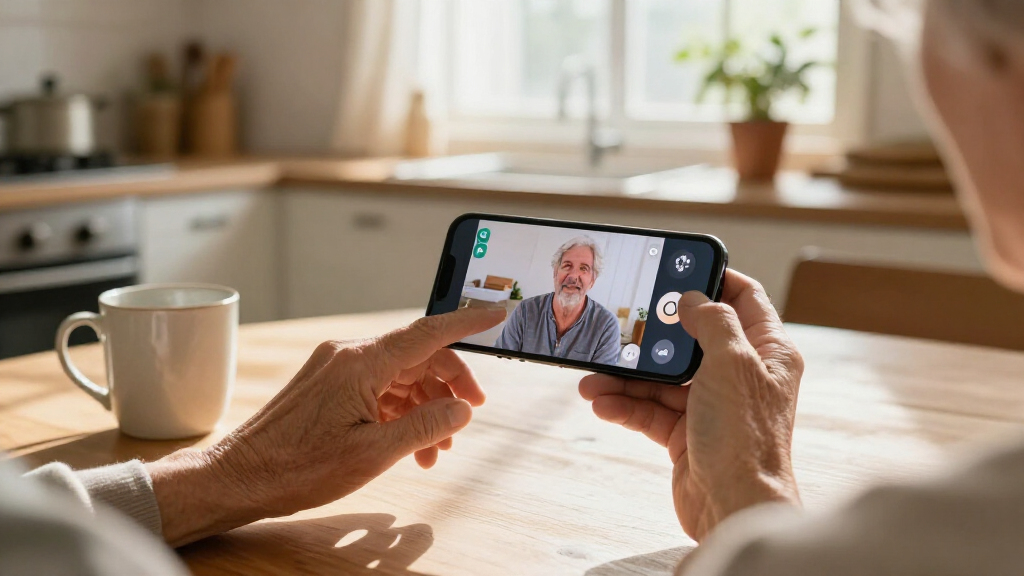
I ranked these phones by how well their stated features support common senior needs: clear, manageable interaction; a screen suited to reading and touch input; practical battery and storage details; and a setup that matches the buyer’s comfort with technology. I also weighed whether a model is purpose-built for seniors or is a general Android phone that may need accessibility settings and help from a family member. Product names and specifications provided for this roundup do not establish details such as network compatibility, current software support, service availability, or the exact accessibility interface, so buyers should verify those points before purchase.
The ranking favors phones with a clear role and fewer setup demands for someone seeking a senior-oriented experience. General Android models remain useful alternatives for people who want more choice or are already familiar with smartphones, but they rank lower when the supplied information offers less evidence of senior-specific guidance. Specialized choices, including e-paper, parental controls, and a very small display, are placed according to how well their distinct tradeoffs fit a particular buyer rather than treated as universal upgrades.
Factors to Consider When Choosing Senior Accessible Smartphones
Choosing a senior accessible smartphone is less about finding the longest spec list and more about matching the phone to the person’s daily habits, eyesight, dexterity, and support needs. I’d settle the practical questions below before comparing individual features.
Decide Whether a Guided Interface Matters More Than Flexibility
A senior-focused interface can reduce the number of choices someone faces each time they call, message, or open an app. That simplicity is valuable when a person is new to smartphones or finds standard menus confusing, but it may feel restrictive to someone who already manages apps independently. A conventional Android phone can offer more customization, though someone may need to increase text size, simplify the home screen, and remove unwanted apps first. Families often focus on the initial setup and overlook who will help when an update or setting changes the layout. Ask the future user to try the basic tasks they will perform most, rather than choosing based on a relative’s idea of what looks easiest. Pick the phone style that supports independence without creating a setup burden the owner cannot manage.
Match Screen Size to Eyesight, Grip, and Touch Accuracy
A larger display can make text and controls easier to see, but it may be harder to hold securely or use one-handed. A small phone is easier to carry, yet tiny text and tightly spaced controls can make calls or messages frustrating. Before buying, check whether the operating system lets the user enlarge text, icons, and touch targets; physical display size alone does not answer that question. Also think about glare, brightness controls, and whether the person uses reading glasses or prefers a phone at a particular distance. Cases can improve grip but add bulk, so assess the phone with the kind of case the owner plans to use. The right balance is the one that makes frequent tasks comfortable without making the device awkward to hold.
Check Carrier, Network, and Service Requirements Before Purchase
An unlocked label does not by itself confirm that a phone will work well with every carrier or offer every network feature. Confirm supported bands, voice calling compatibility, SIM or eSIM requirements, and the carrier’s activation rules for the exact model. For senior-focused phones, check whether help services or special calling features depend on a particular plan or provider. A device that is easy to use but cannot be activated on the buyer’s chosen network is not a practical choice. If a family member will manage the account, clarify who can contact the carrier and whether the owner can get assistance directly. Verify these details with the seller and carrier before transferring a number or canceling an existing service.
Plan for Setup, Updates, and Ongoing Help
Accessibility is not a one-time setting; software updates, new apps, and accidental changes can make a phone harder to use later. Before choosing a general Android model, decide who will set up larger text, emergency contacts, a simple home screen, and any needed hearing or visibility features. Ask how the owner can get help if that person is unavailable. A dedicated senior-oriented model may reduce setup work, while a standard phone may be better when a trusted helper can personalize it and keep it organized. Also check the manufacturer’s support and software update policies, since an older model can become less suitable as apps and network requirements change. A realistic support plan can matter more than a modest difference in memory or camera hardware.
Choose Battery and Storage for the Person’s Routine
Battery needs depend on how often the user calls, uses navigation, watches video, or leaves the phone away from a charger. A larger battery capacity on paper does not guarantee a particular runtime, because screen brightness, signal strength, and software also affect power use. Consider whether the owner can comfortably connect the charging cable and whether a regular charging spot would help prevent a dead phone. Storage matters too: photos, messages, and apps can fill a small capacity over time, while expandable storage may not increase space for every app or system file. Buyers should check how much usable storage remains after setup and whether the person is likely to keep many photos or videos. Choose enough headroom for the owner’s actual habits rather than paying attention to one specification in isolation.
Treat Specialized Features as Needs, Not Automatic Upgrades
An e-paper display, no-camera design, or very compact body can be a strong fit for a specific routine, but none is automatically more accessible for everyone. E-paper may appeal to someone who prioritizes reading, while a no-camera phone may suit a setting with privacy restrictions. A very small device can be easier to carry but harder for someone with low vision or reduced touch precision. Before choosing a specialized phone, list the tasks it must handle, including video calls, photos, messaging, and app access. Compare that list with the device’s limits, not just its standout feature. If the phone will be the person’s only communication device, a narrow specialty may create more friction than it removes.
Frequently Asked Questions
Is a phone marketed for seniors always easier to use than a regular Android phone?
No. A senior-focused phone may offer a simpler interface or a support path designed for its users, but the experience depends on the person and the specific model. Someone already comfortable with Android may find a regular phone easier because familiar apps and settings are available. A standard phone can also be customized with larger text and a simpler home screen, although that setup may require help. Compare the actual menus and support arrangements rather than relying on the label alone. The best choice is the one the future owner can use confidently for everyday tasks.
Should I choose the Jitterbug Smart5 or Smart3?
Start by comparing the interface, support options, network requirements, and service terms available for each model, rather than assuming the newer model is automatically the better fit. Both are presented here as senior-oriented smartphones, so the deciding factor is which one the intended user finds clearer and easier to operate. If the person is replacing a phone they already know, familiarity with the existing layout may outweigh newer hardware. Check that the chosen model can be activated with the carrier and plan they want. If possible, let the user try each phone’s basic calling and messaging steps before deciding.
Is the Bigme HiBreakS a good choice for someone with low vision?
Its e-paper display makes it a distinctive option for someone who prefers a reading-focused screen, but that alone does not establish that it will work for a particular vision need. Check text enlargement, contrast controls, brightness behavior, and whether the display remains comfortable for the apps the user needs. E-paper can look and behave differently from a conventional smartphone display, so someone who relies on video, colorful interfaces, or familiar screen behavior may prefer a standard Android phone. The user should try reading, calling, and messaging on the device before relying on it as a primary phone. For significant vision loss, confirm that the phone supports the required accessibility tools.
What should I verify before buying an unlocked phone for an older adult?
Confirm the exact model’s compatibility with the intended carrier, including network bands, voice calling, SIM type, and activation rules. Also check whether the phone supports the calling features the owner relies on, such as Wi-Fi calling or hearing-aid compatibility, if needed. Ask whether software updates and customer support are still available for that model. A phone that works with a family member’s carrier may not work the same way on the buyer’s provider. Verify these details with the carrier before moving a number or ending existing service.
When does a small senior-friendly phone make sense instead of a larger smartphone?
A small phone can suit someone who mainly needs a portable device for basic calls and values a compact shape over a large display. It is a weaker fit when the owner needs enlarged text, frequent messaging, video calls, or more precise touch controls. Think about the tasks the phone must handle every day, not only how easily it fits in a pocket. If the device will replace a larger phone, test whether the owner can comfortably read and tap on its screen. When vision or dexterity is a concern, a more generous display may be worth the added size.
Conclusion
For the best overall fit, I’d start with the Lively Jitterbug Smart5 because it is explicitly aimed at senior users; the Jitterbug Smart3 is the alternative for shoppers who prefer its specific interface or support setup after comparing both. For best value, I’d look at a general Android option such as the Blackview Wave 2C only if the buyer is comfortable with standard Android and has checked carrier compatibility and setup needs. For a premium or specialized experience, the Bigme HiBreakS is the e-paper pick for a reader who wants that display style, not a universal upgrade. For beginners, I’d favor a Jitterbug model over a standard Android phone because the roundup’s clearest senior-specific options are designed around that audience. For specific needs, consider the G-Mee Connect Pro for a no-camera requirement, or a conventional larger-screen model such as the POZZI NEO 1 for someone who wants a more typical smartphone format. Before choosing, confirm carrier support, accessibility settings, and who will help with setup.