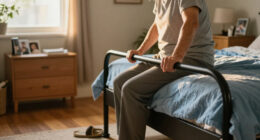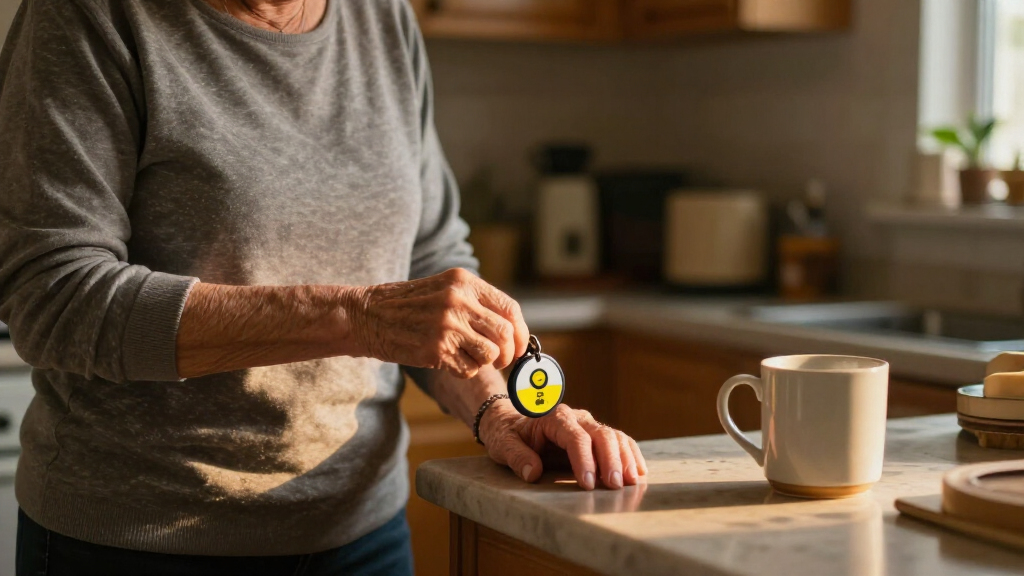
The best home emergency alert system overall in this roundup is the Medical Guardian MGMini, a mobile option for people who want an alert device that can go beyond the house. For caregiver-to-room communication, the DAYTECH Wi-Fi system stands out for its mix of buttons, wrist button, and receiver, while the Freedom Alert is a fit for households that want a landline-based personal emergency device. The main choice is between simple in-home call systems, which alert someone nearby, and medical alert devices designed to reach help outside the home. Range, internet or phone dependence, fall detection, and who will respond to an alert all affect which setup makes sense. Read on for the full breakdown and guidance on matching a system to your home and support plan.

Turn quiet afternoons into listening time
- Thousands of audiobooks, podcasts and originals
- Listen on your phone, tablet or Echo — also offline
- Cancel anytime
Complete the kit


Key Takeaways
- These products serve two different jobs: caregiver pagers such as the FullHouse, SYNLETT, and Greetmed setups notify someone nearby, while the MGMini, SecuLife, LogicMark, and Freedom Alert are positioned as personal emergency devices.
- Connectivity changes who can respond. Wi-Fi and landline products rely on household infrastructure or nearby caregivers; GPS-equipped and cellular-style devices are better suited to people who may need help away from home, subject to each model’s service requirements.
- More buttons can help only if they are placed and worn. Systems with wrist or wearable buttons may be easier to reach than a single fixed call button, but buyers should check comfort, charging, and placement before choosing.
- Fall detection is not the same as guaranteed rescue. Its usefulness depends on the device’s alert path, coverage, service setup, and the wearer’s ability to communicate after an event.
- The strongest fit depends on the response plan. Dual receivers and multiple transmitters can support a caregiver in the home, while a monitored or mobile alert device is a better match when a nearby person cannot reliably hear or answer a pager.
| FullHouse Wireless Caregiver Pager with Emergency Call Button |  | Best Simple No-Fee Caregiver Pager | Brand: Full House | Power: Battery-powered call button; plug-in receiver | Included components: 1 call button and 1 plug-in receiver | VIEW LATEST PRICE | See Our Full Breakdown |
| SINGCALL Remote Emergency Strobe Siren Alarm Kit with 4 Emergency Buttons |  | Best for Multi-Button Household Alerts | Brand: SINGCALL | Model: J008 520C | Included components: 2 sirens and 4 emergency buttons | VIEW LATEST PRICE | See Our Full Breakdown |
| Medical Guardian MGMini Medical Alert Device for Seniors, Black |  | Best for 24/7 Professional Monitoring | Brand: Medical Guardian | Connectivity: Cellular with Wi-Fi backup | Monitoring: 24/7 subscription required; no long-term contract; cancel anytime | VIEW LATEST PRICE | See Our Full Breakdown |
| LogicMark Guardian Alert 911 Plus Emergency Pendant with Fall Detection |  | Best No-Monthly-Fee Emergency Pendant | Brand: LogicMark | Model: 40711 | Network compatibility: 4G LTE | VIEW LATEST PRICE | See Our Full Breakdown |
| SYNLETT Caregiver Pager with 2 Wireless Call Buttons |  | Best for Two Caregiver Call Points | Brand: SYNLETT | Model: D091G1 | Included components: 2 call buttons and 1 receiver | VIEW LATEST PRICE | See Our Full Breakdown |
| CallToU Caregiver Pager Wireless Call Button Nurse Alert System |  | Best for Long-Range, Simple Alerts | Manufacturer: CallToU | Part number: CC01US+01A | Wireless range: 500+ ft through walls, as stated | VIEW LATEST PRICE | See Our Full Breakdown |
| DAYTECH Wi-Fi Caregiver Call System with 2 Buttons, Wrist Button, and Receiver |  | Best for Shared App Alerts | Brand: DAYTECH | Model: CR02TY-CT02WR-WB06WH | Included components: Two buttons, one wrist button, one receiver | VIEW LATEST PRICE | See Our Full Breakdown |
| Greetmed Wireless Caregiver Pager System with Dual Receivers and Two SOS Transmitters |  | Best for Two-Room Coverage Without Wi-Fi | Brand: Greetmed | Model: GT-CP22 | Receivers: 2 | VIEW LATEST PRICE | See Our Full Breakdown |
| CallToU Wi-Fi Caregiver Call Button Emergency Alert System |  | Best for App and Receiver Alerts | Brand: CallToU | Model: TY02BL | Included devices: Two call buttons, one wrist button, one receiver | VIEW LATEST PRICE | See Our Full Breakdown |
| SecuLife Medical Alert Pendant for Seniors with Fall Detection, GPS Tracking and Two-Way Calling |  | Best Wearable for Out-of-Home Coverage | Brand: SecuLife | Connectivity: 4G LTE cellular | Features: Fall detection, SOS calling, two-way calling, GPS tracking, geofencing | VIEW LATEST PRICE | See Our Full Breakdown |
| FullHouse Wireless Caregiver Pager with Emergency Call Button and Wristband |  | Best for Flexible, Fee-Free Alerts | Brand: Full House | Range: Up to 1,000 feet in open air; 500 feet through walls | Melodies: 52 | VIEW LATEST PRICE | See Our Full Breakdown |
| Freedom Alert Landline Personal Emergency Device |  | Best for Two-Way Voice Without Monthly Fees | Connection: Landline phone service required | Communication: Two-way voice via pendant | Battery: Rechargeable with 24-hour backup | VIEW LATEST PRICE | See Our Full Breakdown |
| CallToU Wi-Fi Caregiver Pager with Call Button, Watch Button, and Receiver |  | Best for Shared App Alerts | Included components: 1 call button, 1 watch button, 1 receiver | Wireless technology: 433 MHz | Wi-Fi compatibility: 2.4 GHz only | VIEW LATEST PRICE | See Our Full Breakdown |
| CallToU Caregiver Pager Wireless Alert Button | 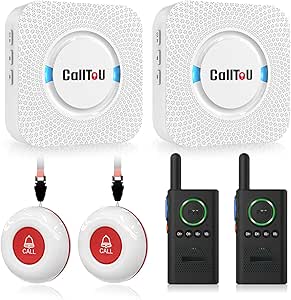 | Best for Multi-Room Intercom Coverage | Package contents: 2 call buttons, 2 receivers, 2 walkie-talkies | Maximum range: Up to 500 feet outdoors; recommended under 300 feet indoors | Audible noise level: Up to 110 dB | VIEW LATEST PRICE | See Our Full Breakdown |
| home emergency alert system | Brand |
|---|---|
| FullHouse Wireless Caregiver P | Full House |
| SINGCALL Remote Emergency Stro | SINGCALL |
| Medical Guardian MGMini Medica | Medical Guardian |
| LogicMark Guardian Alert 911 P | LogicMark |
| SYNLETT Caregiver Pager with 2 | SYNLETT |
| CallToU Caregiver Pager Wirele | — |
| DAYTECH Wi-Fi Caregiver Call S | DAYTECH |
| Greetmed Wireless Caregiver Pa | Greetmed |
| CallToU Wi-Fi Caregiver Call B | CallToU |
| SecuLife Medical Alert Pendant | SecuLife |
| FullHouse Wireless Caregiver P | Full House |
| Freedom Alert Landline Persona | — |
| CallToU Wi-Fi Caregiver Pager | — |
| CallToU Caregiver Pager Wirele | — |
More Details on Our Top Picks
FullHouse Wireless Caregiver Pager with Emergency Call Button
I’d choose the FullHouse Wireless Caregiver Pager for a household that needs a straightforward way to signal a nearby caregiver, without signing up for a monitoring service. Its button can be worn or mounted, and the receiver offers five volume levels up to 110 dB plus a silent LED alert, so it can suit different hearing and household needs. The stated range reaches 1,000 feet in open air, though walls reduce it to about 500 feet. Compared with the SYNLETT Caregiver Pager, FullHouse has a longer stated open-air range and more melody choices, while SYNLETT includes two call buttons. This is a caregiver-to-caregiver alert, not a connection to emergency professionals. The button is splash resistant, but it must be removed for bathing or showering.
Pros:- No monthly monitoring fee
- Up to 1,000 feet of stated range in open air
- Five volume levels, with sound up to 110 dB
- Silent LED alert and 52 melody options
Cons:- Range drops to about 500 feet through walls
- Call button should not be immersed and needs to be removed for bathing
- Includes only one call button and one plug-in receiver
Best for: Households seeking a no-monthly-fee alert button for a caregiver who is usually on the same property
Not ideal for: People who need professional 24/7 monitoring, automatic emergency dispatch, or a button that can be worn in the shower
- Brand:Full House
- Power:Battery-powered call button; plug-in receiver
- Included components:1 call button and 1 plug-in receiver
- Call button battery:1 CR2032 battery, included
- Maximum range:1,000 feet in open air; about 500 feet through walls
- Volume:5 levels, up to 110 dB
- Alerts:52 melodies and silent LED alert
- Water resistance:IP55 splash resistant; not immersible
- Mounting:Wall mount, door mount, or worn around the neck
Our verdict“Choose FullHouse for a simple, no-fee way to alert a nearby caregiver; skip it if you need monitored emergency response.”
SINGCALL Remote Emergency Strobe Siren Alarm Kit with 4 Emergency Buttons
The SINGCALL J008 520C is the strongest fit here when several people need access to an alert button and a loud, visible signal matters more than discreet use. It includes four large call buttons and two sirens, which gives it broader household or small-facility coverage than the single-button FullHouse pager. Its 120 dB siren and flashing red indicators are designed to attract attention, while the stated range is up to 100 meters. That output may be excessive in a quiet home, and the sirens are tabletop units rather than a wearable monitoring device. The alert can continue for up to five minutes unless canceled, so this setup suits places where someone can respond and reset it. Unlike the Medical Guardian MGMini, it does not connect users to a 24/7 monitoring team.
Pros:- Four large-button call units are included
- Two sirens provide audible and flashing visual alerts
- Siren output is rated at 120 dB
- Stated maximum range is 100 meters
Cons:- The loud siren may be unsuitable for quiet homes or sound-sensitive occupants
- Alert can continue for up to five minutes unless canceled
- Battery-powered setup requires alkaline batteries
Best for: Multi-person homes, small care settings, or workplaces that need several accessible call points and a conspicuous local alarm
Not ideal for: Individuals who need a wearable pendant, quiet alerts, or professional monitoring and emergency-response coordination
- Brand:SINGCALL
- Model:J008 520C
- Included components:2 sirens and 4 emergency buttons
- Power:Battery powered
- Included batteries:2 AA batteries
- Siren output:120 dB
- Maximum range:100 meters
- Siren dimensions:4.4 × 7.9 × 2.8 inches
- Mounting:Tabletop sirens
Our verdict“Pick SINGCALL when multiple people need prominent local call buttons, but choose a monitored pendant for direct professional response.”
Medical Guardian MGMini Medical Alert Device for Seniors, Black
For someone who may need help while away from a caregiver, I’d rank the Medical Guardian MGMini above the household-only pagers in this group. Pressing its SOS button connects the wearer to a 24/7 monitoring team through the two-way speaker, while GPS assistance can help locate them. It also comes with a lanyard and belt clip, and its stated battery life is up to 72 hours per charge. Those services require activation and a subscription, which is a major difference from the no-monthly-fee LogicMark Guardian Alert 911 Plus. Fall detection is optional and costs extra, so buyers should not assume it is included. Compared with the FullHouse pager, the MGMini is designed for monitored help beyond the home, but it brings recurring service and charging requirements.
Pros:- Connects to a 24/7 monitoring team after service activation
- Two-way speaker supports communication with responders
- GPS location assistance can help locate the wearer
- Includes lanyard, belt clip, and charging cradle
Cons:- A monitoring subscription is required before use
- Fall detection is an optional paid add-on
- Battery life is up to 72 hours, so regular recharging is part of ownership
Best for: Older adults who spend time outside the home and want a wearable device linked to a 24/7 response team
Not ideal for: Buyers who want a one-time, no-subscription caregiver chime or who do not want to keep a wearable device charged
- Brand:Medical Guardian
- Connectivity:Cellular with Wi-Fi backup
- Monitoring:24/7 subscription required; no long-term contract; cancel anytime
- Communication:SOS button and two-way speaker
- Location assistance:GPS
- Battery life:Up to 72 hours
- Charging time:4 hours
- Fall detection:Optional add-on
- Included accessories:Lanyard, belt clip, charging cradle, and power cord
Our verdict“Choose the MGMini if monitored, location-assisted help beyond the home matters more than avoiding a recurring service.”
LogicMark Guardian Alert 911 Plus Emergency Pendant with Fall Detection
The LogicMark Guardian Alert 911 Plus is a distinctive choice for buyers who want a wearable two-way voice connection to emergency personnel without a monthly fee. Its 4G LTE connectivity and fall detection set it apart from the FullHouse and SYNLETT caregiver pagers, which alert a receiver nearby rather than providing the stated connection to emergency personnel. It is also water resistant for use around the bath or shower, addressing a limitation of the FullHouse button. The tradeoff is uncertainty: the product information does not state battery life, and it does not explain exactly how fall alerts are routed or handled. Compared with the subscription-based Medical Guardian MGMini, LogicMark avoids recurring monitoring fees, but buyers should clarify response arrangements and alert behavior before relying on it.
Pros:- No monthly fees are required
- Two-way voice communication with emergency personnel
- Fall detection is included
- Water resistant for use around the bath or shower
Cons:- Battery life is not specified in the product information
- Details on fall-alert routing and response are unclear
- Tabletop mounting may be less convenient for someone seeking a fully wearable-only setup
Best for: People seeking a no-monthly-fee emergency pendant with two-way voice and fall detection for use around the home
Not ideal for: Buyers who want clearly documented battery life, a detailed monitoring workflow, or confirmed professional 24/7 monitoring
- Brand:LogicMark
- Model:40711
- Network compatibility:4G LTE
- Communication:Two-way voice
- Fall detection:Included
- Water resistance:Water resistant; suitable around the bath or shower
- Power:Battery powered; lithium-ion battery
- Monthly fees:None
- Dimensions and weight:9 × 7.1 × 1.9 inches; 0.28 kg
Our verdict“Choose LogicMark for a no-fee voice pendant with fall detection, after confirming how alerts are routed and supported.”
SYNLETT Caregiver Pager with 2 Wireless Call Buttons
The SYNLETT Caregiver Pager makes more sense than the FullHouse system when a home needs two call buttons, such as one beside a bed and another in a bathroom or living area. Both can be wall-mounted or worn using the included lanyards, and the portable receiver offers chime and continuous alarm modes so caregivers can choose a less persistent alert or a sustained one. Its stated range reaches 500 feet in open areas, but performance through walls is not specified; FullHouse provides a separate through-wall estimate and a longer open-air range. SYNLETT’s listed sound level is 90 dB, below FullHouse’s maximum 110 dB. Like those local pager systems, it alerts a caregiver nearby rather than connecting to emergency professionals, and the call buttons use 12V batteries.
Pros:- Includes two wireless call buttons and one receiver
- Buttons can be wall-mounted or worn with included lanyards
- Receiver offers chime and continuous alarm modes
- One-year warranty is listed
Cons:- The 500-foot range is specified for open areas only
- The listed 90 dB sound level is lower than FullHouse’s stated maximum
- Call buttons use 12V batteries, adding a separate battery type to manage
Best for: Homes where one caregiver needs alerts from two rooms and wants a portable receiver with more than one alert mode
Not ideal for: Buyers who need professional monitoring, a verified range through walls, or the loudest available local alert
- Brand:SYNLETT
- Model:D091G1
- Included components:2 call buttons and 1 receiver
- Power:Battery powered
- Included batteries:4 AA batteries; call buttons use 12V batteries
- Maximum range:500 feet in open areas
- Sound level:90 dB
- Receiver dimensions:3.24 × 1.3 × 2.53 inches
- Warranty:1 year
Our verdict“Choose SYNLETT when two call locations and selectable alert modes matter more than extended range or monitored emergency response.”
CallToU Caregiver Pager Wireless Call Button Nurse Alert System
The CallToU Caregiver Pager suits households that want a direct way to summon help without relying on Wi-Fi, an app, or a cellular plan. Its stated 500+ ft through-wall range can cover more of a home than the Greetmed system’s stated indoor range, while the portable receiver lets a caregiver carry the alert from room to room. A waterproof, dustproof call button is practical near a bath or in a dusty workspace, and the loud adjustable alarm can help alerts carry through a busy household.
The tradeoff is a plug-in receiver: it needs an outlet, so it is not as flexible to position as a wearable cellular pendant such as the SecuLife. The button also uses a replaceable 12V alkaline battery. I’d choose this for straightforward in-home calling, not for automatic fall detection or alerts that follow a caregiver away from the receiver.
Pros:- Stated 500+ ft through-wall range suits larger homes.
- Portable receiver can travel with a caregiver.
- Waterproof and dustproof design suits bathrooms and other exposed areas.
- 55 ringtone choices and volume up to 110 dB allow alert customization.
Cons:- Receiver must remain plugged into an outlet.
- Call button requires a replaceable 12V alkaline battery.
- Does not provide app, cellular, or automatic fall-detection alerts.
Best for: Households that want a simple, app-free call button with long stated range and a receiver caregivers can carry around the home.
Not ideal for: People who need automatic fall detection, cellular alerts outside the home, or a receiver that works without an outlet.
- Manufacturer:CallToU
- Part number:CC01US+01A
- Wireless range:500+ ft through walls, as stated
- Sound level:Up to 110 dB
- Ringtones:55 selectable
- Special features:Waterproof and dustproof
- Battery:One 12V alkaline battery required
- Receiver:Plug-in receiver; portable
Our verdict“Choose the CallToU for a loud, simple in-home alert across a larger space, but pick the SecuLife if you need mobile coverage or fall detection.”
DAYTECH Wi-Fi Caregiver Call System with 2 Buttons, Wrist Button, and Receiver
The DAYTECH Wi-Fi Caregiver Call System is a fit for families who want more than a sound in the house when someone presses for help. Its two call buttons and wrist button provide several ways to trigger an alert, while shared app notifications can keep multiple family members informed. That gives it a different role from the basic CallToU pager, which relies on its receiver rather than app updates. The included receiver also provides an audible alert at home, so the system has a local notification path as well.
That connectivity has limits: it works on 2.4 GHz Wi-Fi, and phone or text alerts require an upgrade. The receiver still needs an outlet, and app-based alerts depend on the home network and compatible setup. Compared with Greetmed’s no-Wi-Fi arrangement, DAYTECH adds remote app sharing but also adds network dependence. I’d favor it for connected households, not for buyers seeking a fully offline system.
Pros:- Includes two call buttons and a wrist button.
- App notifications can be shared with family members.
- Plug-in receiver provides a local audible alert.
- Offers 20 ringtone options and five volume levels.
Cons:- Supports 2.4 GHz Wi-Fi only.
- Phone and text alerts require an upgrade.
- Receiver must be plugged into an outlet.
Best for: Families with 2.4 GHz Wi-Fi who want several household members to receive app notifications from multiple call buttons.
Not ideal for: Buyers without compatible Wi-Fi, or anyone who expects phone and text alerts to be included without an upgrade.
- Brand:DAYTECH
- Model:CR02TY-CT02WR-WB06WH
- Included components:Two buttons, one wrist button, one receiver
- Wi-Fi:2.4 GHz only
- Ringtones:20 options
- Volume:Five levels
- Battery:One included 12V battery
- Dimensions:4.8 × 4.1 × 3.6 in
Our verdict“Choose DAYTECH if shared app alerts matter and your home has 2.4 GHz Wi-Fi; choose Greetmed for a system that does not depend on a network.”
Greetmed Wireless Caregiver Pager System with Dual Receivers and Two SOS Transmitters
The Greetmed Wireless Caregiver Pager stands out for a practical household problem: one receiver may not be enough when caregivers spend time in separate rooms. This kit includes two receivers and two SOS transmitters, so alerts can sound in more than one location without setting up an app or home network. Its stated open-area range reaches at least 1,000 feet, though the listed indoor range is at least 165 feet; that distinction matters more than the larger headline figure for most homes. By comparison, the CallToU pager lists a longer through-wall range, but Greetmed supplies a second receiver in the box.
With no Wi-Fi, cellular service, or monthly fee required, it offers a simpler offline alternative to DAYTECH’s app-connected system. The tradeoff is that transmitters need 23A 12V batteries, and walls can reduce range. This is a home alert setup, not a wearable cellular service with GPS or automatic fall detection.
Pros:- Two receivers can sound alerts in separate locations.
- Includes two SOS transmitters.
- Works without Wi-Fi, cellular service, or a monthly fee.
- Transmitters can be wall-mounted, carried, or worn as pendants.
Cons:- Transmitters require 23A 12V batteries.
- The stated 1,000 ft range is for open areas; indoor range is listed at at least 165 ft.
- Does not send app or cellular alerts.
Best for: Households with caregivers in different rooms who want two local receivers and two transmitters without Wi-Fi or recurring service.
Not ideal for: People who need alerts sent to phones away from home, or who want fall detection and GPS tracking.
- Brand:Greetmed
- Model:GT-CP22
- Receivers:2
- Transmitters:2
- Open-area range:At least 1,000 ft
- Indoor range:At least 165 ft
- Melodies:38 selectable
- Transmitter battery:23A 12V
- Connectivity:Wireless; no Wi-Fi or cellular service required
Our verdict“Choose Greetmed when two caregivers or rooms need local alerts without a network; choose DAYTECH if shared phone notifications matter more.”
CallToU Wi-Fi Caregiver Call Button Emergency Alert System
The CallToU Wi-Fi Caregiver Call Button pairs a local receiver with app notifications, giving families two ways to hear about a call. The set includes two call buttons and a wrist button, and its 433 MHz RF link connects those controls to the receiver while 2.4 GHz Wi-Fi supports app alerts. That split can be useful when a caregiver is elsewhere in the home or wants family members to share notifications. Compared with the non-connected CallToU pager, this model adds app access; compared with DAYTECH, it lists a specific 328 ft wireless range and a lifetime warranty.
The app connection is not a substitute for independent cellular service: Wi-Fi is limited to 2.4 GHz, and phone or text alerts require a subscription. The plug-in receiver also keeps it tied to a home outlet. I’d pick it for app-and-receiver coverage, but not for anyone seeking a subscription-free mobile alert or automatic fall detection.
Pros:- Combines receiver alerts with app notifications.
- Includes two call buttons and a wrist button.
- App notifications can be shared with family.
- Provides 20 ringtone choices and five volume levels.
Cons:- Phone or text notifications require a subscription.
- Supports 2.4 GHz Wi-Fi only.
- Receiver requires an outlet, and the listed wireless range is 328 ft.
Best for: Families who want a local receiver plus shared app notifications from multiple call buttons and a wrist button.
Not ideal for: Buyers who need phone or text alerts without a subscription, lack 2.4 GHz Wi-Fi, or want fall detection.
- Brand:CallToU
- Model:TY02BL
- Included devices:Two call buttons, one wrist button, one receiver
- Wireless range:328 ft / 100 m
- Wireless technology:433 MHz RF
- Wi-Fi support:2.4 GHz
- Ringtones and volume:20 ringtones; five volume levels
- Warranty:Lifetime warranty
Our verdict“Choose this CallToU when app alerts and a local receiver are both useful, but choose Greetmed to avoid Wi-Fi and subscription-dependent phone alerts.”
SecuLife Medical Alert Pendant for Seniors with Fall Detection, GPS Tracking and Two-Way Calling
Unlike the home-only CallToU and Greetmed buttons, the SecuLife Medical Alert Pendant is designed to travel with the wearer. Its 4G LTE connection supports SOS calling and two-way communication, while GPS tracking and geofence alerts can help selected contacts follow location changes. Automatic fall detection adds a layer that a manual call button cannot provide, though it should not be treated as a guarantee that every fall will be detected. Hands-free auto-answer can also make it easier for a contact to speak with the wearer after an alert.
The main tradeoff is ongoing service: a monthly subscription is required, unlike Greetmed’s offline home kit. Battery-life information also differs, with the description listing up to six days and product information listing five. Its IP67 rating supports daily wear around water, but this is a personal cellular device rather than a multi-room alert system. I’d choose it for mobility, not simply to notify someone nearby at home.
Pros:- Fall detection can send alerts to selected contacts.
- Two-way calling and hands-free auto-answer support direct communication.
- GPS tracking and geofence alerts add location information.
- IP67 waterproof design supports everyday wear.
Cons:- Requires a monthly subscription.
- Battery-life information conflicts: up to six days in the description and five days in product information.
- A single wearable does not provide the multiple in-home receivers supplied with Greetmed.
Best for: Older adults who leave home and need a wearable cellular alert with GPS, two-way calling, and fall detection.
Not ideal for: Households seeking a subscription-free, multi-room call-button system or a device with a single consistent battery-life figure.
- Brand:SecuLife
- Connectivity:4G LTE cellular
- Features:Fall detection, SOS calling, two-way calling, GPS tracking, geofencing
- Battery capacity:1,000 mAh
- Battery life:Up to six days in description; five days in product information
- Water resistance:IP67 waterproof
- Compatible devices:Android and iOS smartphones
- Included items:Charging cable, SIM card, user manual
Our verdict“Choose SecuLife for a wearable alert beyond the home with GPS and fall detection, but select Greetmed for subscription-free coverage around the house.”
FullHouse Wireless Caregiver Pager with Emergency Call Button and Wristband
I’d choose the FullHouse Wireless Caregiver Pager for a home where the person needing help can press a nearby button and a caregiver is within alert range. Its stated reach is up to 1,000 feet in open air, with a more modest 500 feet through walls, so placement and the home’s layout matter. Unlike the Freedom Alert, it does not provide two-way voice communication; it sends a call signal rather than letting the user explain what happened. In return, it avoids monthly fees and offers five volume levels plus a silent LED mode, useful when a loud chime would disturb others. The button can be worn or placed by a bed or bathroom, but its splash-proof rating does not mean it can be immersed.
Pros:- No monthly operating fee
- Long stated open-air range, with a separate through-wall range listed
- Five volume levels and an LED-only silent alert option
- Button can be worn or placed near a bed, wheelchair, or bathroom
Cons:- Does not provide two-way voice communication
- Range is listed as 500 feet through walls, which may not cover every home
- The button is splash-proof but should not be immersed
Best for: Households seeking a no-monthly-fee call button with adjustable sound or silent visual alerts, where a caregiver stays within range.
Not ideal for: People who need to speak directly to a responder through the alert device, or users who may submerge the button in a bath or shower.
- Brand:Full House
- Range:Up to 1,000 feet in open air; 500 feet through walls
- Melodies:52
- Volume levels:5, from 0 dB to 110 dB
- Alert modes:Sound and LED flash; silent LED-only mode
- Water resistance:IP55; splash-proof, not for immersion
- Batteries:2 C batteries, included
Our verdict“Choose this pager for flexible, fee-free in-home alerts when a nearby caregiver can respond without voice communication through the device.”
Freedom Alert Landline Personal Emergency Device
The Freedom Alert Landline Personal Emergency Device is the stronger fit when an alert needs to start a conversation, not just sound a receiver. Its pendant supports two-way voice, allowing the user to communicate with family or emergency personnel after pressing the button. That capability gives it a different role from the FullHouse pager, which signals a nearby caregiver but does not offer voice communication through the device. Freedom Alert also avoids monthly operating fees and includes a 24-hour battery backup, a useful safeguard during a power interruption. Its defining limitation is the connection: it requires an existing landline phone service. I’d skip it in a home without a landline, and buyers should distinguish this landline-based setup from systems designed around Wi-Fi or a local receiver.
Pros:- Two-way voice communication through the pendant
- Can connect users with family or emergency personnel
- No monthly operating fees
- Rechargeable pendant and 24-hour battery backup
Cons:- Requires existing landline phone service
- The landline requirement limits use in homes that rely on mobile or internet phone service
- Unlike a basic caregiver pager, it depends on its phone connection for communication
Best for: People with active landline service who want a rechargeable emergency pendant that supports two-way communication without monthly operating fees.
Not ideal for: Households without a landline, or anyone seeking a Wi-Fi-based alert setup or a simple receiver-only caregiver pager.
- Connection:Landline phone service required
- Communication:Two-way voice via pendant
- Battery:Rechargeable with 24-hour backup
- Monthly fees:None
Our verdict“Pick Freedom Alert if you have a landline and want an emergency pendant that lets the user speak with a responder without monthly operating fees.”
CallToU Wi-Fi Caregiver Pager with Call Button, Watch Button, and Receiver
I’d put the CallToU Wi-Fi Caregiver Pager on the shortlist when family members want alerts on their phones as well as at home. The included receiver supplies audible and visual alerts, while free app notifications can share button presses with family. That makes it more connected than the FullHouse pager, which relies on its local receiver rather than app alerts. The buttons use 433 MHz wireless communication with a stated range of up to 328 feet, and the receiver connects only to 2.4 GHz Wi-Fi. Phone or text alerts require a paid subscription, so free app notifications are not the same as a fully free remote messaging service. I’d choose it for shared app awareness, but not for anyone who needs subscription-free calls or texts.
Pros:- Provides app notifications as well as audible and visual receiver alerts
- App can share alerts with family
- Call button and watch button offer different ways to request help
- Receiver includes 20 ringtones and five volume levels
Cons:- Receiver supports 2.4 GHz Wi-Fi only
- Phone and text alerts require a paid subscription
- Listed wireless range is up to 328 feet
Best for: Families who want free app notifications shared among caregivers alongside a local receiver, and whose home Wi-Fi supports 2.4 GHz.
Not ideal for: Buyers who need phone or text alerts without a subscription, use only 5 GHz Wi-Fi, or need a system with a longer stated wireless range.
- Included components:1 call button, 1 watch button, 1 receiver
- Wireless technology:433 MHz
- Wi-Fi compatibility:2.4 GHz only
- Maximum range:328 feet (100 m)
- Power source:Battery powered
- Battery:2 AAA batteries, included
- Receiver alerts:20 ringtones; 5 volume levels
- Warranty:1 year
Our verdict“Choose this model for shared app notifications and local receiver alerts, provided 2.4 GHz Wi-Fi is available and subscription-based phone or text alerts are acceptable.”
CallToU Caregiver Pager Wireless Alert Button
The CallToU Caregiver Pager Wireless Alert Button makes the most sense for a home where caregivers need both alert receivers and a way to talk back. Its package includes two call buttons, two receivers, and two walkie-talkies, giving it a broader in-home setup than the single-receiver CallToU Wi-Fi pager. The walkie-talkies provide two-way communication without requiring the user to hold down a call button, while the alert system itself offers up to 500 feet outdoors and recommends staying under 300 feet indoors. Waterproof and dustproof devices suit settings where splashes or dust are concerns, unlike the FullHouse button, which is splash-proof but should not be immersed. The main caveat is that the pager and intercom systems cannot be paired, so the separate components do not form one unified communication network.
Pros:- Includes two call buttons, two receivers, and two walkie-talkies
- Walkie-talkies support two-way communication without holding down buttons
- Waterproof and dustproof devices suit damp or dusty areas
- Adjustable volume up to 110 dB and 55 selectable ringtones
Cons:- Recommended indoor range is under 300 feet and obstacles can reduce coverage
- Pager and intercom systems cannot be paired
- Receivers plug into an outlet, which affects placement
Best for: Households that want multiple alert points and receivers plus separate walkie-talkies for caregiver communication, including homes where devices may encounter water or dust.
Not ideal for: People who need a single integrated pager-and-intercom system, or homes where obstacles make the recommended under-300-foot indoor range insufficient.
- Package contents:2 call buttons, 2 receivers, 2 walkie-talkies
- Maximum range:Up to 500 feet outdoors; recommended under 300 feet indoors
- Audible noise level:Up to 110 dB
- Ringtones:55 selectable
- Device protection:Waterproof and dustproof
- Mounting:Wall mount or door mount
- Power source:Battery powered; receivers plug into an outlet
Our verdict“Choose this package when you need several alert points and separate two-way walkie-talkies, but skip it if you require one integrated pager-and-intercom system.”

How We Picked
I compared the 14 systems by the job they are designed to do: summon a caregiver inside a home, contact help through a phone or network connection, or support alerts while the wearer is away from home. The main criteria were alert reach and connection type, ease of activating an alert, wearable options, fall-detection or location features where listed, receiver setup, and the practical work required to keep the system ready. I also considered whether a product’s listed features answer a real household need rather than simply adding complexity.
The ranking favors systems with a clear use case and a more useful balance of access, response options, and usability. Home caregiver pagers are not treated as interchangeable with medical alert devices: a local receiver cannot provide the same response path as a service-connected device. Products with multiple buttons or receivers may suit multi-room caregiving, while mobile and GPS-equipped options rank higher for people who leave home or live without a caregiver close by. Before choosing, verify coverage, monitoring or subscription terms, phone and Wi-Fi requirements, and how alerts reach the people expected to respond.
Factors to Consider When Choosing Best Home Emergency Alert Systems
Before choosing from this roundup, decide what should happen after someone presses the button. A device that rings a receiver in the next room solves a different problem from one intended to contact emergency help or share a location. The following factors can help you avoid paying for features that do not match your response plan—or relying on a simple pager when no one is available to answer it.
Decide Who Must Receive the Alert
Start by naming the person or service expected to respond, rather than starting with a feature list. A caregiver pager can be a sensible fit when a family member or aide is nearby and can hear the receiver. If the wearer is often alone, a local chime or siren may not connect them to anyone able to help. A medical alert device may offer a different path, but buyers should confirm whether it calls contacts, connects to a response center, or requires a separate service plan. A common mistake is assuming that an alarm sound automatically summons emergency services.
Match the System to the Home’s Connectivity
Check what the system needs to communicate: a receiver, landline, Wi-Fi, cellular coverage, or a vendor service. Wi-Fi alerts depend on a working network and may be less useful during an internet or power outage unless backup power or another connection is provided. Landline-based devices suit homes with an active phone line, but that line must remain available and compatible. Mobile devices can serve people outside the home, yet coverage and service activation matter as much as the device itself. Before ordering, map the expected alert route and ask what still works if the router, phone line, or power fails.
Check Reach, Wearability, and Daily Routine
A button only helps when it is within reach and comfortable enough to use consistently. Think through where falls or urgent needs are most likely: bedroom, bathroom, kitchen, garden, or outside the home. Fixed buttons can work well at known locations, while wrist or pendant options offer access during movement; wearable devices bring charging, fit, and accidental-press questions. Do not assume a system’s advertised range will match a home with thick walls, multiple floors, or outdoor areas. Ask how range is measured and plan a test in the spots where the wearer will use it.
Treat Fall Detection as a Backup, Not a Guarantee
Fall detection can provide an extra alert path when a person cannot press a button, but it should not replace a wearable call button or a response plan. Sensors may miss some falls or trigger an alert during ordinary movement, and the wearer may still need to confirm an alarm or speak with a responder. Check whether fall detection is included, how it communicates, and whether it depends on a paid service or network connection. For someone with a known fall risk, also review home hazards, mobility support, and check-in routines. The useful question is not simply whether a product has fall detection, but what happens after it activates.
Plan for Multiple Rooms and Multiple Caregivers
In a larger home, receiver placement and sound coverage can matter more than adding another transmitter. Consider whether a caregiver spends time in a basement, yard, or separate part of the house, and whether a second receiver would reduce missed alerts. Multiple buttons help when needs arise in different rooms or when more than one person may call for assistance. If several caregivers share responsibility, agree on who answers, who is the backup, and how an unanswered alert is escalated. Buying extra buttons without assigning responders can add clutter without improving safety.
Compare the Full Cost and Upkeep
Look beyond the device itself and check for required monitoring, cellular service, app access, replacement batteries, or recurring fees. A simpler local alert may avoid some service requirements but also leave response coordination to the household. A connected device can provide broader coverage, while asking the buyer to maintain a charged wearable and an active account. Confirm battery type, charging frequency, replacement process, water resistance, and warranty support before committing. Paying more makes sense when it buys a response path or mobility feature the household will actually use; it does not help when the added functions go unused.
Frequently Asked Questions
Can a caregiver pager replace a monitored medical alert system?
Usually not, because the two setups have different alert paths. A caregiver pager typically signals a receiver within range, so someone nearby must hear and respond. A monitored or service-connected medical alert device may connect the wearer to a response center or designated contacts, depending on its plan and configuration. If the user is regularly alone, confirm exactly who receives the alert and what happens if no one answers. A pager can still be useful as a second layer for a caregiver who is in the home.
Do I need Wi-Fi for a home emergency alert system?
No, but the connection requirements vary by model. Some caregiver systems use a direct link between a button and receiver, while Wi-Fi options rely on the home’s network and connected features. Landline devices need an active compatible phone line, and mobile alert devices may depend on cellular coverage or a service plan. Ask whether alerts still work during an internet outage and whether any app or remote notification features stop working. Choose based on the connection the household can keep available, not just the connection it has today.
Is fall detection enough if someone may be unable to press a button?
Fall detection can add a layer of protection, but it should not be treated as a guarantee that every fall will be detected or answered. Confirm how the device sends an alert, whether a responder can speak with the wearer, and what happens if the wearer does not reply. Keep a wearable call button within reach as another way to summon help when possible. Buyers should also check charging and service requirements, since a device that is off or disconnected cannot send an alert. For higher-risk situations, discuss the overall response plan with the person’s care team.
How can I tell whether a wireless button will reach throughout my home?
Published range figures may not reflect a home with walls, floors, appliances, or detached spaces between the button and receiver. Check the manufacturer’s stated range and how it was measured, then test the system in the rooms where the wearer may need it. Pay special attention to bathrooms, bedrooms, basements, and outdoor areas. If a caregiver may be far from one receiver, a second receiver can help only if it is compatible and placed where alerts can be heard. Do not rely on an assumed range without confirming it in the actual home.
Should I choose a wearable device or fixed call buttons?
Fixed buttons are a practical choice when help is usually needed in predictable locations and the wearer can reach the installed button. A pendant or wrist button travels with the person around the home, which can reduce the chance that an alert control is across the room. Wearables need regular charging or battery checks and must feel comfortable enough to keep on. Many households benefit from combining a wearable with fixed buttons in higher-risk rooms. The right choice depends on the person’s routine and whether they will reliably use and maintain the device.
Conclusion
For the broadest mobility-focused fit, I would start with the Medical Guardian MGMini as the best overall pick, while checking service and coverage details before buying. The FullHouse Wireless Caregiver Pager is the best value-style choice for households that mainly need a straightforward way to alert someone nearby, and the DAYTECH Wi-Fi system is a strong beginner-friendly option for a caregiver setting up several ways to call within the home. For a premium feature set aimed at movement beyond the house, compare the SecuLife pendant and MGMini by their alert route, GPS needs, and fall-detection terms. Choose Freedom Alert if a landline-based approach fits your home, or a multi-button, dual-receiver pager such as Greetmed when more than one room or caregiver needs coverage. The deciding factor is who receives the alert and how quickly they can act—not the number of features on the box.
Halloween Picks

HOPOCO Halloween Pumpkin Fog Machine with 12 LED Colors & Remote Control

Haunted Hill Farm Beatrix Head-Spinning Halloween Animatronic, 4.6 Ft

9 ft Halloween Inflatable Haunted Castle with Dragon and Ghost
As an affiliate, we earn on qualifying purchases.